Governance mode
Locked until its date, but the account owner (and in Indore, sub-users who may delete versions) can still delete it on purpose.
A version locked in Governance mode cannot be overwritten or deleted until its retain-until date, with one exception: someone with the right permission can still delete it on purpose. That is the account owner and, in the Indore region, any sub-user who may delete file versions. This makes Governance the safe choice for backups and for trying out Object Lock.
To set a Governance lock, choose Governance as the mode in a default retention, when you lock existing versions or when you lock one version.
What you can and cannot do
| Action | Allowed? |
|---|---|
| Download the version | Yes |
| Overwrite the file | Yes, but it creates a new version. The locked version stays. |
| Make the lock longer | Yes |
| Change the version to Compliance | Yes. This cannot be undone. |
| Make the lock shorter or remove it in the console | No |
| Delete the version before the date | The account owner, after confirming. In Indore, also a sub-user with Delete file versions (part of Full Access). In Mumbai, sub-users cannot. |
In the Indore region, Governance mode does not stop a sub-user who has Delete file versions. Full Access includes it. Such a sub-user can delete a locked version early with an S3 tool. If nobody but you may delete these versions, give sub-users a custom policy without Delete file versions on this bucket, or use Compliance mode.
Delete a Governance-locked version
Signed in as the account owner:
Open the bucket and turn on Show Versions.
Open the version's ⋮ menu and select Delete. The window Governance Lock Active shows when the lock would end.
Type CONFIRM and select Delete Version. The version is deleted for good.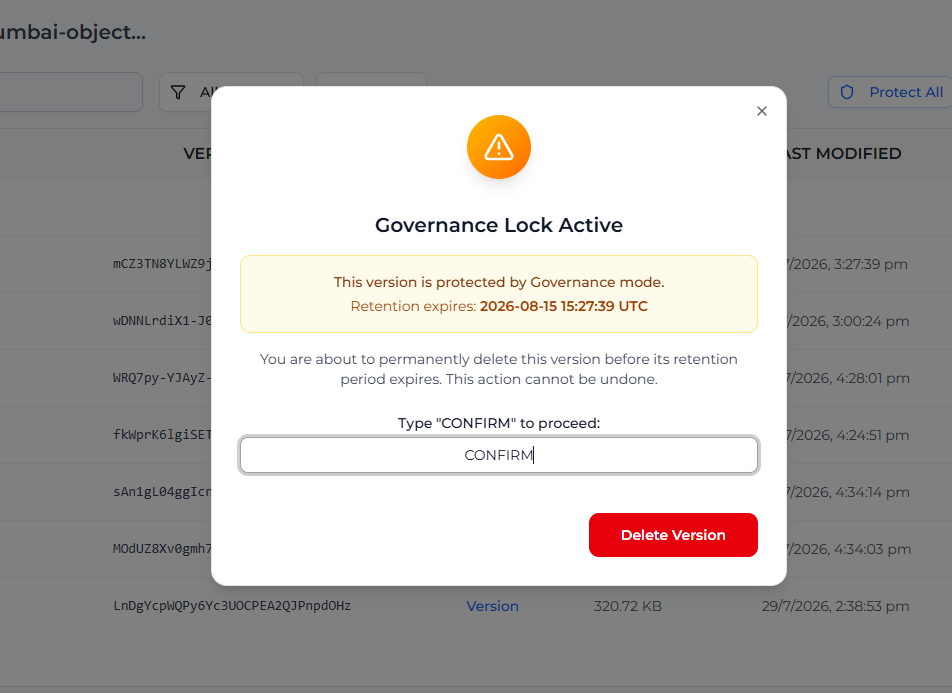
Change a version to Compliance
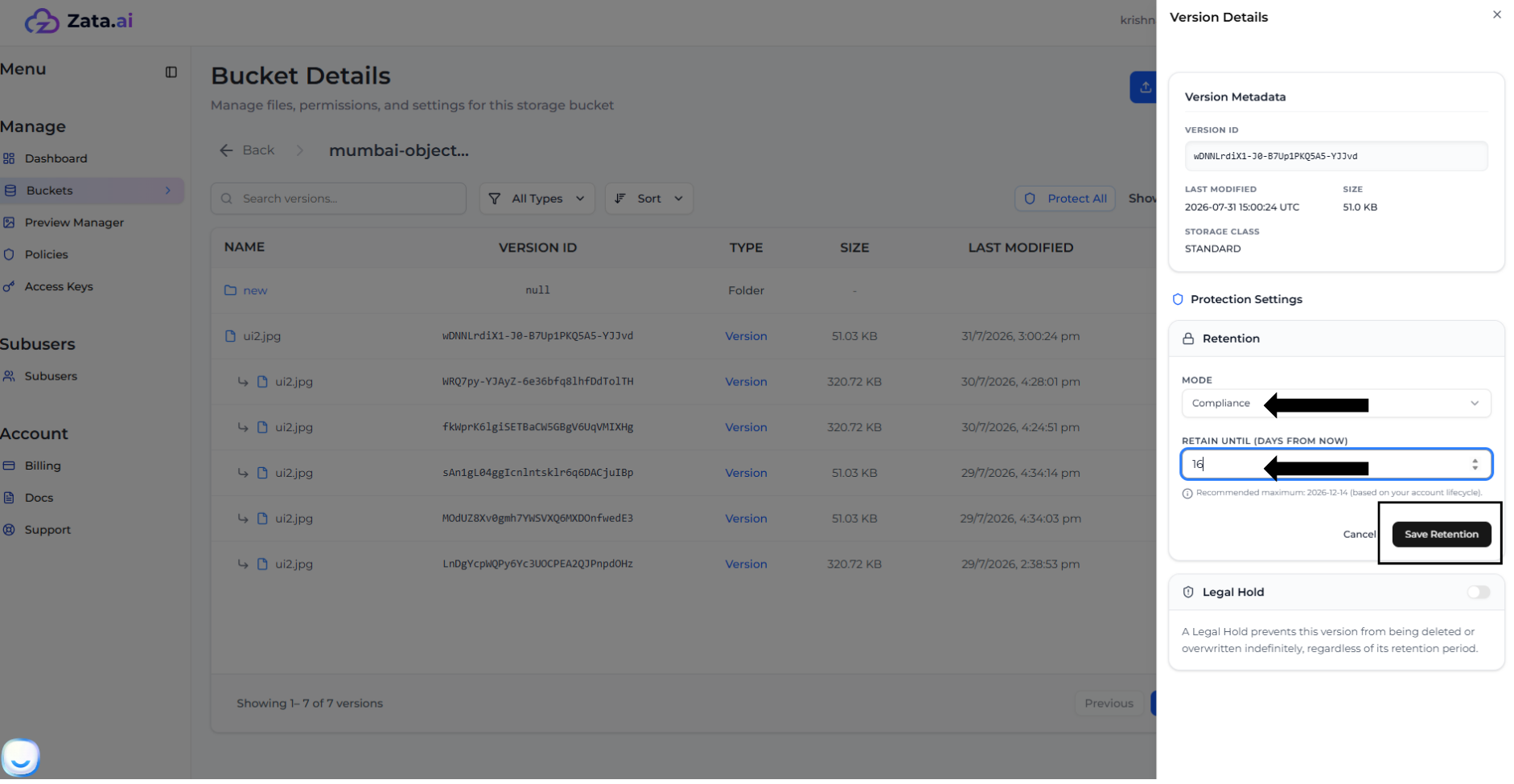
In the version's Lock Settings, select Edit under Retention, choose Compliance and enter at least as many days as are left. Select Save Retention and confirm. After this, nobody can delete the version or shorten its lock until the date passes: see Compliance mode.
Lock a file with the AWS CLI
aws s3api put-object-retention --bucket my-locked-bucket --key myfile.txt \
  --retention "Mode=GOVERNANCE,RetainUntilDate=2026-12-31T00:00:00Z" --profile zata
This locks the newest version of myfile.txt until the date you give. Use a sub-user key only if the owner has given it the Object Lock permissions; otherwise Zata answers AccessDenied.