GoodSync
Back up or sync a local folder to a Zata bucket with GoodSync.
GoodSync backs up or synchronises folders between your computer and cloud storage. It connects to Zata through its Amazon S3 account type with the Zata endpoint as the server address.
Before you start
- A bucket. See Create a bucket.
- An access key from the same region as the bucket. See Access keys.
- GoodSync installed.
Connection settings
| Setting | Value |
|---|---|
| Server Address | idr01.zata.ai for Indore, bom01.zata.ai for Mumbai |
| Initial Path | / and your bucket name, for example /my-bucket |
| AWS Access Key ID / AWS Secret Access Key | From Access Keys in the Zata console. The key must be from the same region as the bucket. |
GoodSync uses host-based (virtual-host style) addressing by default. This works with Zata, except for bucket names that contain dots. Use a bucket name without dots.
Set up GoodSync
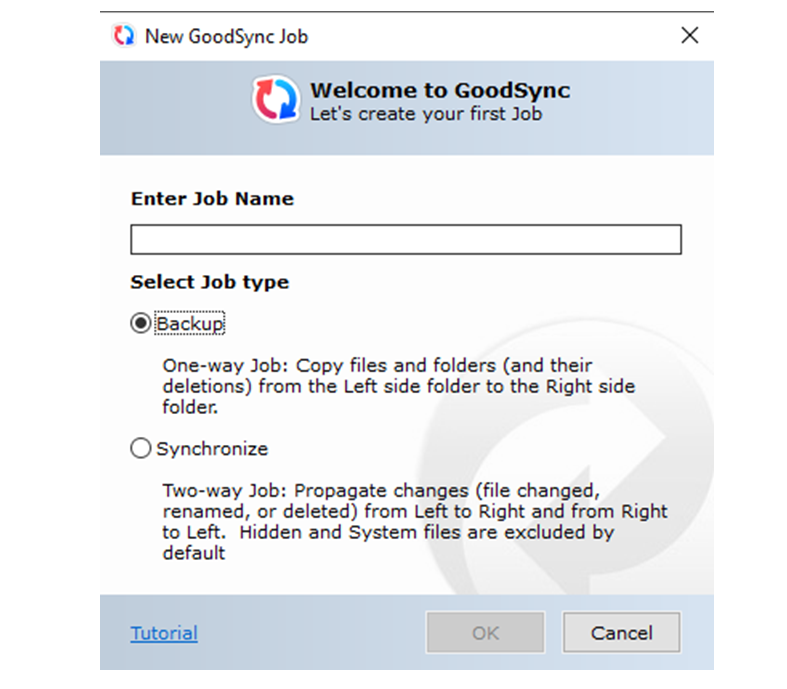
Click New Job. Enter a job name, choose Backup (one way) or Synchronize (two way), and click OK.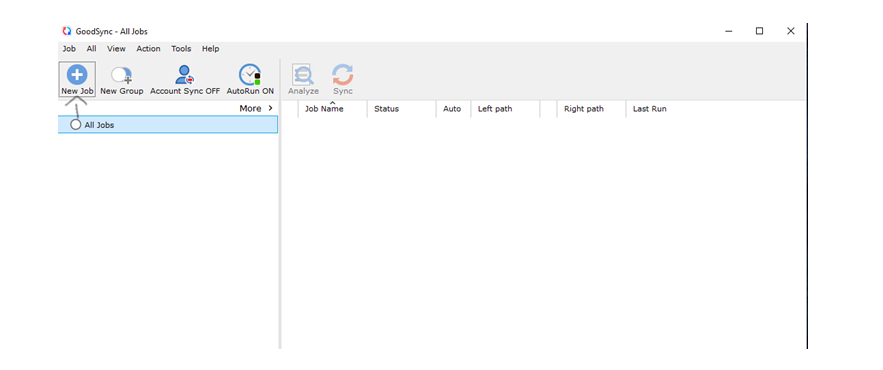
On the left side, browse to the local folder you want to back up, for example D:\Projects.
On the right side, choose Amazon S3 and add a new account. Fill in the fields from the table above, click Test, then click Save. Select your bucket or a folder in it and click Apply.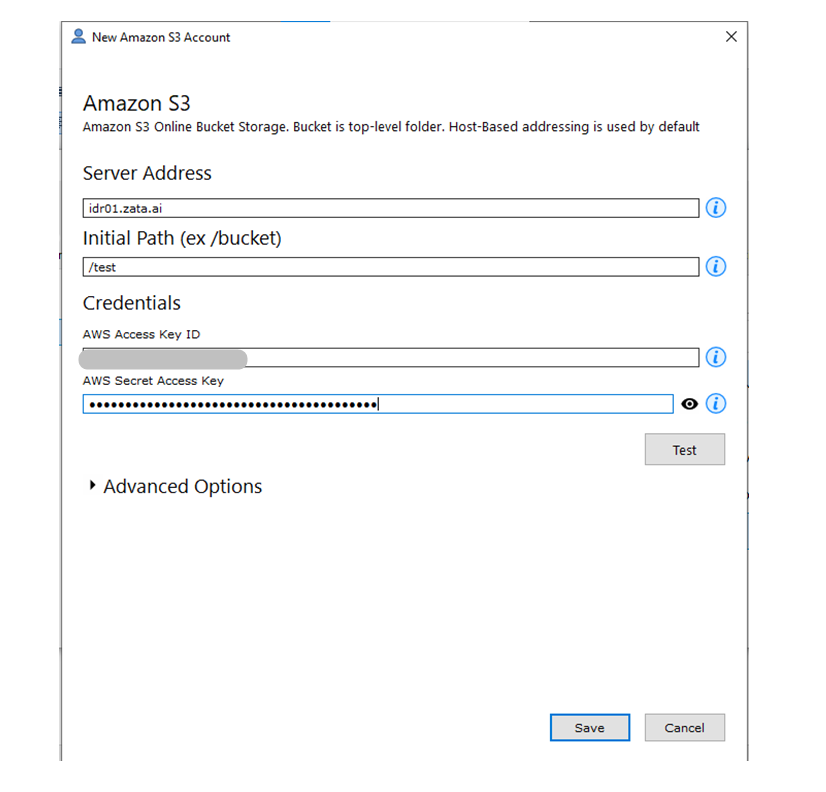
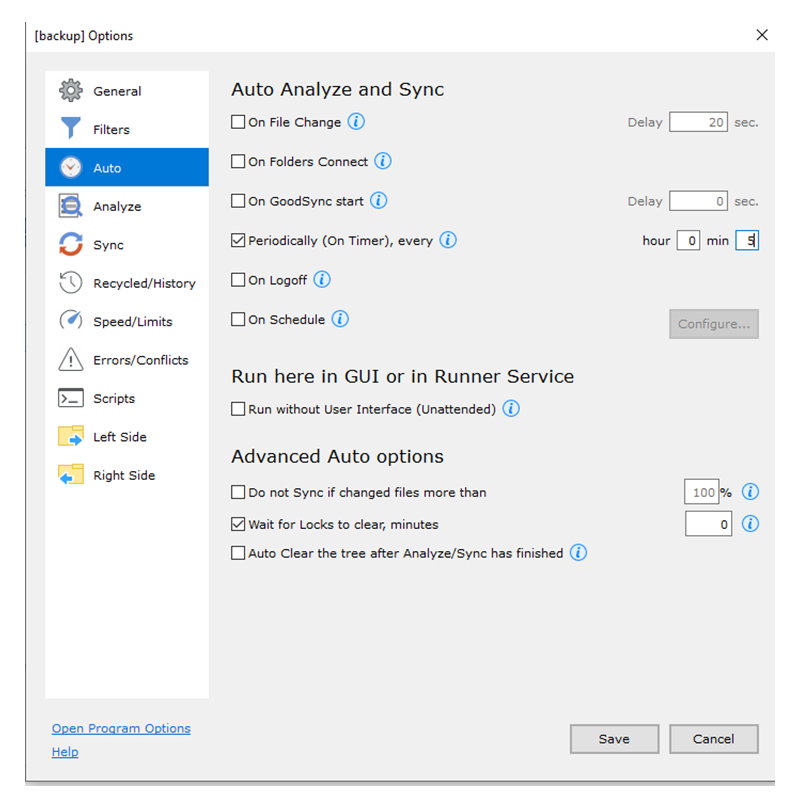
Check that AutoRun ON shows in the toolbar. Click Auto, tick Periodically (On Timer), every, set the interval, and click Save.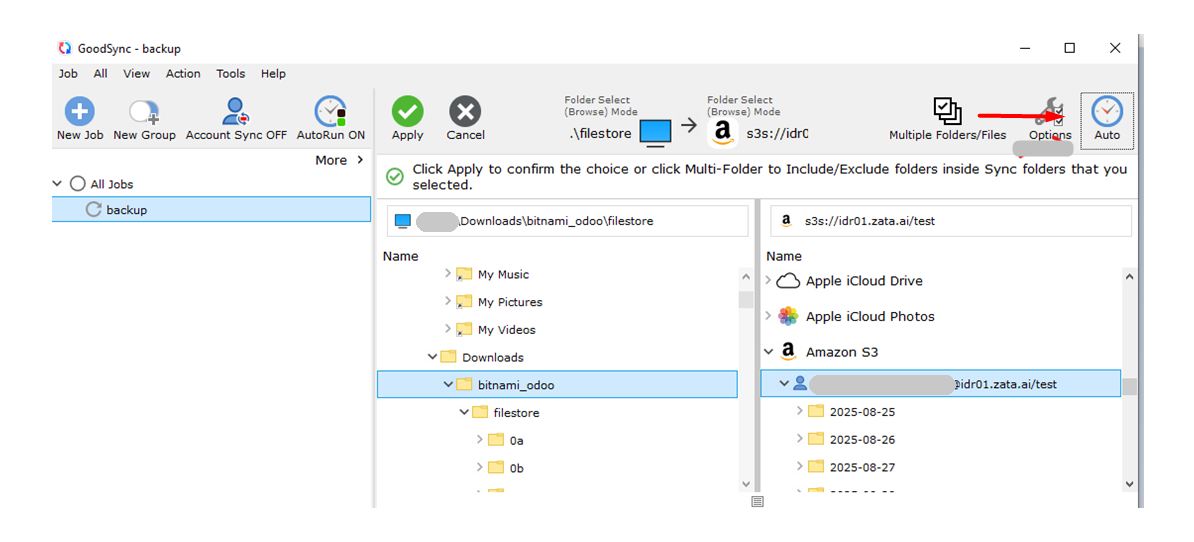
Test it
Put a small file in the local folder and run the job once by hand. Check that the file appears in your bucket in the Zata console. Then restore or sync it back to a local folder to confirm it can be downloaded.
Troubleshooting
| Problem | Fix |
|---|---|
| Cannot connect | Check that Server Address is idr01.zata.ai or bom01.zata.ai and matches the bucket's region. |
| Certificate error with a bucket name that has dots | Use a bucket name without dots. See Network and certificates. |
| Access denied or invalid credentials | Copy the keys again from Access Keys, without extra spaces. |
| Files do not upload on their own | Make sure AutoRun ON shows and set a Periodically schedule under Auto. |