Syncovery
Back up and sync folders to Zata on Windows, macOS or Linux.
Syncovery backs up and synchronises folders on Windows, macOS and Linux. It connects to Zata with its S3 protocol. You put the Zata endpoint in the bucket field, as bucketname@host.
Before you start
- A bucket. See Create a bucket.
- An access key from the same region as the bucket. See Access keys.
- Syncovery installed.
Connection settings
| Setting | Value |
|---|---|
| Protocol | S3 |
| Access ID / Secret Key | From Access Keys in the Zata console. The key must be from the same region as the bucket. |
| Provider | Custom ([email protected]) |
| Bucket | [email protected] for Indore, [email protected] for Mumbai |
| Storage Class | Standard Storage Class (Zata has one storage class) |
Set up Syncovery
On the welcome screen, click Perform a synchronization or backup now.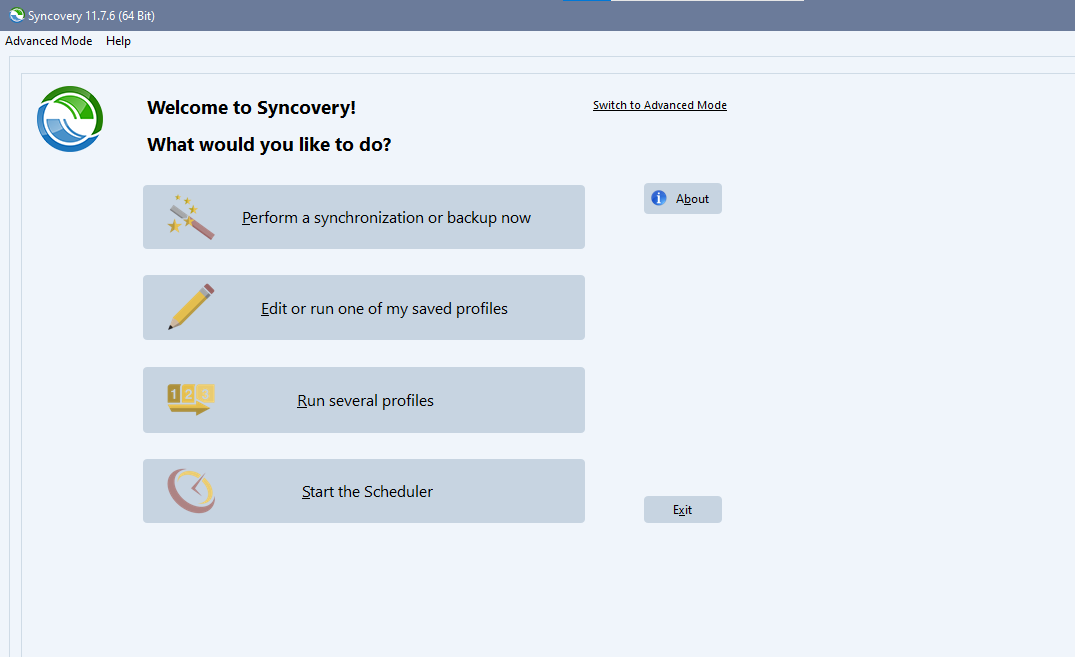
In Specify Folders, set Left-Hand Side to the local folder you want to back up or sync.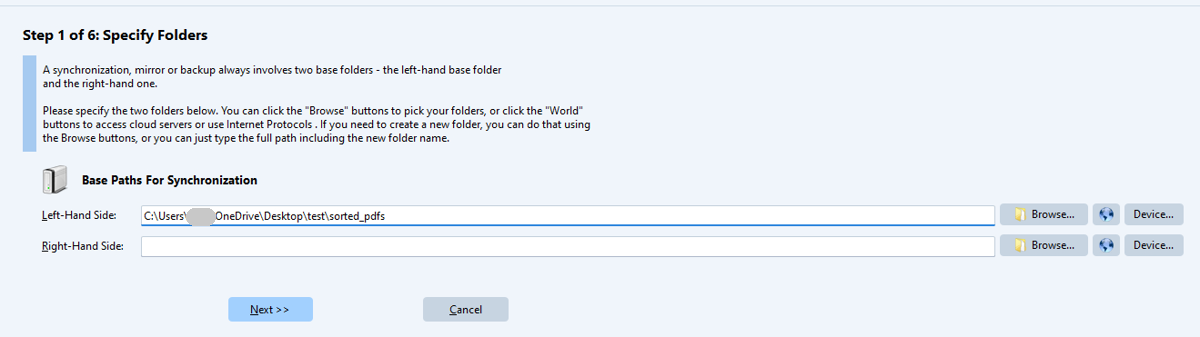
Next to Right-Hand Side, click the globe button to open Internet Protocol Settings. Set Protocol to S3 and fill in the fields from the table above. Optionally enter a Folder inside the bucket. Click OK.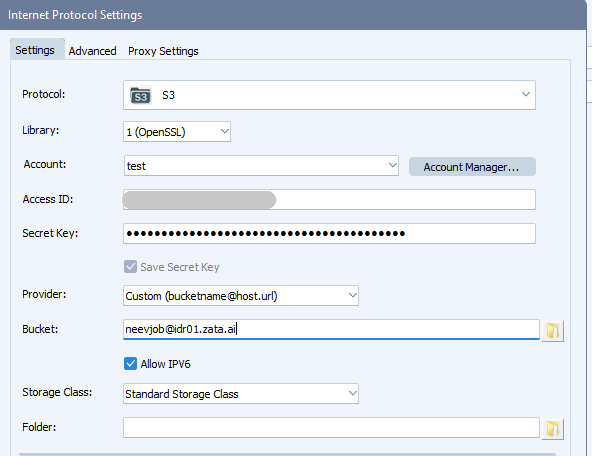
Go through the next steps. In Specify Timer Settings, tick Schedule This Profile and choose when it runs. Save the profile at the end of the wizard.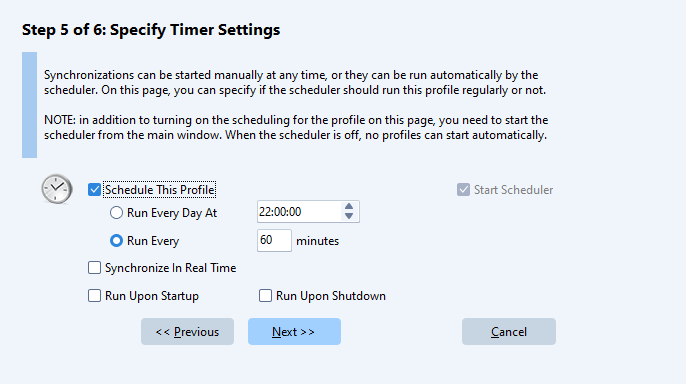
Test it
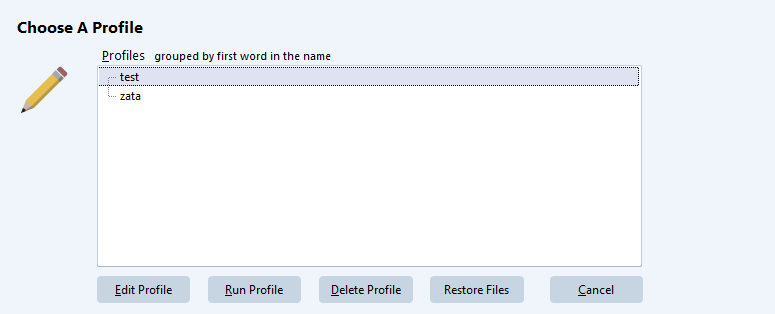
Put a small file in the local folder. On the welcome screen, click Edit or run one of my saved profiles, select your profile and click Run Profile. Check the job log, then check that the file is in your bucket in the Zata console. Use Restore Files to confirm you can get it back.
Troubleshooting
| Problem | Fix |
|---|---|
| Cannot connect, or the bucket is not found | Write Bucket as [email protected] (or @bom01.zata.ai) with Provider set to Custom ([email protected]). Without the host, Syncovery connects to AWS. |
| Access denied or invalid credentials | Copy the keys again from Access Keys and check that the key can use the bucket. |
| Error about the storage class | Choose Standard Storage Class. Zata has one storage class. |
| Files do not appear | Open the job log for the profile and look for the failed file. |