Veeam
Add a Zata bucket as an object storage repository in Veeam Backup & Replication.
Veeam Backup & Replication can store backups in a Zata bucket. You add the bucket as an S3 Compatible object storage repository, then use it as the target of your backup jobs.
Before you start
- A bucket for the backups. See Create a bucket.
- An access key from the same region as the bucket. See Access keys.
- Veeam Backup & Replication installed on Windows.
Connection settings
| Setting | Value |
|---|---|
| Service point | https://idr01.zata.ai for Indore, https://bom01.zata.ai for Mumbai |
| Region | us-east-1 (Zata does not check the region name) |
| Credentials | Access key and secret key from Access Keys in the Zata console. The key must be from the same region as the bucket. |
| Bucket | Your bucket name, for example my-bucket |
Set up Veeam
In the Veeam console, open Backup Infrastructure. Right-click Backup Repositories and select Add Backup Repository.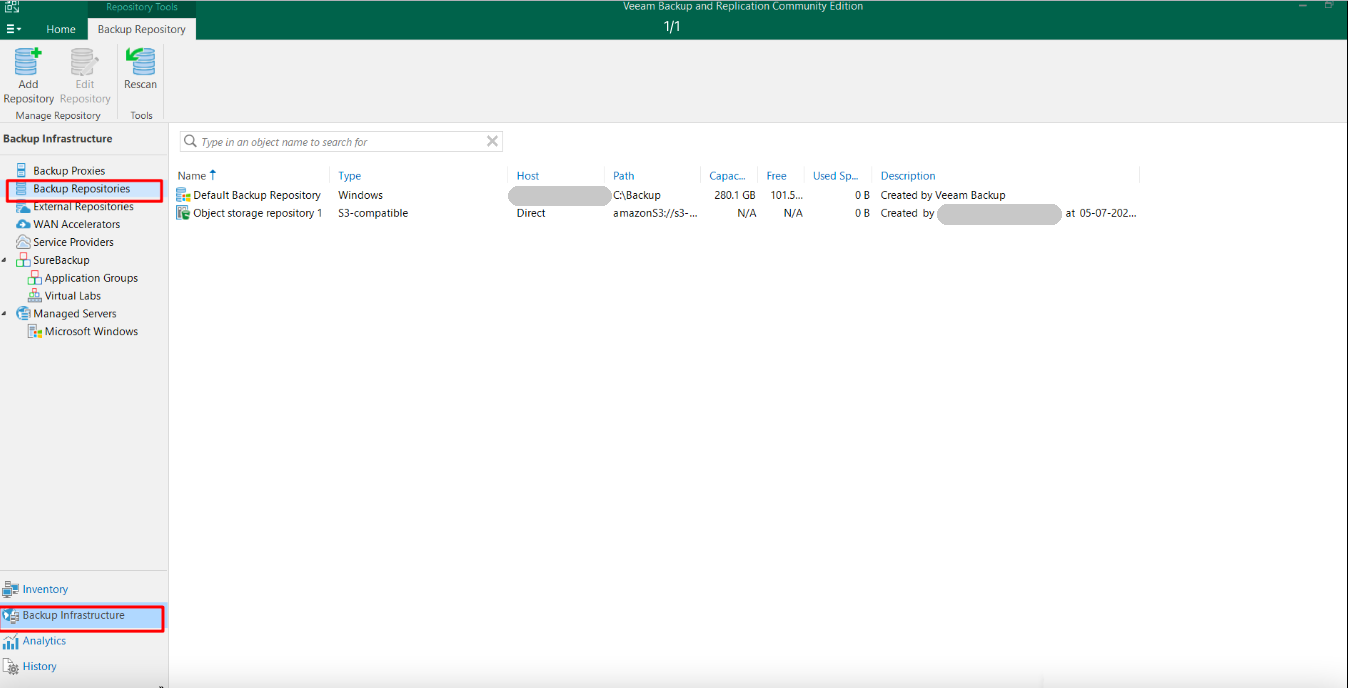
Select Object storage, then S3 Compatible, then S3 Compatible again.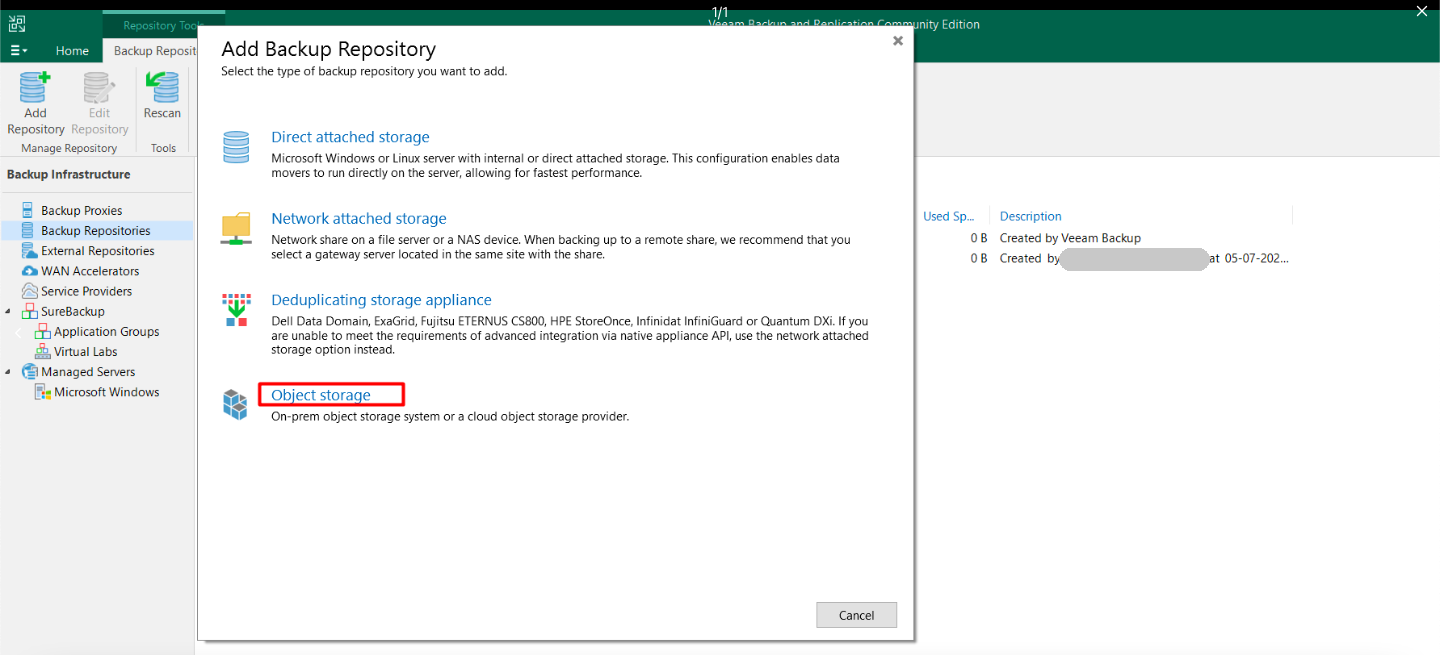
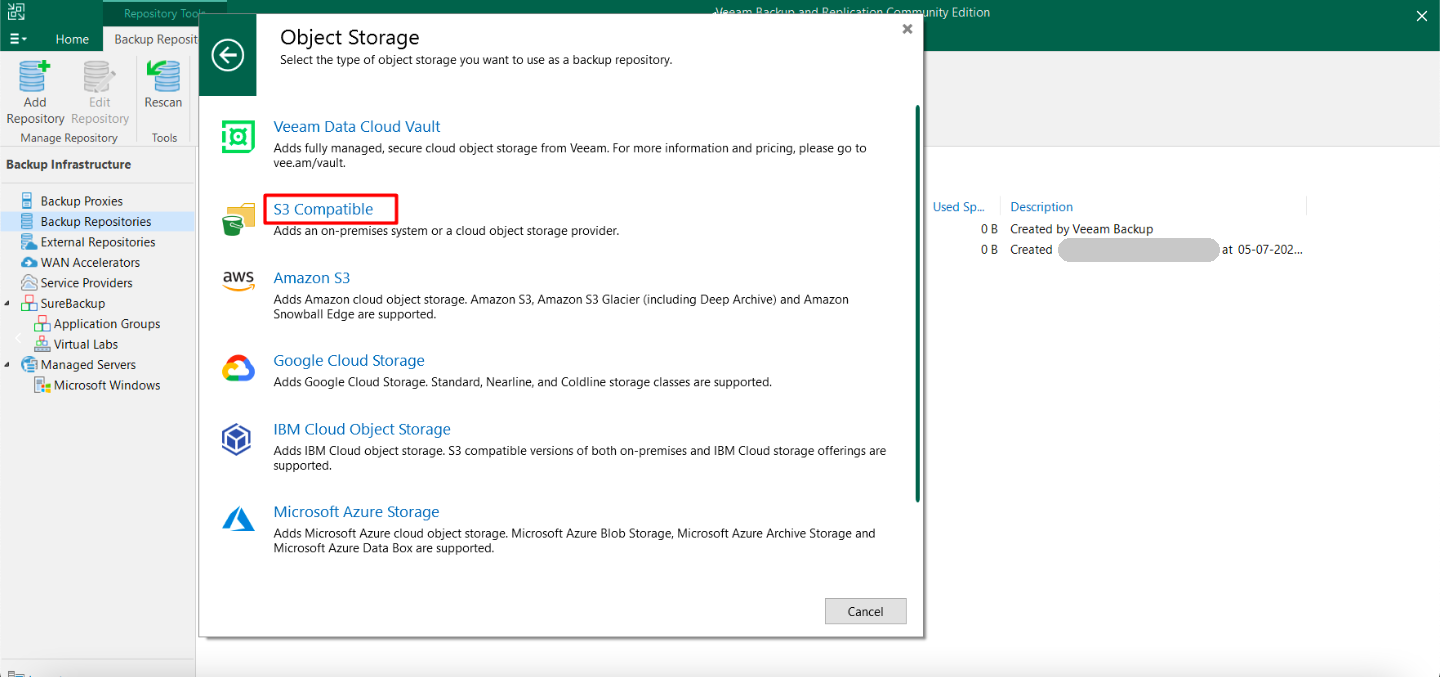
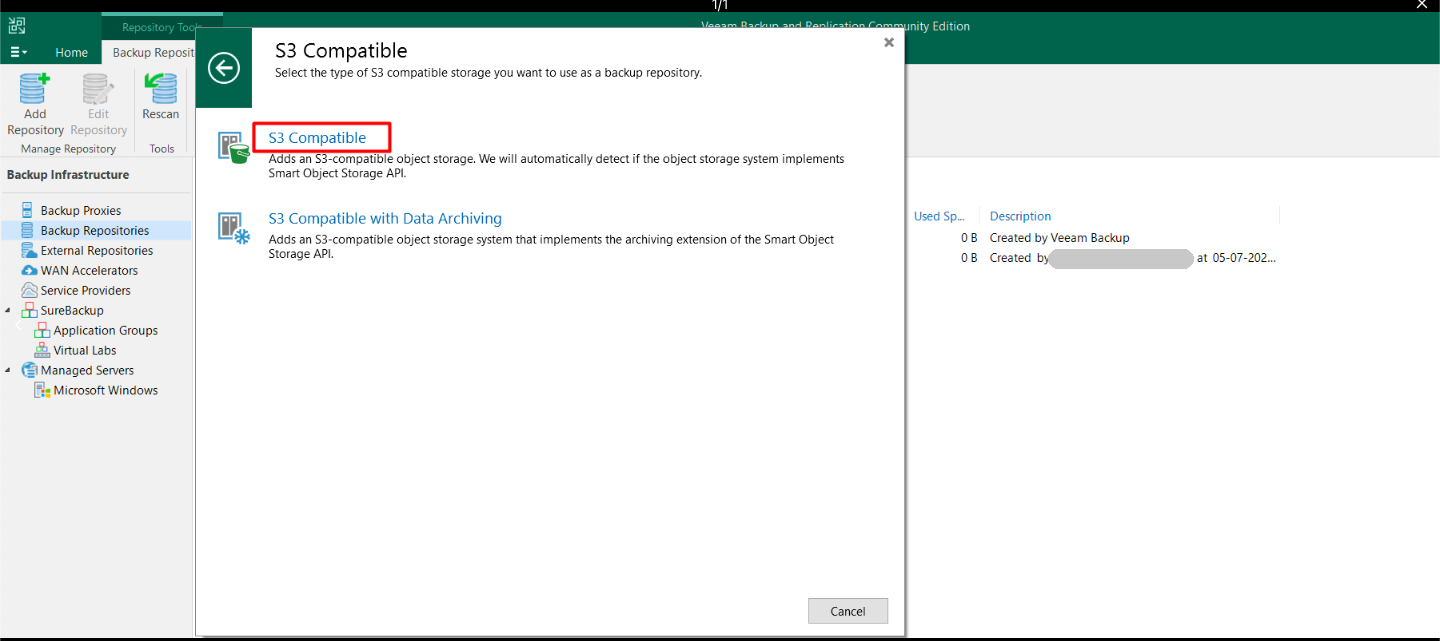
Enter a name, for example Zata, and click Next.
Enter the Service point and Region from the table above. Next to Credentials, click Add..., enter your access key and secret key, and click OK. Click Next.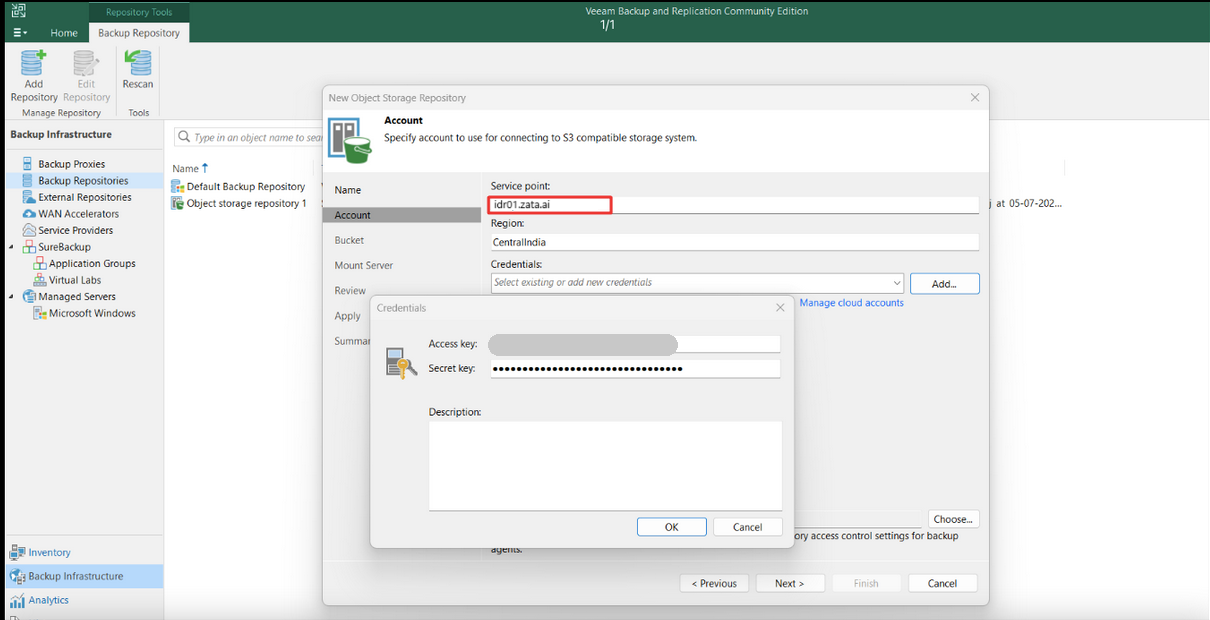
Enter your bucket name (or click Browse...). Next to Folder, click Browse... and select a folder, or create one with New Folder. Click Next.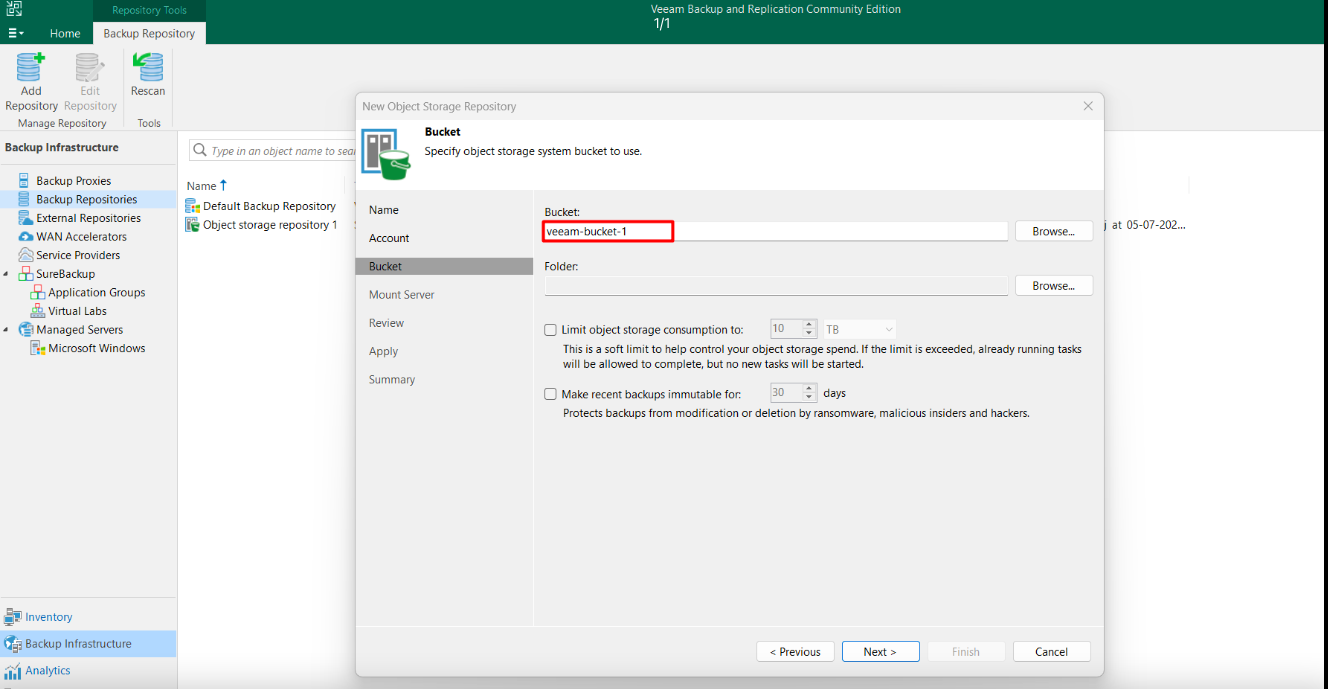
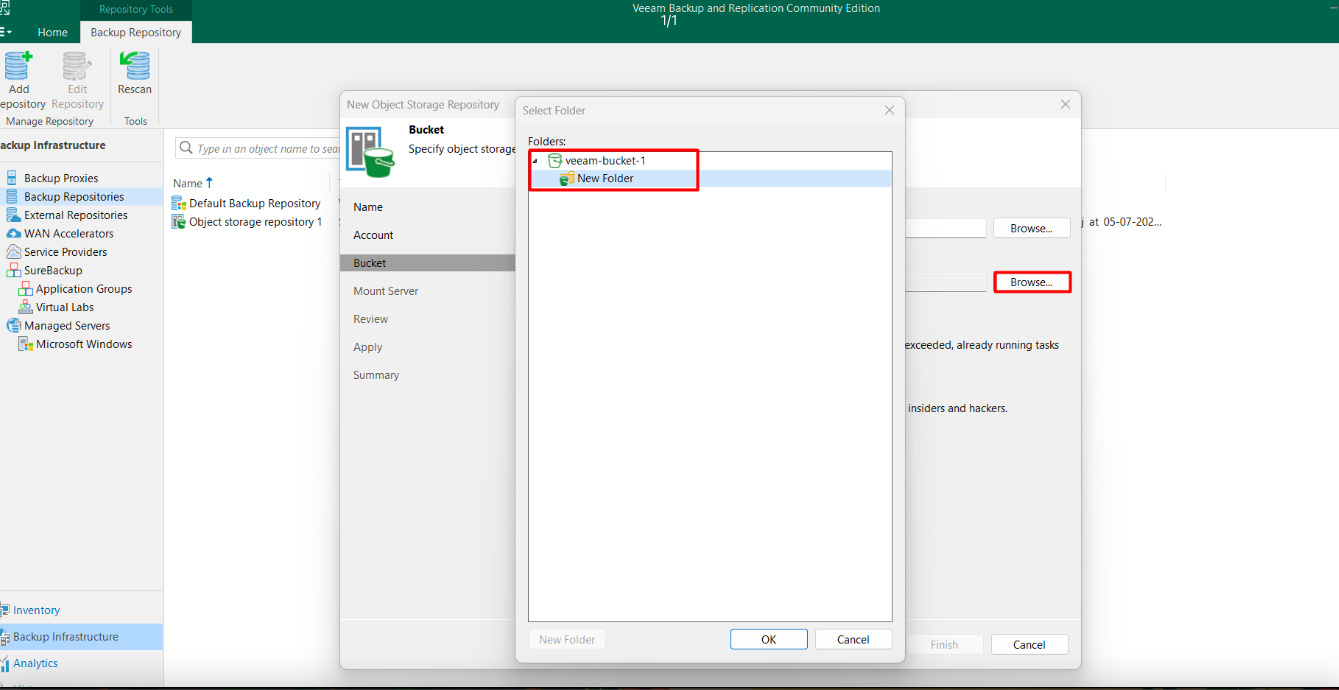
Keep the default mount server (or pick the one your jobs use) and click Next.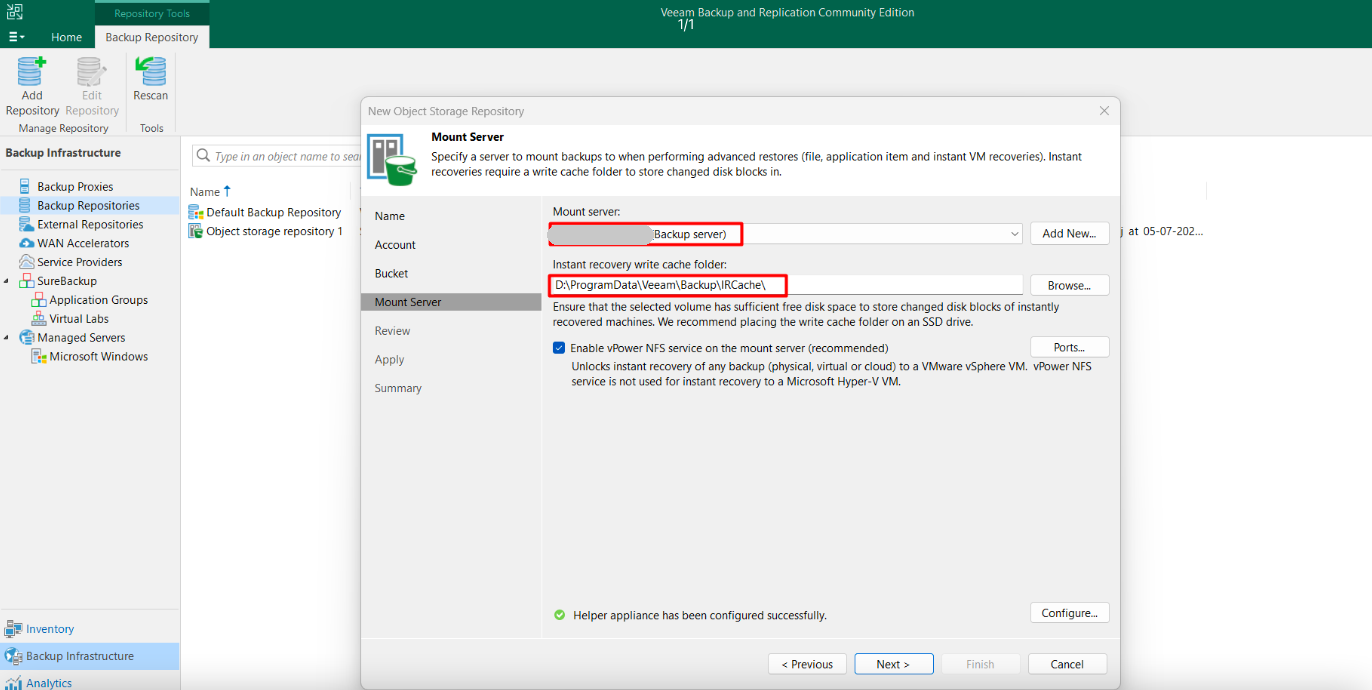
Click Next on Review, wait until Apply shows that the repository was saved, and click Finish.
Test it
Create a small backup job with the Zata repository as its target and run it. Then restore one file from that backup. A working connection alone does not prove that backup and restore work.
Troubleshooting
| Problem | Fix |
|---|---|
| Error about credentials or the signature | Copy the keys again from Access Keys. The key must be from the same region as the Service point. |
| The bucket is not found, or Browse... shows no buckets | Check that the bucket is in the region of the Service point. A sub-user's key cannot list buckets, so type the bucket name. |
| Access denied | The key needs list, read, write and delete access to the bucket. See Access denied. |
For other errors, see Signature errors and Endpoint and region.