Cyberduck
Browse and transfer files on Windows and macOS.
Cyberduck is a free file transfer app for Windows and macOS. Connect it to Zata to browse your buckets and upload or download files. Prefer video? Watch the setup video.
Before you start
- A bucket — see Create a bucket.
- An access key from the same region as the bucket — see Access keys.
- Cyberduck installed — download Cyberduck.
Connection settings
| Setting | Value |
|---|---|
| Connection type | S3 (Deprecated path style requests) |
| Server | idr01.zata.ai for Indore, bom01.zata.ai for Mumbai — host name only, no https:// |
| Port | 443 |
| Access Key ID / Secret Access Key | from Access Keys in the Zata console — the key must be from the same region as the bucket |
The S3 (Deprecated path style requests) profile makes Cyberduck use path-style addresses (https://idr01.zata.ai/my-bucket), which is the recommended way to reach Zata.
Set up Cyberduck
Select Open Connection. Open the connection type list at the top of the window and choose More Options. Cyberduck opens Preferences on the Profiles tab.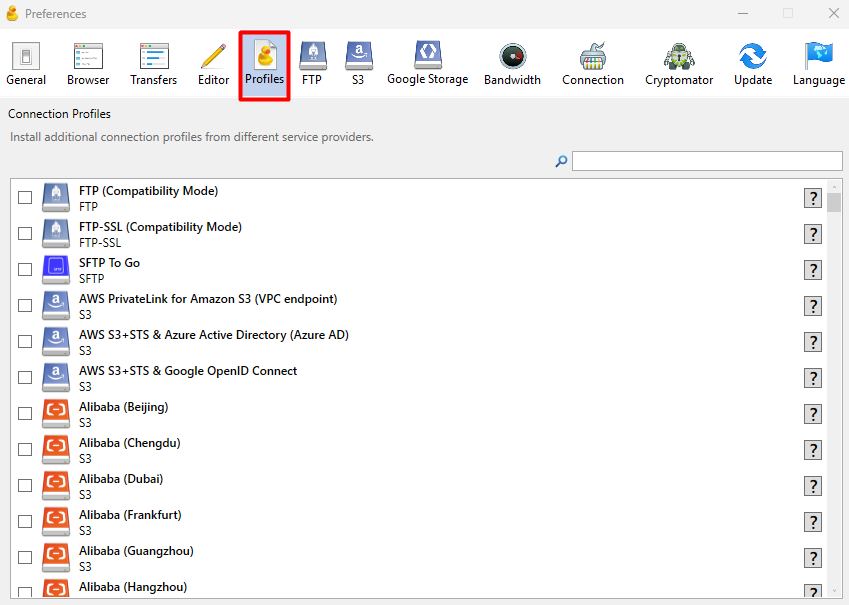
Search for S3 depre and tick S3 (Deprecated path style requests). Close Preferences.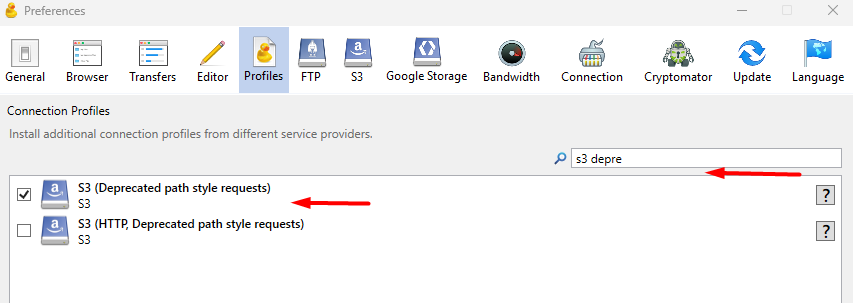
Back in Open Connection, select S3 (Deprecated path style requests) in the list. Enter the Server, Port, Access Key ID and Secret Access Key from the table above, then select Connect.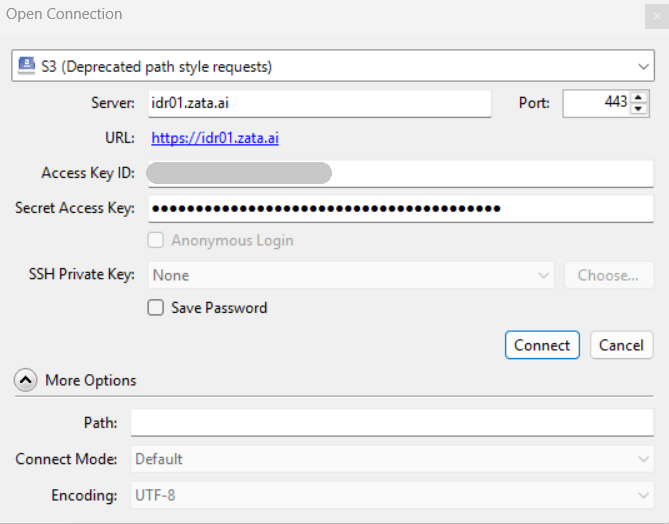
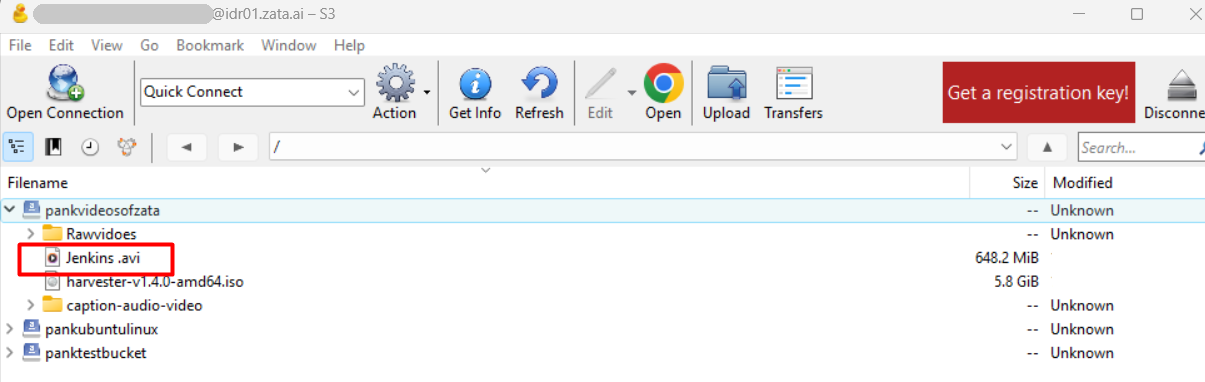
Your Zata buckets appear in the file list. Double-click a bucket to open it.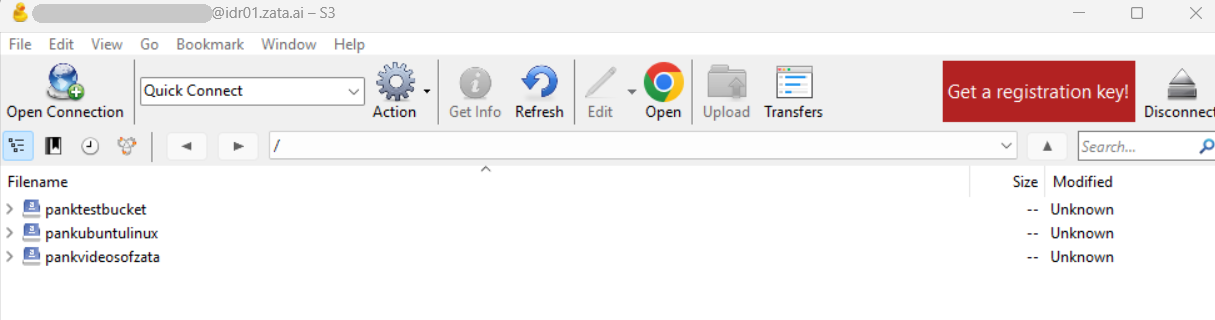
Test it
Open a bucket and select Upload, or drag a small file into the window. The file appears in the bucket. In the Zata console, open Buckets and the same bucket to see it there too. Then drag the file back to your computer to check that downloads work.
Troubleshooting
| Problem | Fix |
|---|---|
| S3 (Deprecated path style requests) is not in the connection type list | Turn it on first in Preferences → Profiles (step 1). |
| Login failed or access denied | Copy the keys again from Access Keys, without extra spaces. Check that the key is from the same region as the server you entered. |
| The bucket list is empty | Check that the server matches the region of your key. Sub-user keys always show an empty list: open More Options in Open Connection and enter /my-bucket in Path. |
For other errors, see Access denied and Endpoint and region.