ForkLift
Use Zata from the ForkLift file manager on macOS.
ForkLift is a two-pane file manager for macOS. Its Amazon S3 protocol connects to Zata, so you can copy files between your Mac and your buckets.
Before you start
- A bucket — see Create a bucket.
- An access key from the same region as the bucket — see Access keys.
- ForkLift installed — download ForkLift.
Connection settings
| Setting | Value |
|---|---|
| Protocol | Amazon S3 |
| Server | idr01.zata.ai for Indore, bom01.zata.ai for Mumbai |
| Username | your access key, from Access Keys in the Zata console |
| Password | your secret key — the key must be from the same region as the bucket |
Set up ForkLift
In the menu bar, select Go → Connect (or press ⌘K).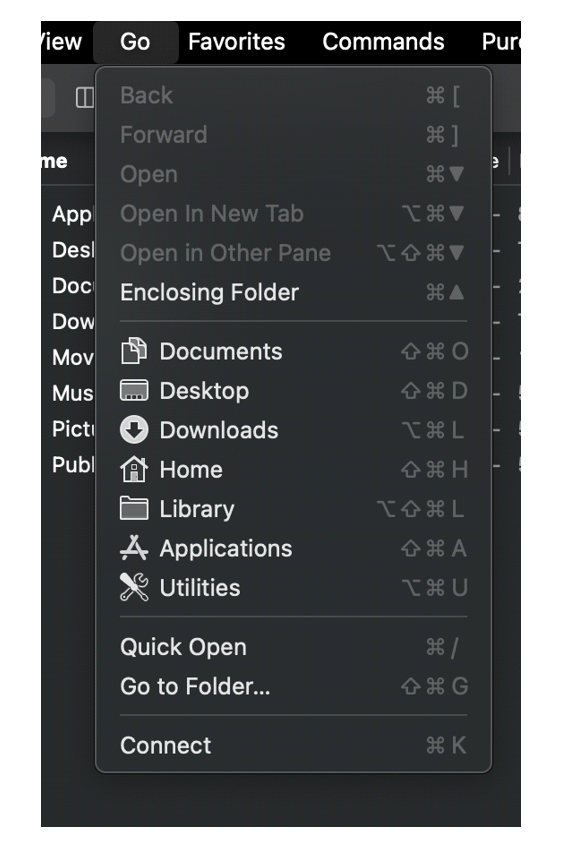
Set Protocol to Amazon S3, then enter the Server, Username and Password from the table above. Tick Add to Favorites if you want to keep the connection. Select Connect.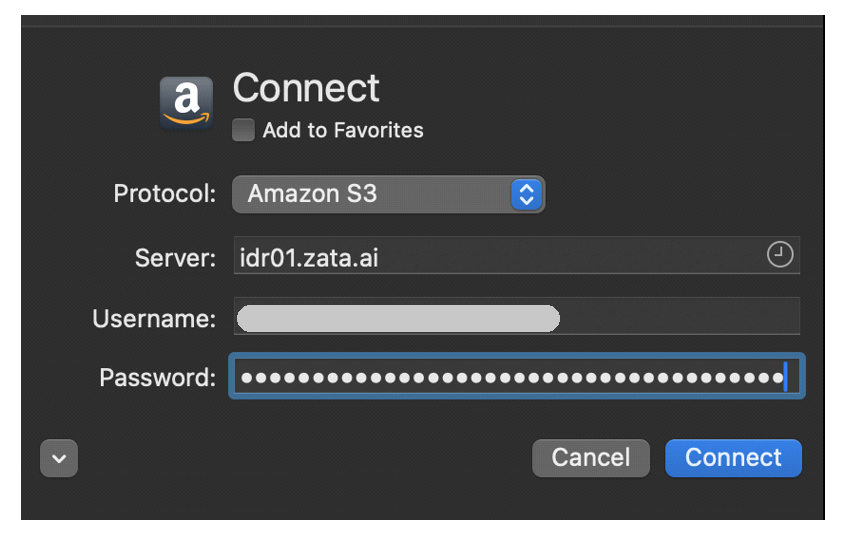
Your buckets appear in one pane, and the connection is listed under Connections in the sidebar.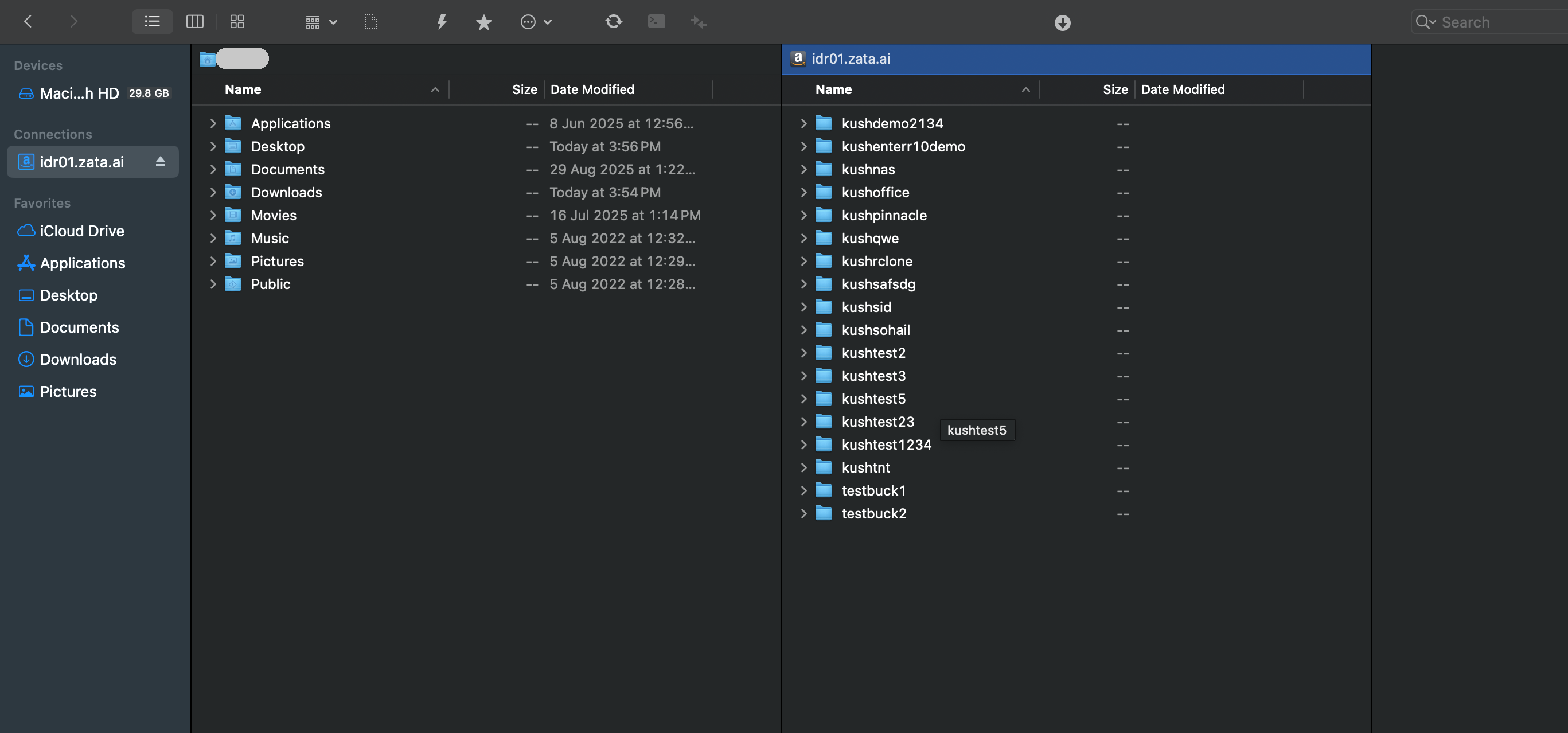
Test it
Drag a small file from Finder, or from the other ForkLift pane, into a bucket. Check that it appears in the same bucket in the Zata console under Buckets. Then drag it back to a local folder to check that downloads work.
Troubleshooting
| Problem | Fix |
|---|---|
| Cannot connect | Check that Server is idr01.zata.ai or bom01.zata.ai and matches the region of your key. |
| Access denied or invalid credentials | Username is the access key and Password is the secret key. Copy them again, without extra spaces. |
| No buckets shown | Create a bucket in the Zata console, or check that the key can use it. Sub-user keys never list buckets. |
For other errors, see Access denied and Endpoint and region.