S3Drive
Sync local folders to a Zata bucket with S3Drive.
S3Drive is a desktop app that browses cloud storage and syncs local folders to it. It connects to Zata through an Rclone account. This page sets up the account and a folder sync on Windows.
Before you start
- A bucket — see Create a bucket.
- An access key from the same region as the bucket — see Access keys.
- S3Drive installed and signed in — download S3Drive.
Connection settings
S3Drive takes the connection as an rclone config in JSON form:
| Setting | Value |
|---|---|
type / provider | s3 / Other |
endpoint | https://idr01.zata.ai for Indore, https://bom01.zata.ai for Mumbai |
region | us-east-1 |
access_key_id / secret_access_key | from Access Keys in the Zata console — the key must be from the same region as the bucket |
no_check_bucket | true — needed for sub-user keys |
sign_accept_encoding | false — newer rclone versions get SignatureDoesNotMatch on Zata without it |
Set up S3Drive
In S3Drive, select the Manage account button at the top right of the Files screen.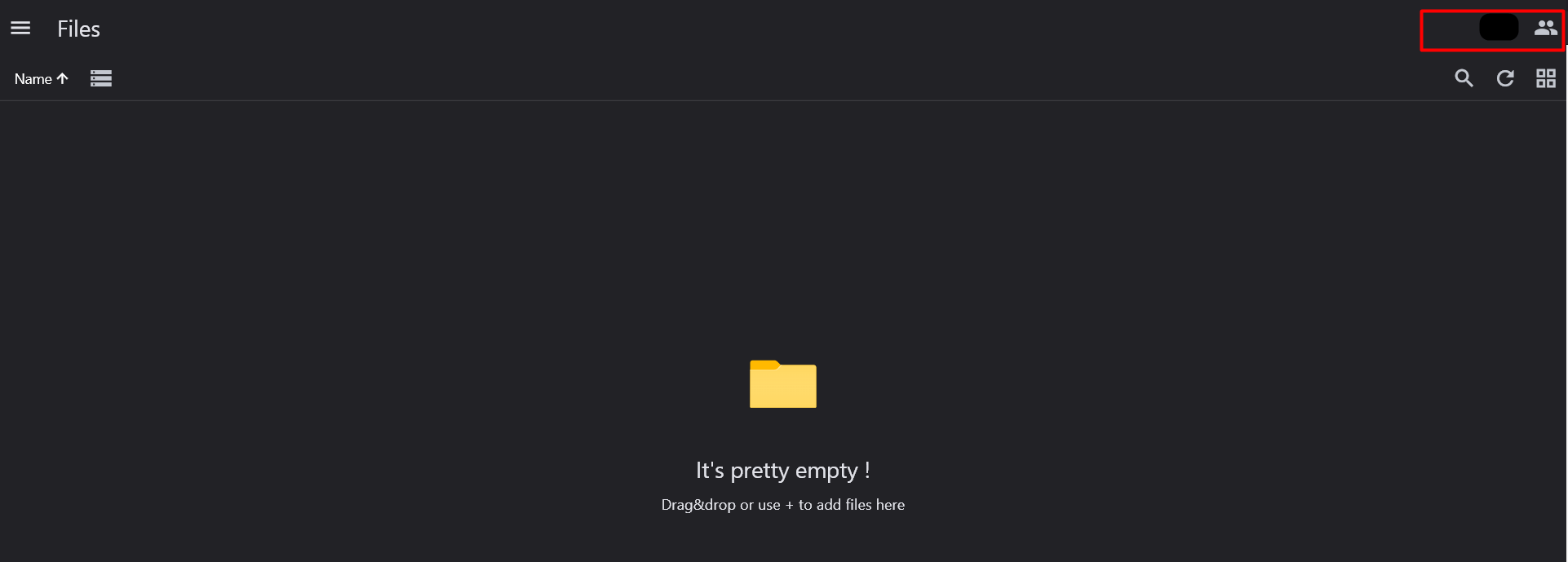
On Accounts, open the Rclone tab and select +.
Paste this config with your own keys, then add it. For Mumbai, use https://bom01.zata.ai as the endpoint.
"zata": {
    "type": "s3",
    "provider": "Other",
    "access_key_id": "YOUR_ACCESS_KEY",
    "secret_access_key": "YOUR_SECRET_KEY",
    "endpoint": "https://idr01.zata.ai",
    "region": "us-east-1",
    "no_check_bucket": "true",
    "sign_accept_encoding": "false"
},
The new account appears on the Rclone tab. Select it to see your Zata buckets.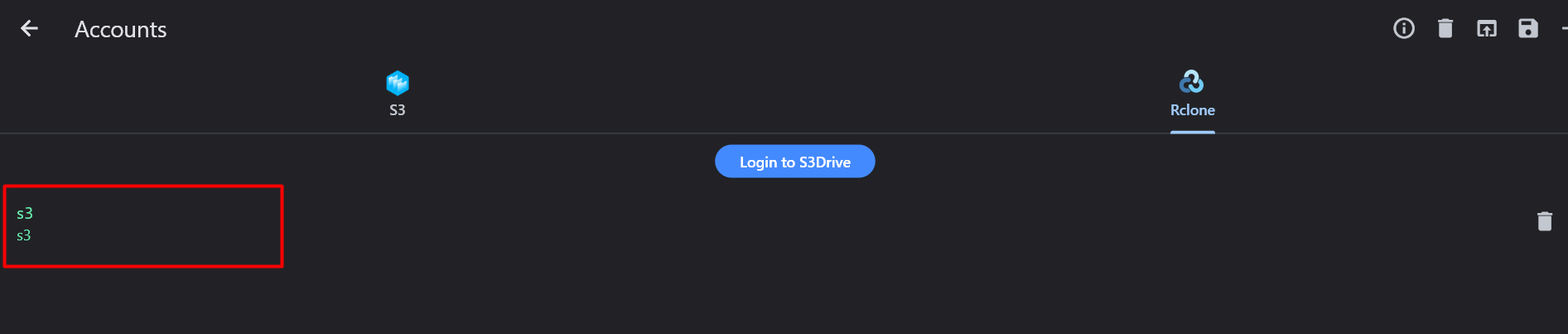
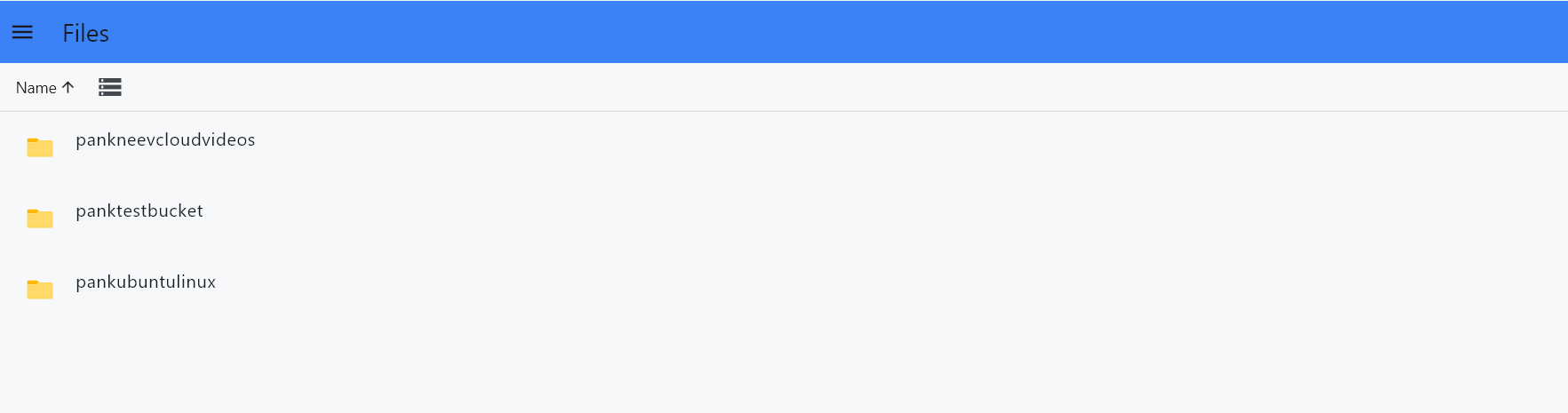
Open the menu, select Sync, then select +.
In Configure sync:
| Field | Value |
|---|---|
| From | Local → pick the folder to back up |
| To | Remote → choose your Zata account and bucket (shown as zata:my-bucket) |
| Mode | for example Copy |
| Sync every | how often to run, in minutes — 1440 is once a day |
Select Save.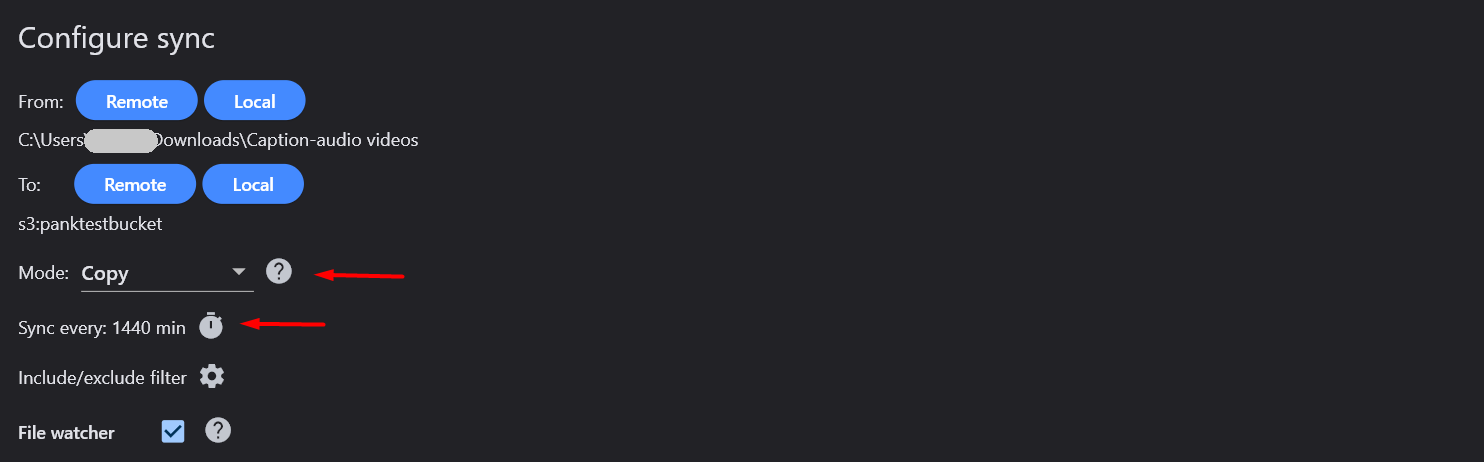
The sync now shows on the Sync screen with its source, destination, mode and schedule.

Test it
Put a small file in the local folder and wait for the sync to run. Open the bucket in the Zata console under Buckets and check that the file is there. Then open the bucket in S3Drive and download the file.
Troubleshooting
| Problem | Fix |
|---|---|
| No buckets under the account | Check that the endpoint matches the region of your key. Sub-user keys never list buckets. |
SignatureDoesNotMatch | Make sure "sign_accept_encoding": "false" is in the config. See Signature errors. |
AccessDenied on upload with a sub-user key | Make sure "no_check_bucket": "true" is in the config. |
| Access denied or invalid key | Copy the keys again from Access Keys, without extra spaces. |
| Files do not reach the bucket | Check that To points to the right bucket and that the sync has run. |