NetDrive 3
Mount a bucket as a local drive on Windows and macOS.
NetDrive 3 mounts a Zata bucket as a drive on Windows and macOS, so you can open and save files from File Explorer, Finder and your other apps. It connects with its S3 storage type.
Before you start
- A bucket — see Create a bucket.
- An access key from the same region as the bucket — see Access keys.
- NetDrive 3 installed — download NetDrive. On Windows, allow NetDrive through the firewall for private networks if asked.
- The correct time on your computer. A clock that is more than about 15 minutes off breaks sign-in.
Connection settings
| Setting | Value |
|---|---|
| Storage type | S3 |
| Server Address | idr01.zata.ai for Indore, bom01.zata.ai for Mumbai — no https:// |
| Access ID / Secret Key | from Access Keys in the Zata console — the key must be from the same region as the bucket |
| Bucket name (under For Limited Bucket Access) | optional — needed if your key cannot list buckets, for example a sub-user key |
Set up NetDrive
Open NetDrive and select the round + button.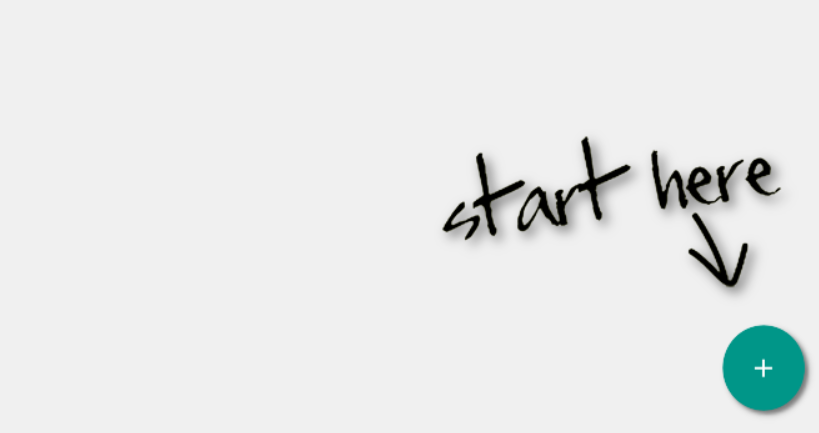
On Add a Personal Drive, enter a LABEL such as Zata, set STORAGE TYPE to S3, and select CONNECT.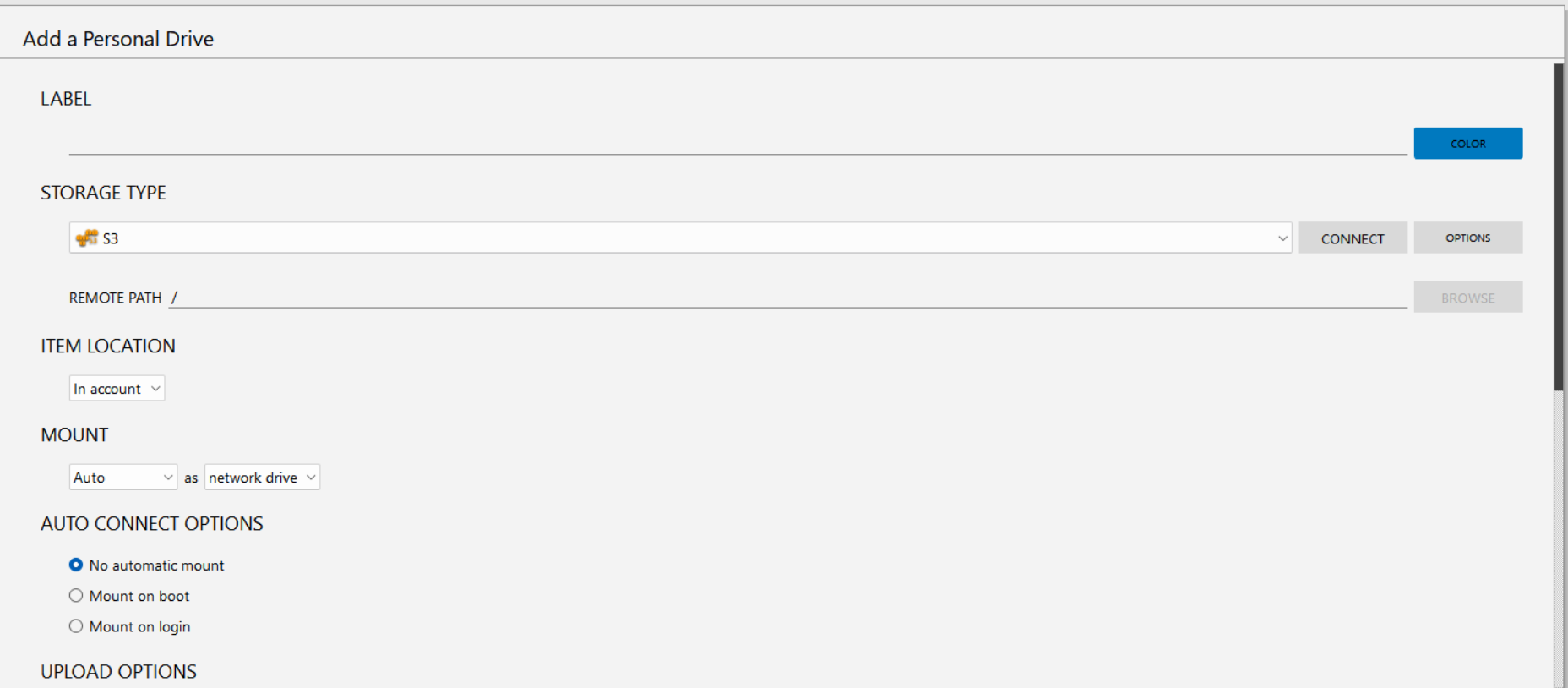
Enter the Server Address, Access ID and Secret Key. Tick Save account ID and secret key so NetDrive can reconnect. If your key cannot list buckets, enter your bucket in Bucket name under For Limited Bucket Access. Use PROXY SETTINGS only if your network needs a proxy.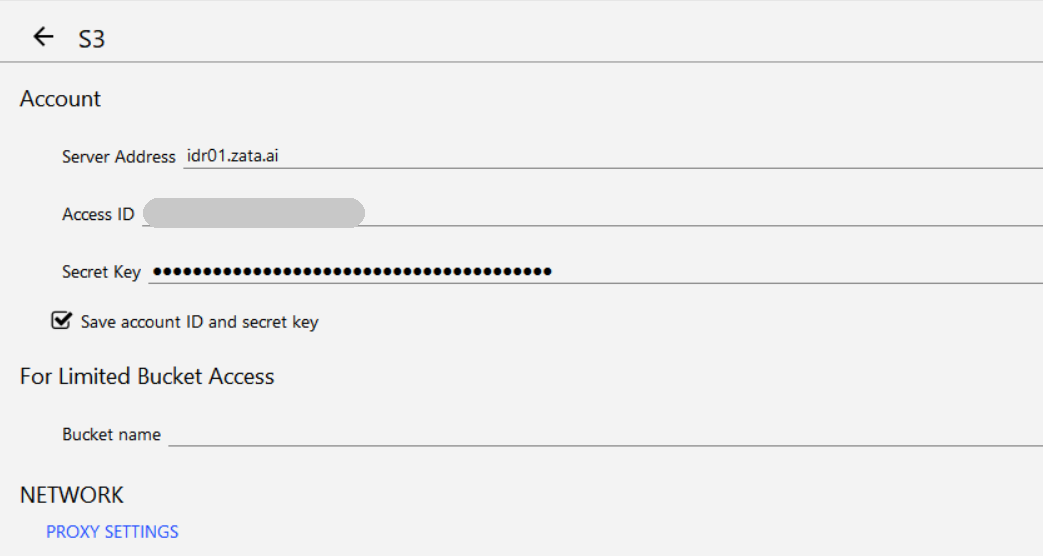
Back on Add a Personal Drive, choose the drive letter under MOUNT. Under AUTO CONNECT OPTIONS, choose Mount on boot or Mount on login if you want the drive to come back by itself. Then save the drive and connect it.
On Windows the bucket gets a drive letter. On macOS it appears in Finder.
Test it
Open the new drive and create a folder, for example netdrive-test. Copy a small file into it. Check that the folder and file appear in the bucket in the Zata console under Buckets. Then copy the file back to your computer to check that downloads work.
Troubleshooting
| Problem | Fix |
|---|---|
SignatureDoesNotMatch or sign-in fails | Copy the keys again, without extra spaces, and check that your computer's clock is synced. If NetDrive asks for a region, use us-east-1. |
| SSL or host name errors | Enter the exact Server Address (idr01.zata.ai or bom01.zata.ai) without https://. If your NetDrive version has a path-style option, turn it on. |
| The bucket list is empty | Your key cannot list buckets. Enter the Bucket name and connect again. |
403 AccessDenied | Check that the key is allowed to use that bucket and is from the bucket's region. |
| Renaming or moving is slow | Normal for object storage: each file is copied and then deleted. Move large folders in smaller batches. |
For other errors, see Signature errors and Access denied.