TntDrive
Mount a bucket as a drive letter on Windows.
TntDrive mounts a Zata bucket as a network drive on Windows. The bucket gets a drive letter in This PC, and you use it like a local disk.
Before you start
- A bucket — see Create a bucket.
- An access key from the same region as the bucket — see Access keys.
- TntDrive installed — download TntDrive.
Connection settings
| Setting | Value |
|---|---|
| Account Type | Amazon S3 Compatible Storage |
| REST Endpoint | https://idr01.zata.ai for Indore, https://bom01.zata.ai for Mumbai |
| Access Key ID / Secret Access Key | from Access Keys in the Zata console — the key must be from the same region as the bucket |
| Use secure transfer (SSL/TLS) | On |
| Signature version (advanced settings) | Signature V4 (V2 also works) |
| Addressing model (advanced settings) | Path style (virtual hosted style also works) |
Set up TntDrive
Open TntDrive and select Accounts → Add new account.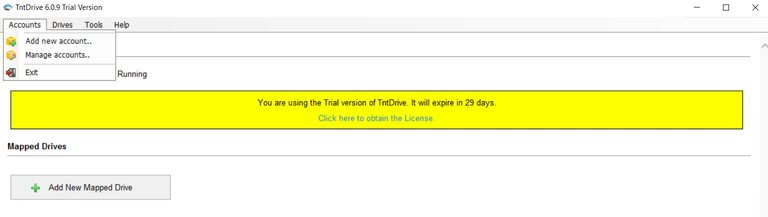
Enter any Account Name, for example Zata. Set Account Type to Amazon S3 Compatible Storage, then enter the REST Endpoint, Access Key ID and Secret Access Key. Keep Use secure transfer (SSL/TLS) ticked.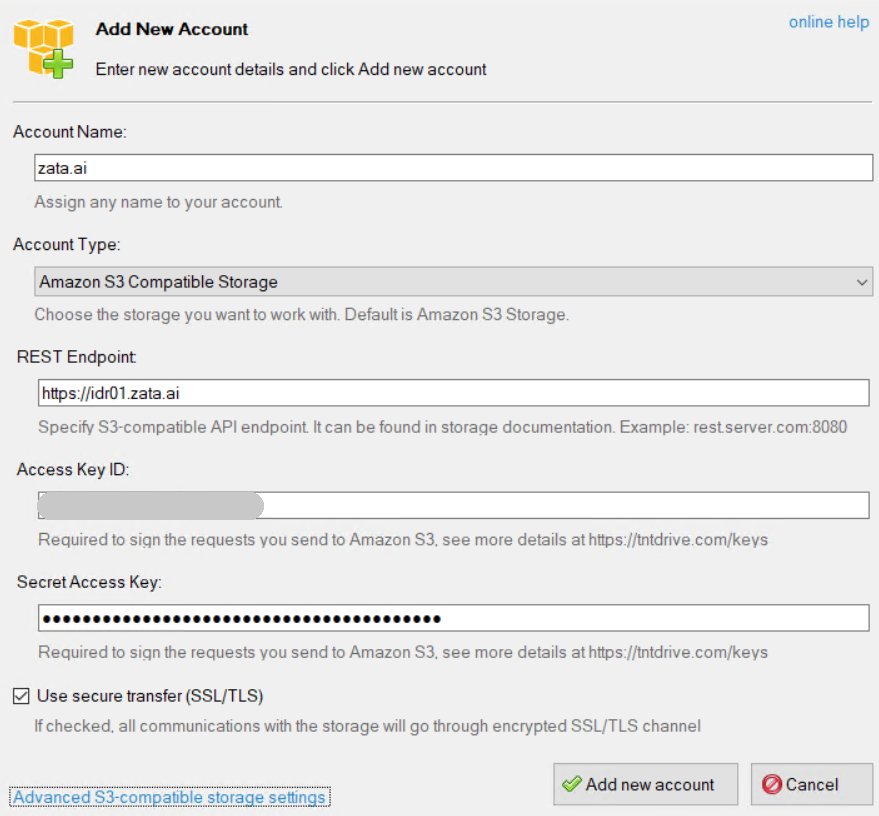
Select Advanced S3-compatible storage settings. Set the signature version to Signature V4 and the addressing model to Path style, then select Close. Select Add new account.
Select Drives → Add new drive (or Add New Mapped Drive on the dashboard).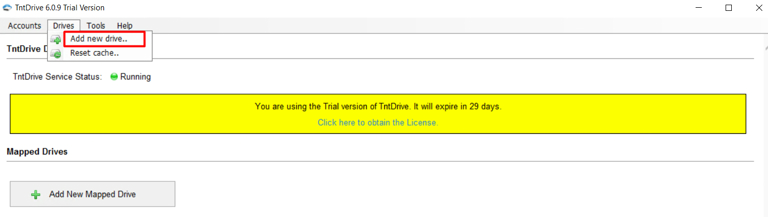
In Add New Mapped Drive, pick your Zata account under Storage account and choose a Mapped drive letter.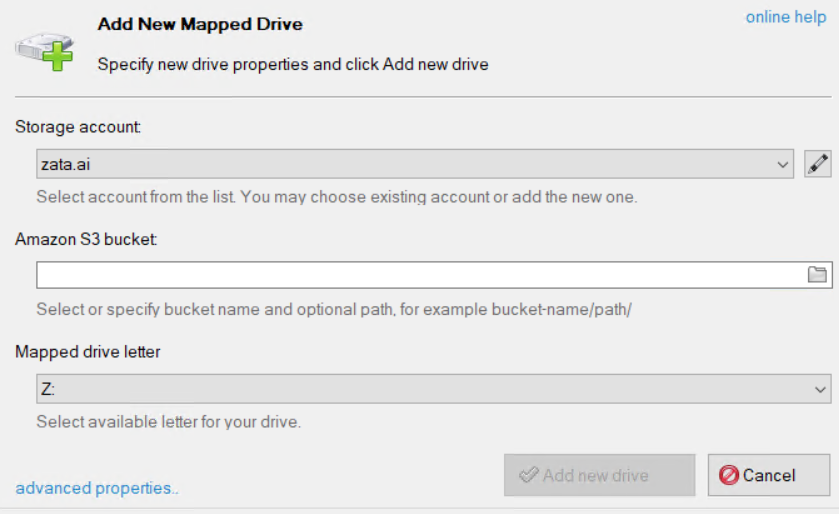
For Amazon S3 bucket, select the folder icon and pick a bucket from the list, then select OK. You can also type the bucket name, optionally with a folder: my-bucket/folder/.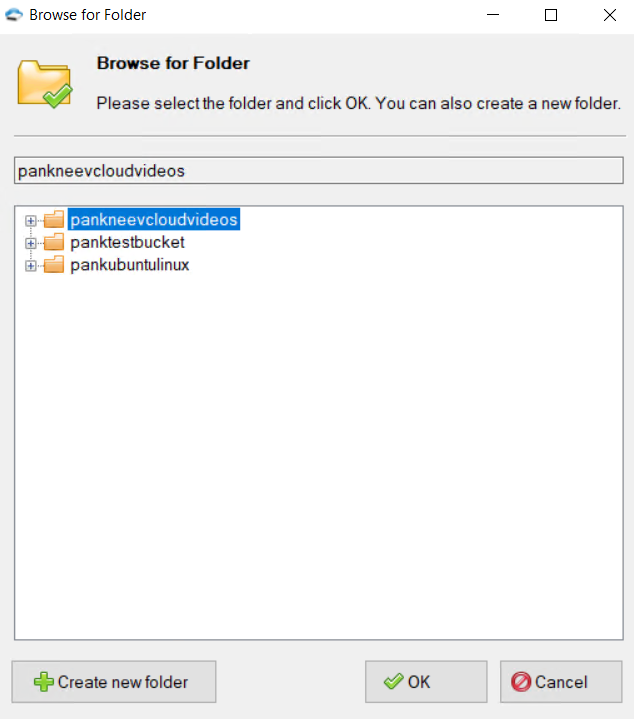
Select Add new drive.
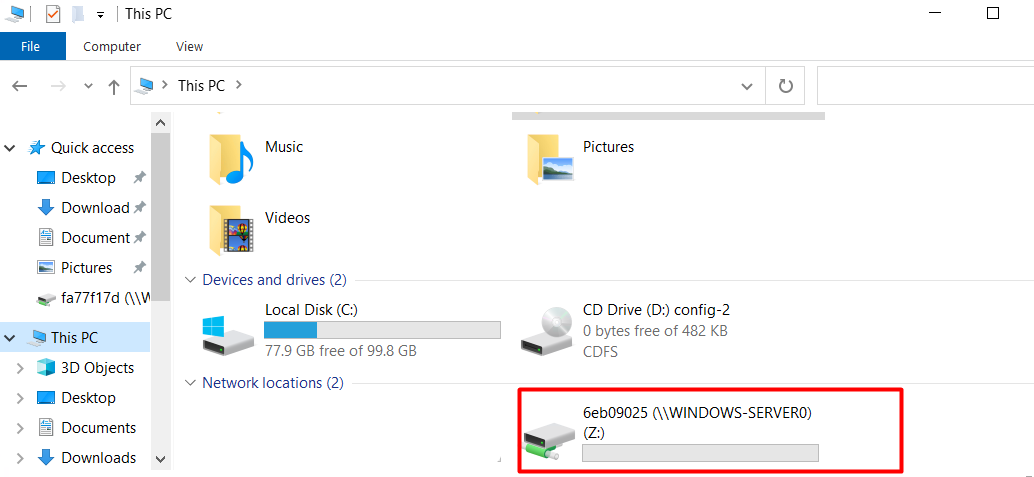
The drive appears under Mapped Drives in TntDrive and in This PC under Network locations.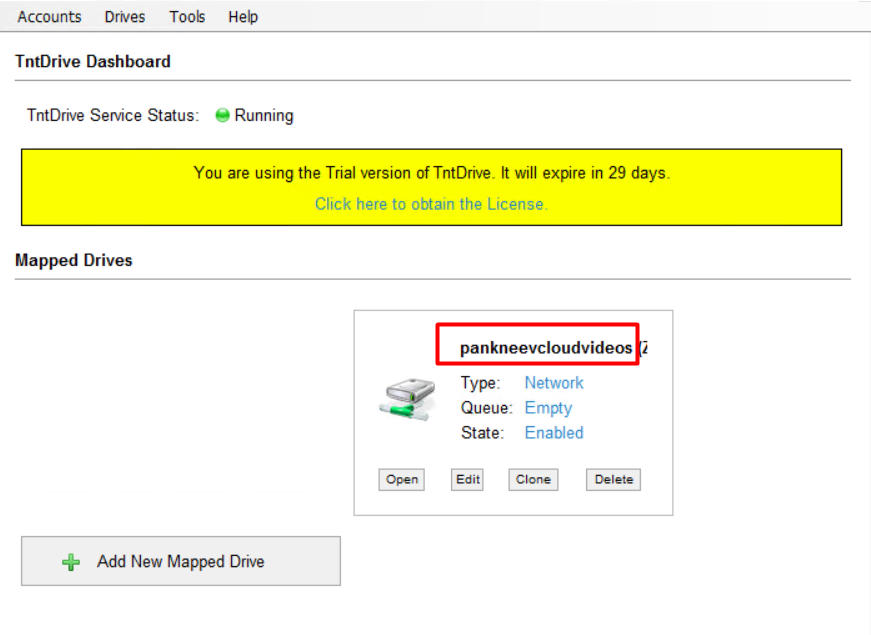
Test it
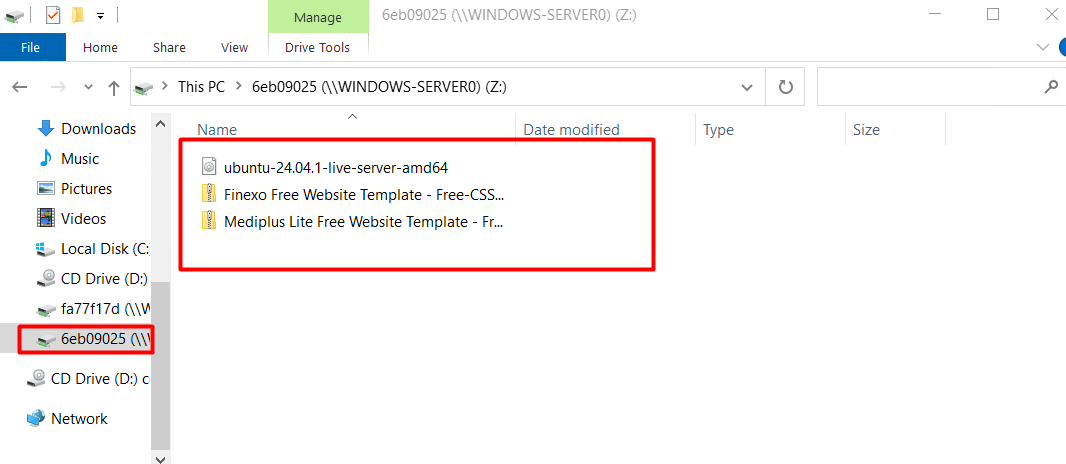
Copy a small file onto the new drive. Check that it appears in the bucket in the Zata console under Buckets. Then copy it back to a local folder to check that downloads work.
Troubleshooting
| Problem | Fix |
|---|---|
| The bucket list is empty | Check that the REST Endpoint matches the region of your key. Sub-user keys never list buckets — type the bucket name in Amazon S3 bucket. |
| Access denied or invalid credentials | Copy the keys again from Access Keys, without extra spaces. |
| Connection errors | Make sure the REST Endpoint starts with https:// and Use secure transfer (SSL/TLS) is ticked. |
For other errors, see Access denied and Endpoint and region.