cPanel
Send cPanel and WHM backups to a Zata bucket.
WHM can send cPanel account and system backups to a Zata bucket. You add Zata as an S3 Compatible additional destination in Backup Configuration.
Before you start
- A bucket for the backups, with a name without dots, for example
cpanel-backups. With virtual-host style addressing (my-bucket.idr01.zata.ai), a dot in the name breaks the certificate check. See Create a bucket. - An access key from the same region as the bucket. See Access keys.
- Root access to WHM.
Connection settings
| Setting | Value |
|---|---|
| Destination Type | S3 Compatible |
| S3 Endpoint | idr01.zata.ai for Indore, bom01.zata.ai for Mumbai (no https://, port or path) |
| Bucket | Your bucket name |
| Access Key ID / Secret Access Key | From Access Keys in the Zata console. The key must be from the same region as the bucket. |
| Timeout | Leave the default (30) |
Set up WHM
In WHM, open Backup → Backup Configuration and select the Additional Destinations tab. Set Destination Type to S3 Compatible and click Create New Destination.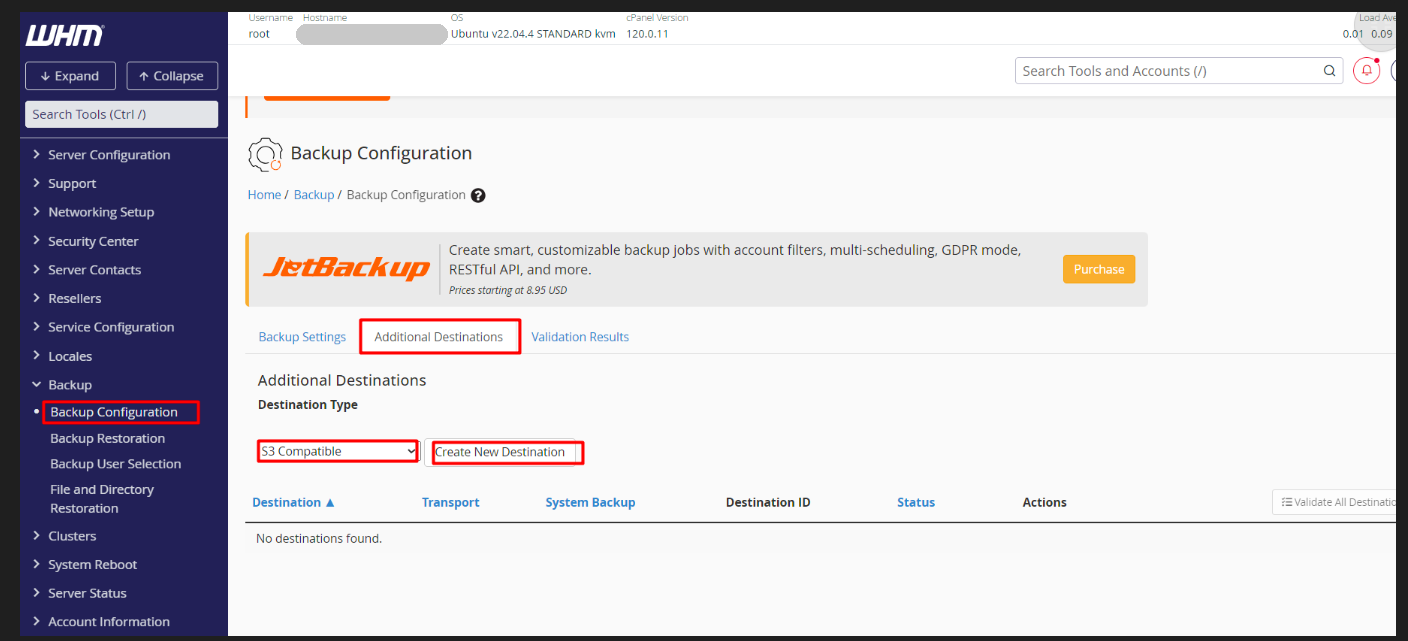
Enter a Destination Name, for example zata-backup. Tick Transfer System Backups to this Destination if you also want system backups sent to Zata.
Leave Only use this destination for log file transfers unticked. When it is ticked, account and system backups are not sent to this destination.
Fill in S3 Endpoint, Bucket, Access Key ID, Secret Access Key and Timeout from the table above. Click Save and Validate Destination (or Save Destination).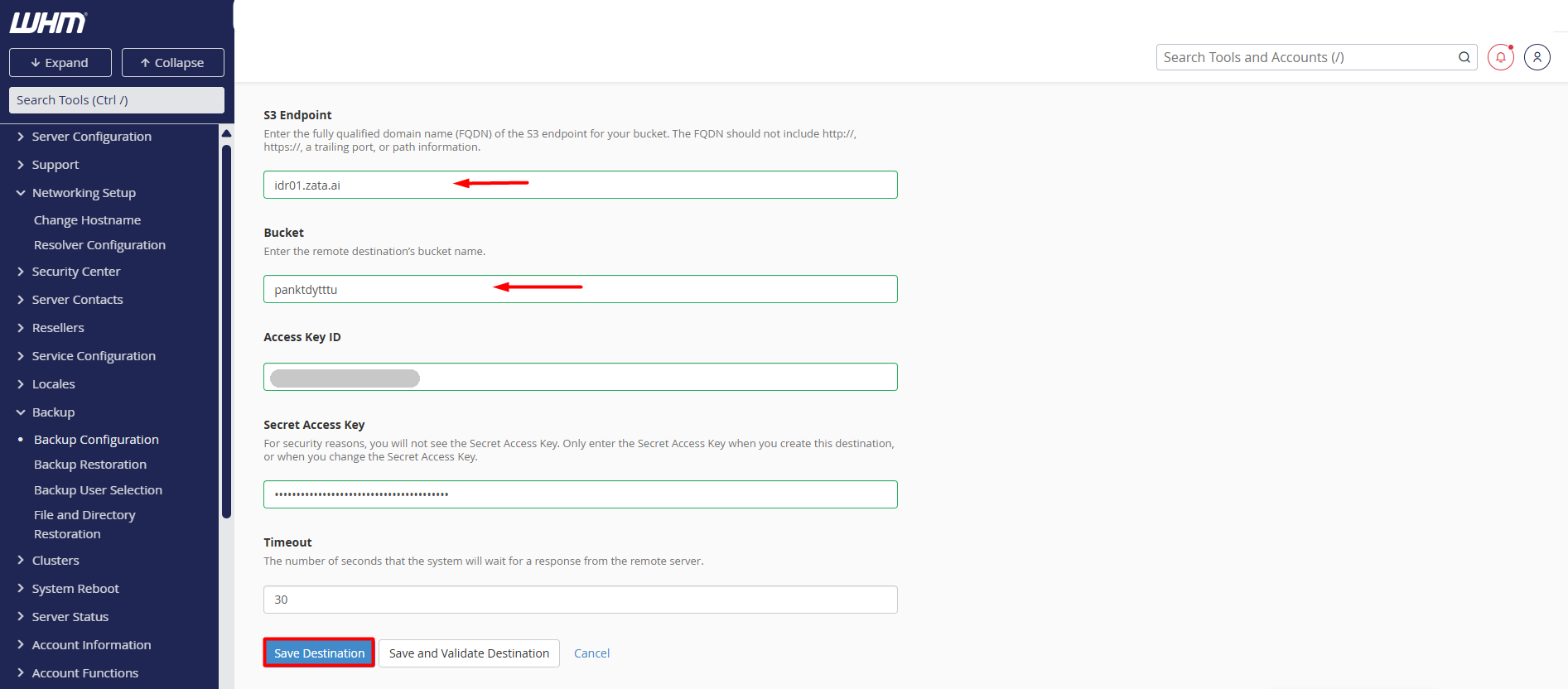
The destination appears in the list with the transport S3Compatible. Click Validate to test the connection again at any time.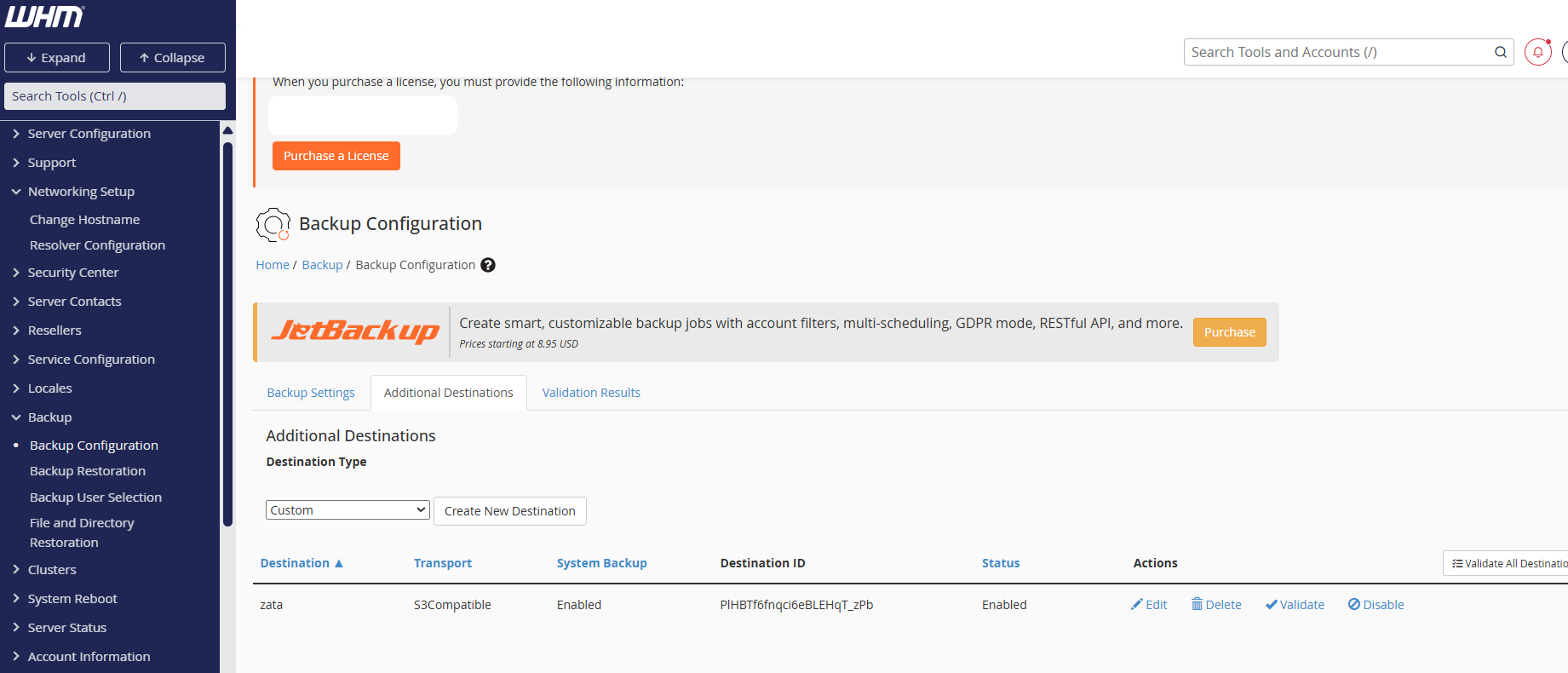
On the Backup Settings tab, turn backups on, set the schedule and retention, and save. Choose which accounts are backed up in Backup → Backup User Selection.
Test it
Let a backup run to the new destination. Open your bucket in the Zata console and check that the backup files are there, then download one to confirm it can be retrieved.
Troubleshooting
| Problem | Fix |
|---|---|
| Validate fails | Check that S3 Endpoint is only the host name (idr01.zata.ai) and matches the bucket's region. |
| Validate fails with an SSL or certificate error | If the bucket name has a dot, use a bucket without dots in its name. |
| Access denied | Copy the keys again from Access Keys and check that the key can use the bucket. |
| No backups appear in the bucket | Check that Only use this destination for log file transfers is unticked, backups are turned on, and the accounts are selected. |
For other errors, see Access denied and Network and certificates.