> For the complete documentation index, see [llms.txt](https://docs.zata.ai/llms.txt). Markdown versions of documentation pages are available by appending `.md` to page URLs; this page is available as [Markdown](https://docs.zata.ai/manage/bucket/object-lock/compliance-mode.md).
# Compliance Mode
In **Compliance Mode**, a protected object version cannot be overwritten or deleted by **anyone** until its retention period has expired.
* **Strict Enforcement:** Not even the Root User or Zata.ai Support can bypass or shorten the retention period.
* **Flexibility:** You can extend a Compliance retention period, but you can never shorten it.
## Applying a Default Compliance Rule
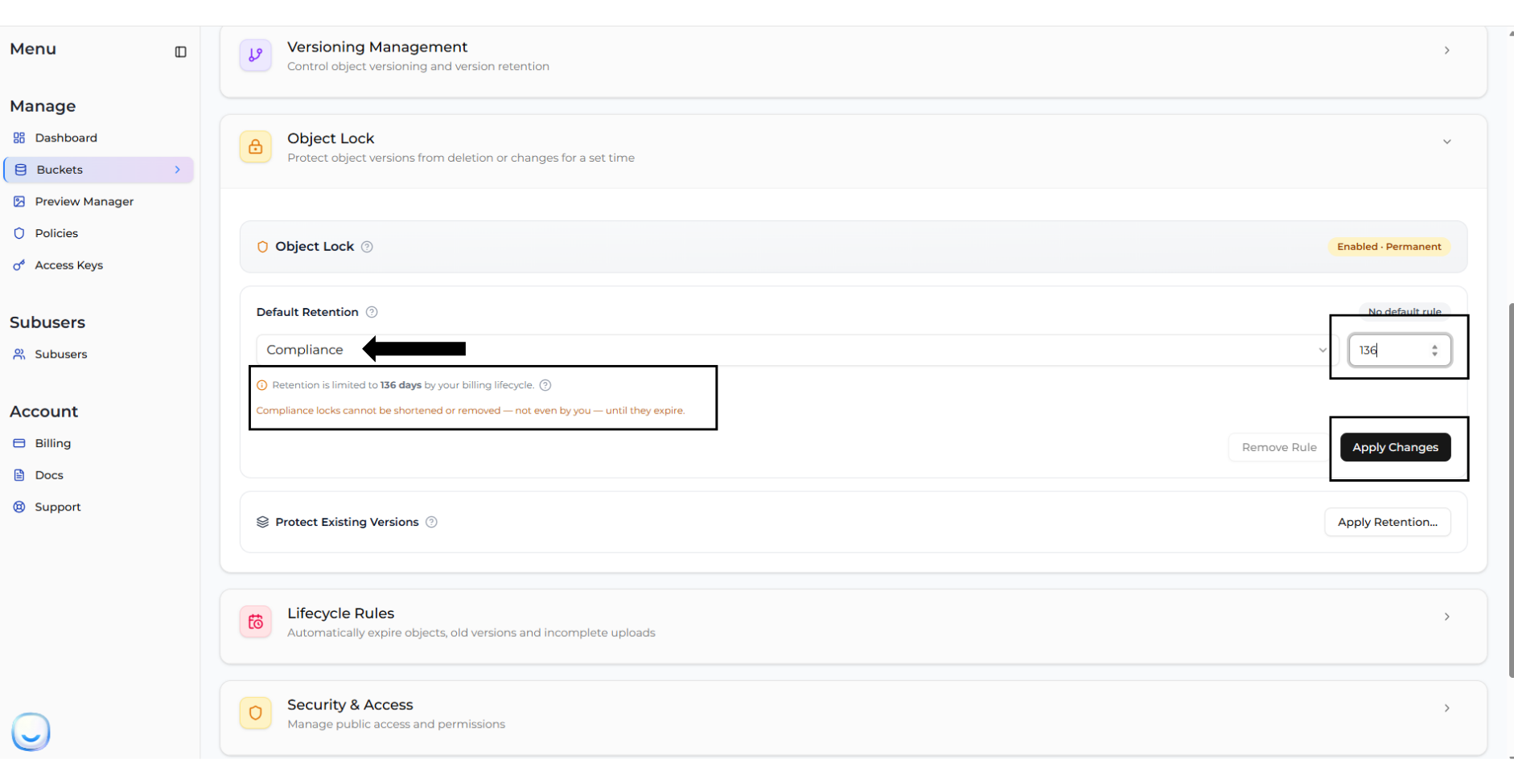
If your bucket was created with Object Lock enabled, you can configure a **Default Retention Rule** in your Bucket Settings so that all new uploads are automatically protected under Compliance Mode.
1. Navigate to **Bucket > Settings**.
2. Locate the **Default Retention Rule** section.
3. Select **Compliance** from the mode dropdown, and enter the retention period (in days).
4. Click **Apply Changes**.
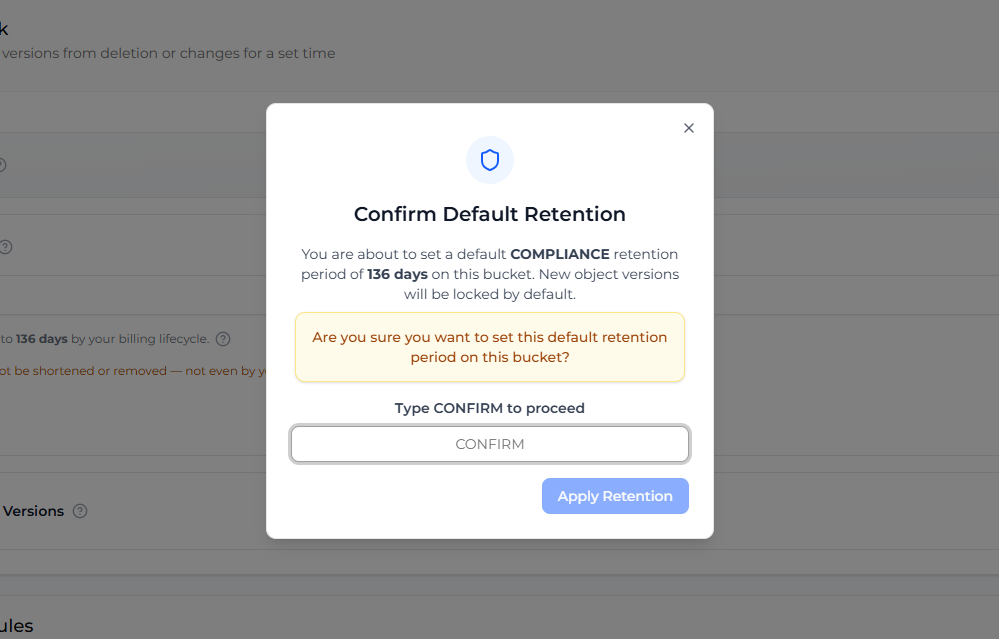
Confirm your choice by typing "CONFIRM". Remember that Compliance locks cannot be bypassed!
## Managing Compliance on Individual Versions
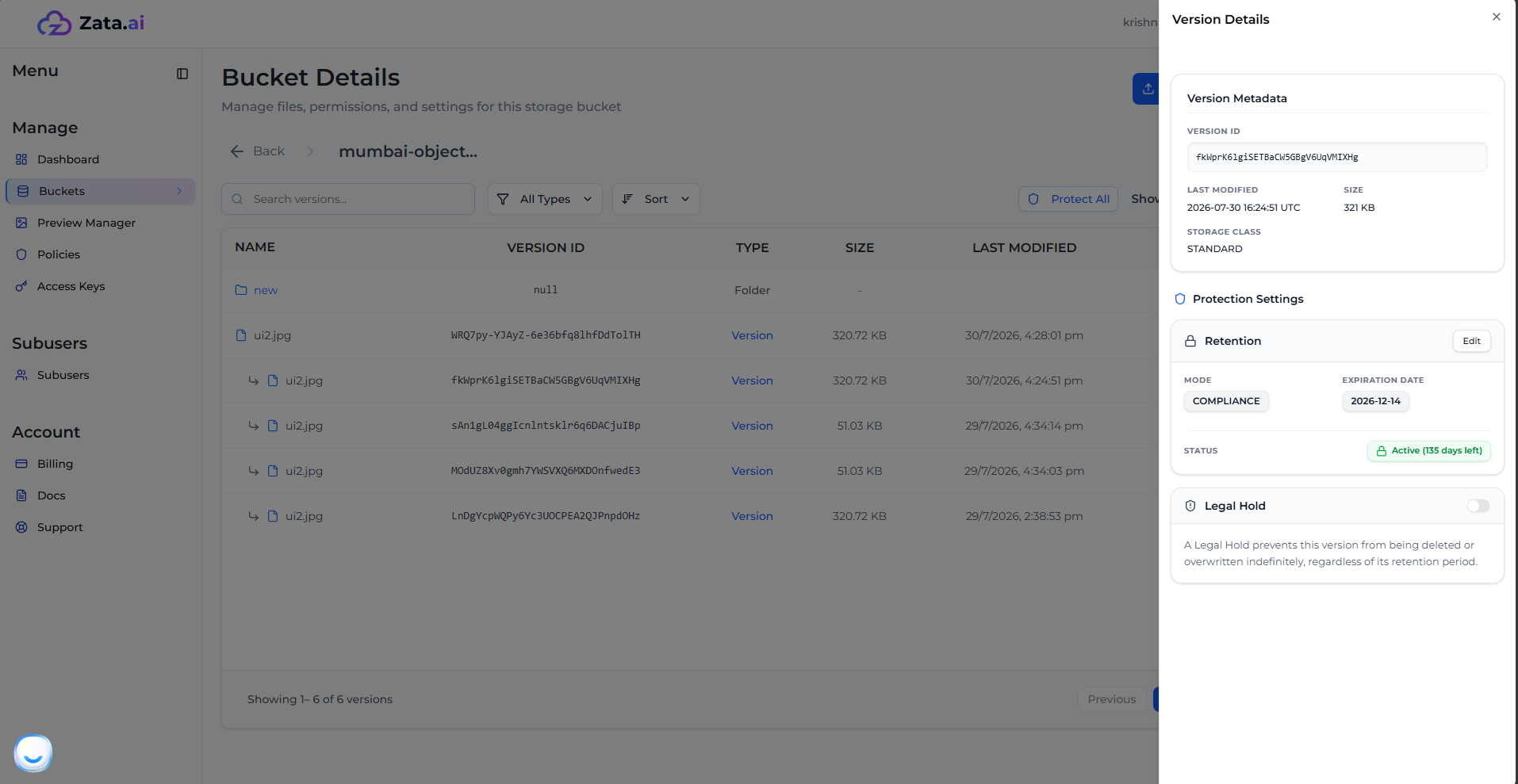
You can view and extend Compliance settings for specific object versions directly from the Zata Dashboard.
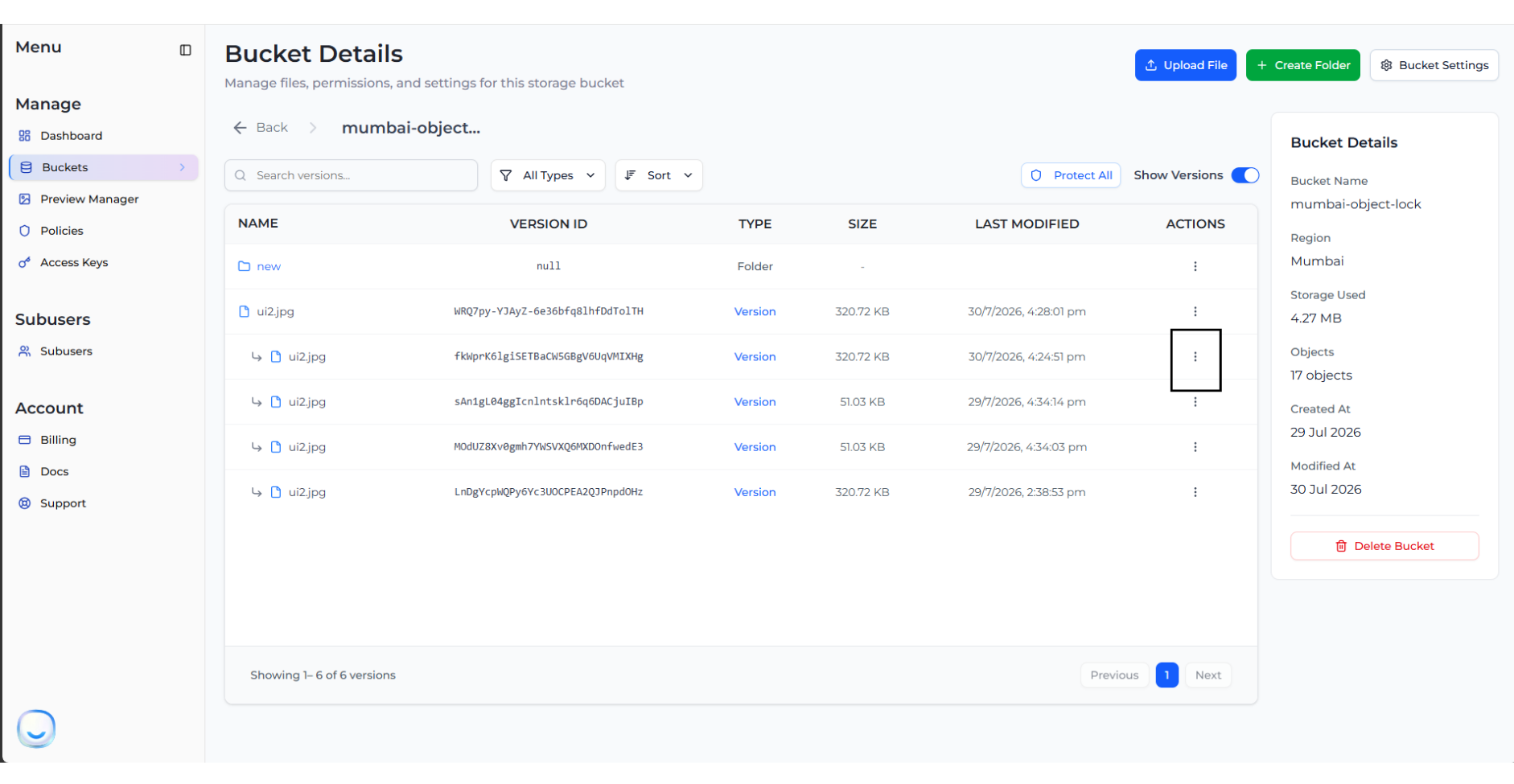
1. Navigate to your bucket and click on an object to expand its versions list.
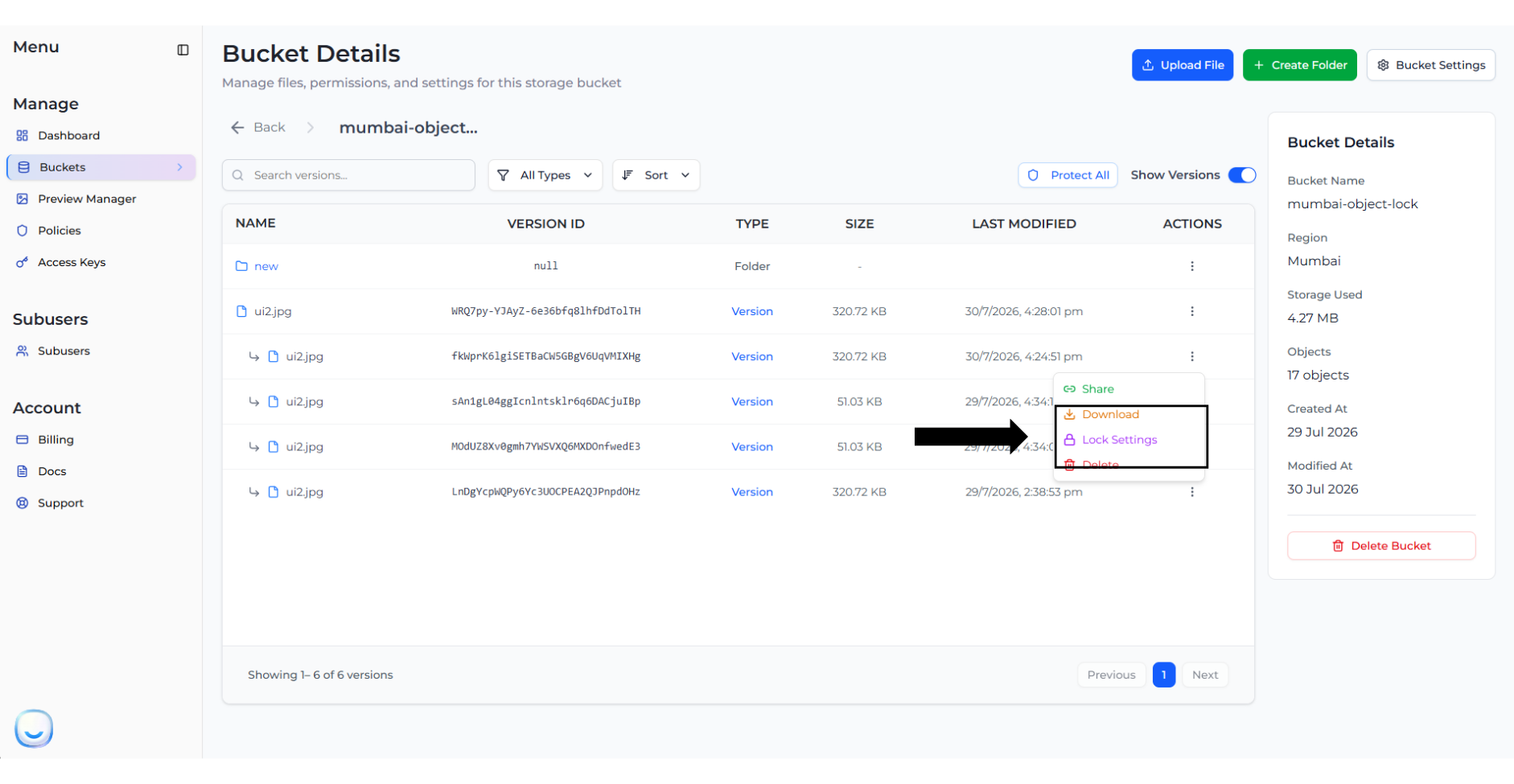
2. Click on the three dots (Actions) next to a specific version and select **Lock Settings**.
3. This opens the **Version Details** panel. Here, you can view the active Compliance lock and its expiration date. To change it, click **Edit**.
> **Note:** You can extend an active Compliance retention period, or re-apply retention to a version that has already expired, but you can never shorten an active Compliance lock.
## Deleting a Compliance-Protected Version
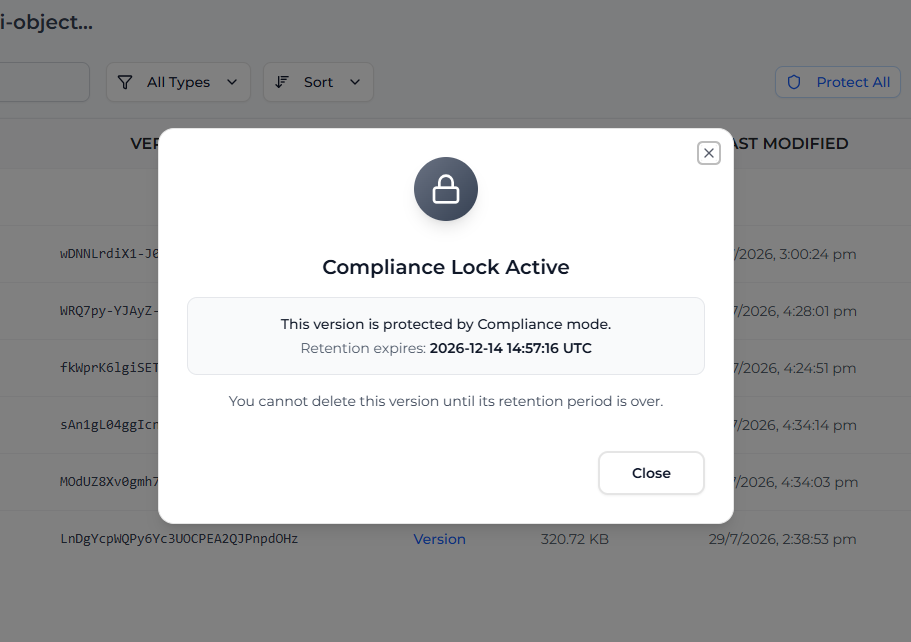
> **Note:** Nobody can delete a version that is protected by Compliance mode until the retention period expires.
If you attempt to delete a version protected by Compliance mode, the system will block the action entirely.