> For the complete documentation index, see [llms.txt](https://docs.zata.ai/llms.txt). Markdown versions of documentation pages are available by appending `.md` to page URLs; this page is available as [Markdown](https://docs.zata.ai/manage/bucket/object-lock/governance-mode.md).
# Governance Mode
In **Governance Mode**, users cannot delete or overwrite an object version or alter its lock settings unless they have special permissions.
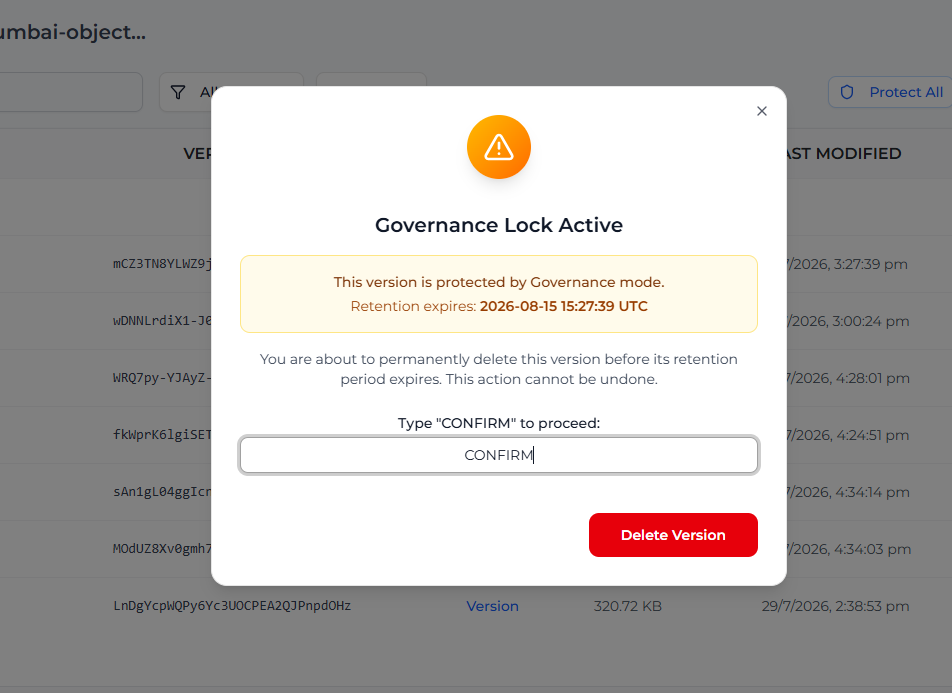
* **Root User Bypass:** The Root User (account owner) can bypass this lock to delete a protected object. This requires explicitly confirming the deletion in the dashboard by typing "confirm".
* **Subusers:** Subusers cannot bypass Governance Mode.
## Applying a Default Governance Rule
If your bucket was created with Object Lock enabled, you can configure a **Default Retention Rule** in your Bucket Settings so that all new uploads are automatically protected under Governance Mode.
1. Navigate to **Bucket > Settings**.
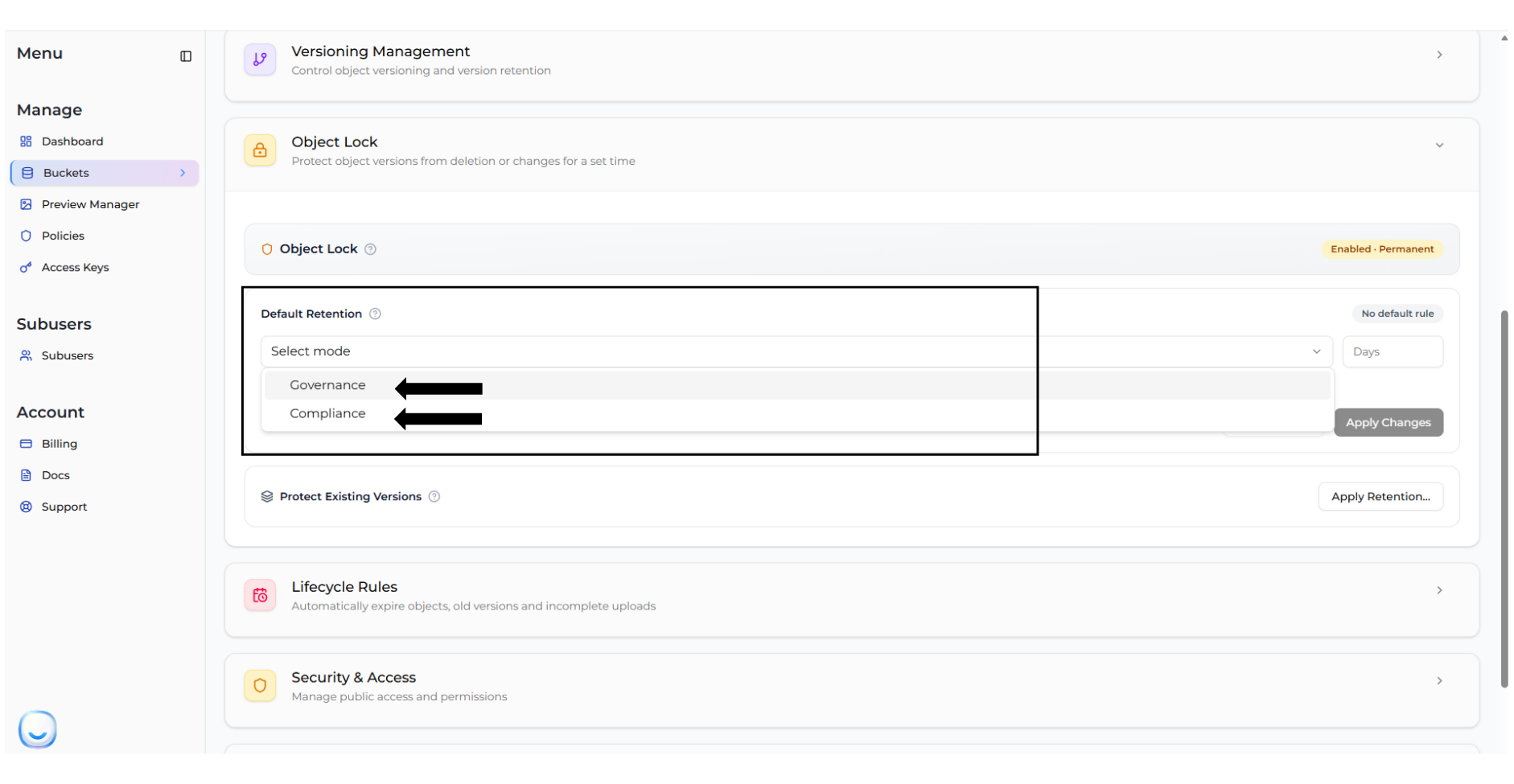
2. Locate the **Default Retention Rule** section.
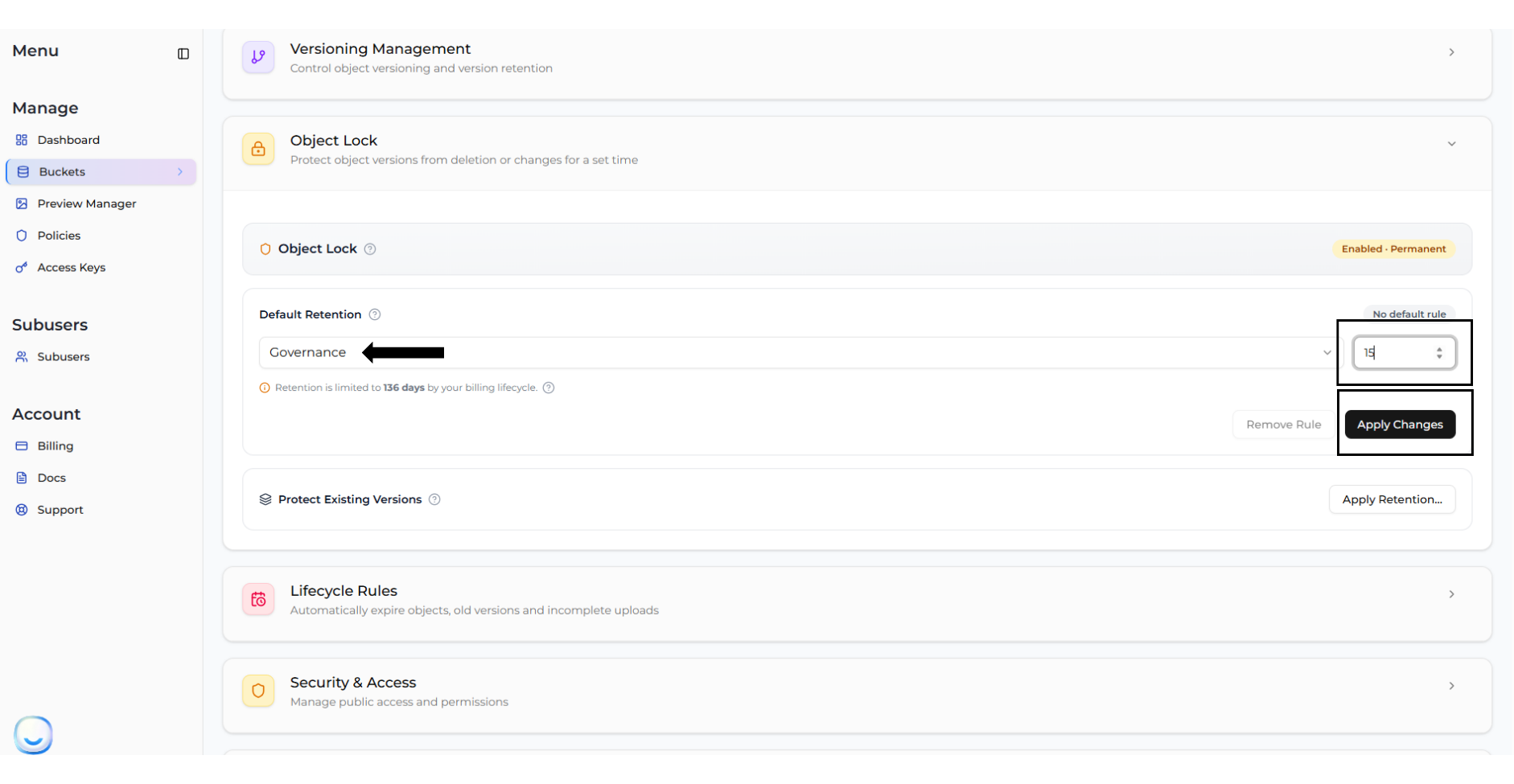
3. Select **Governance** from the mode dropdown, and enter the retention period (in days).
4. Click **Apply Changes**.
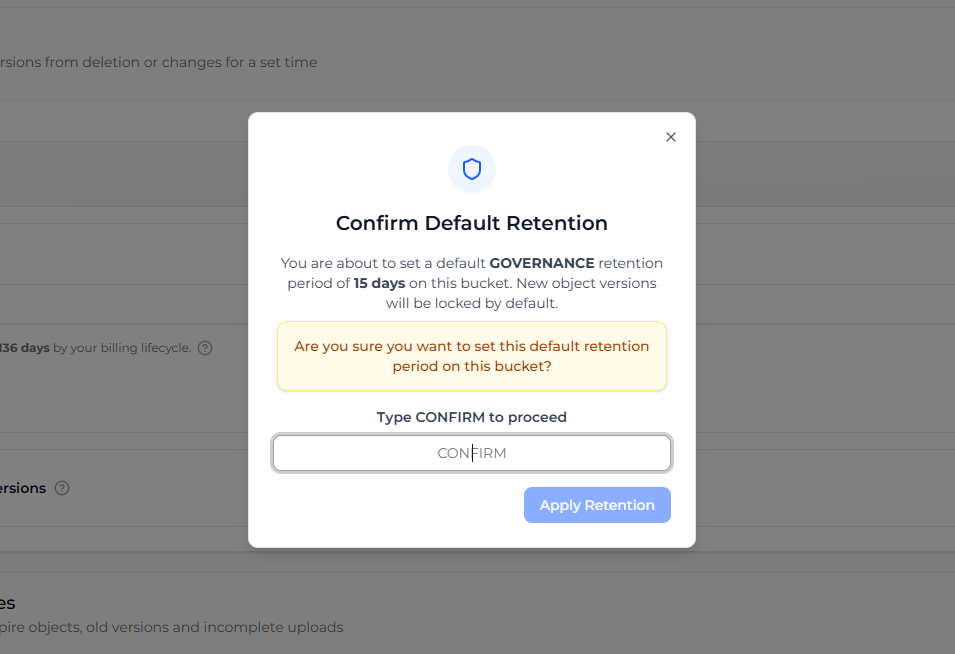
You will be asked to confirm your choice by typing "CONFIRM".
## Removing a Default Governance Rule
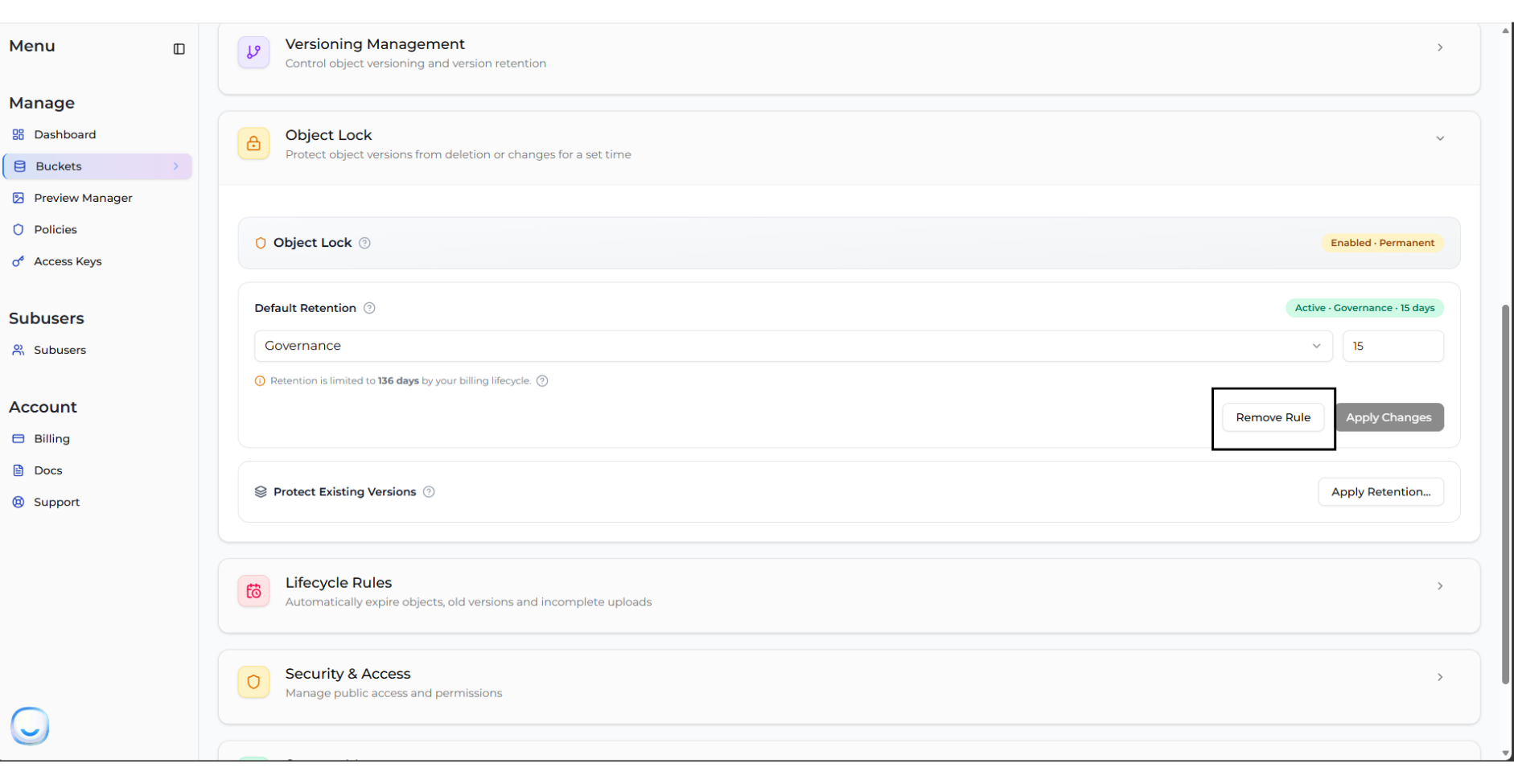
To stop automatically locking new uploads under this rule, you can remove it:
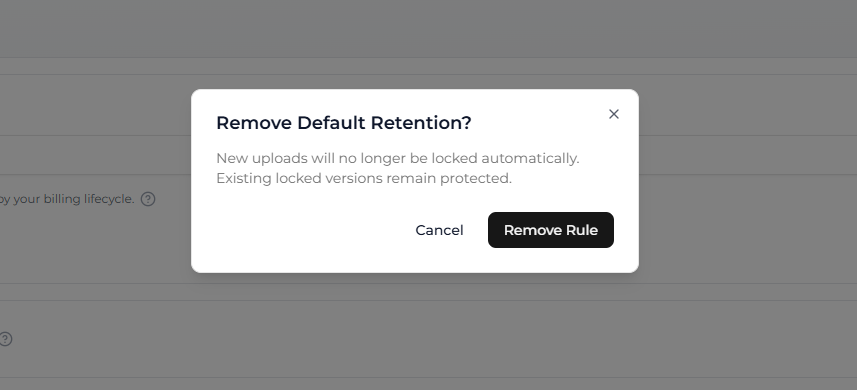
1. In the **Default Retention Rule** section, click **Remove Rule**.
2. Confirm the removal.
> **INFO** Removing the default retention rule stops auto-locking new uploads, but it **does not** unlock objects that are already protected.
## Managing Governance on Individual Versions
You can view and modify Governance settings for specific object versions directly from the Zata Dashboard.
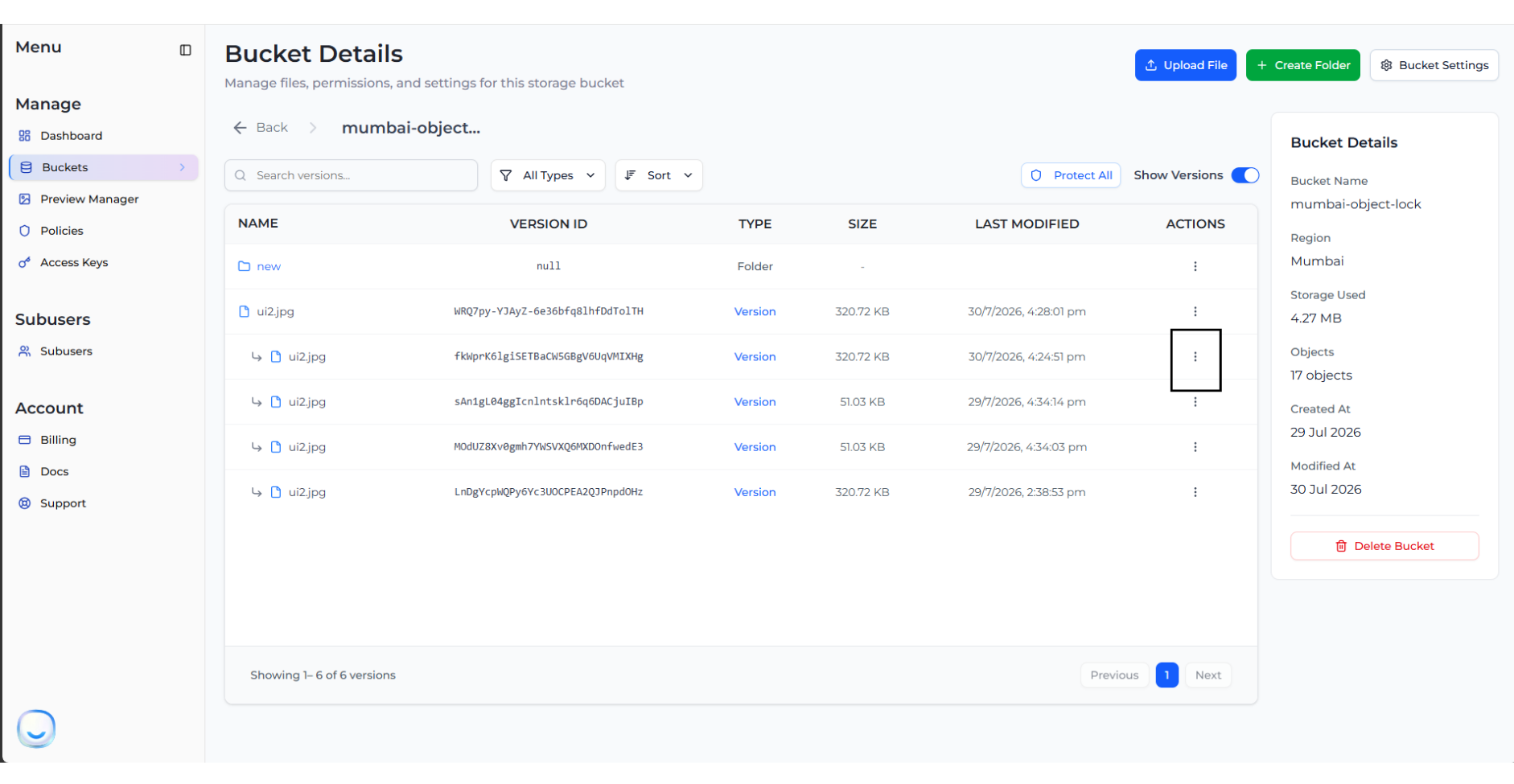
1. Navigate to your bucket and click on an object to expand its versions list.
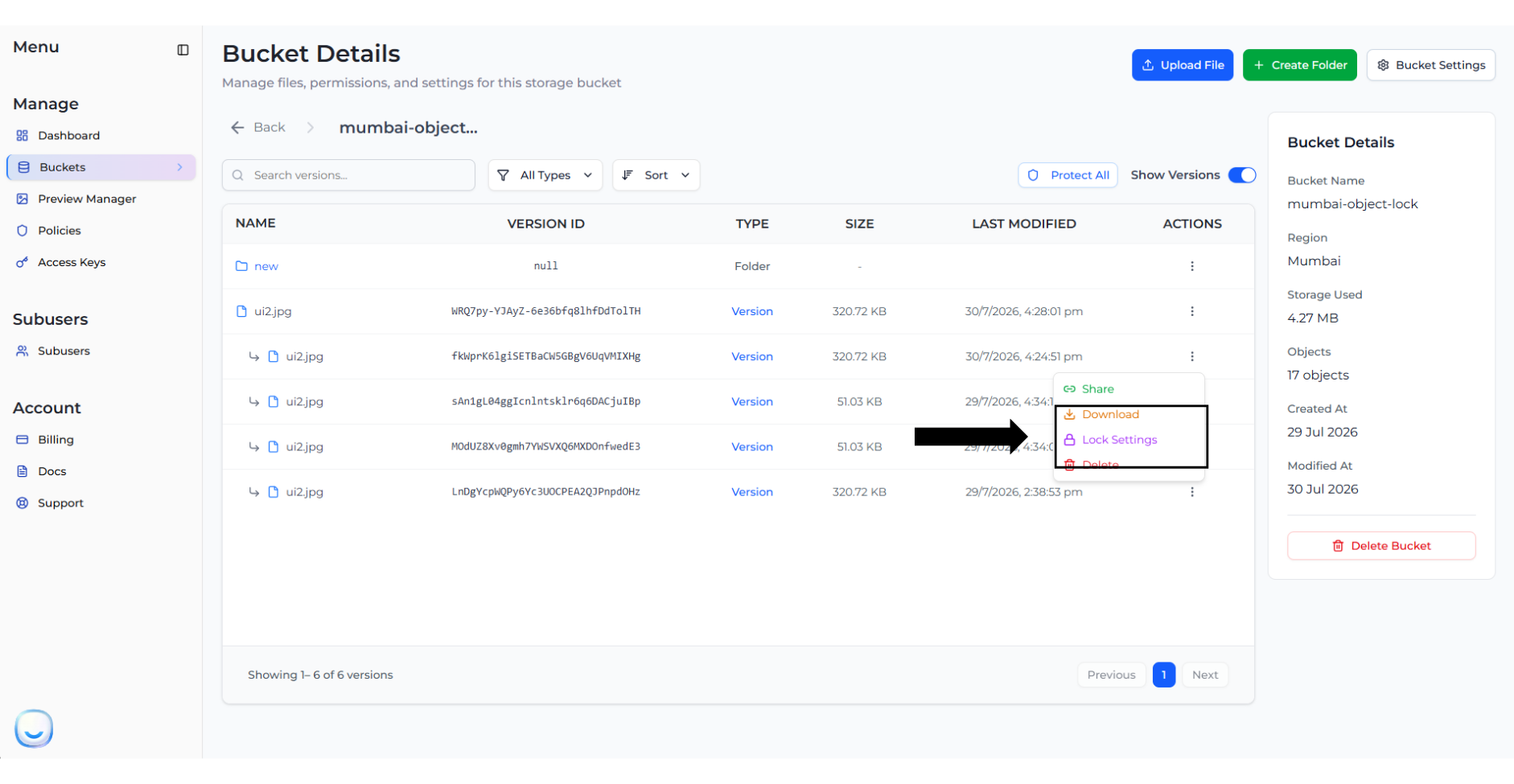
2. Click on the three dots (Actions) next to a specific version and select **Lock Settings**.
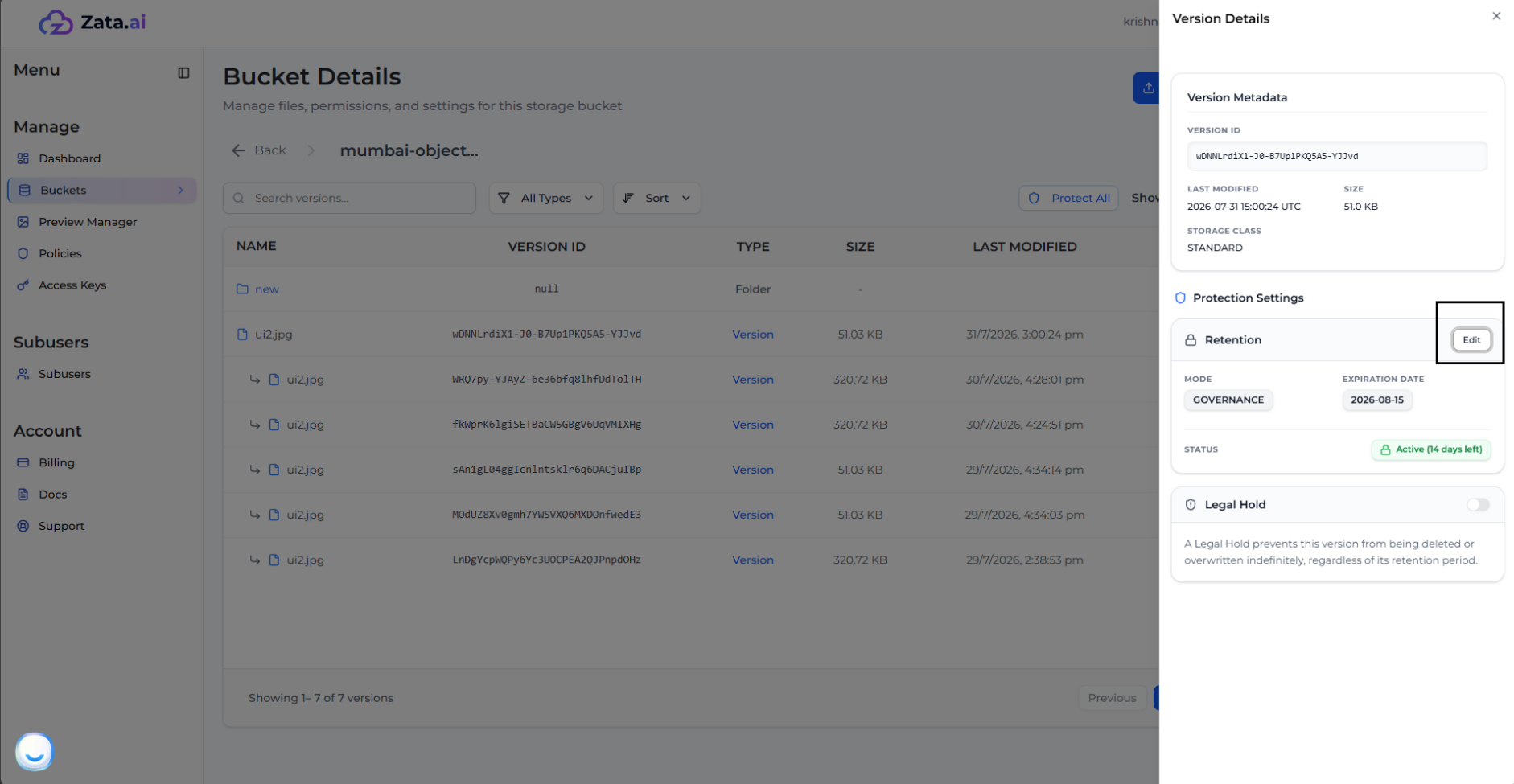
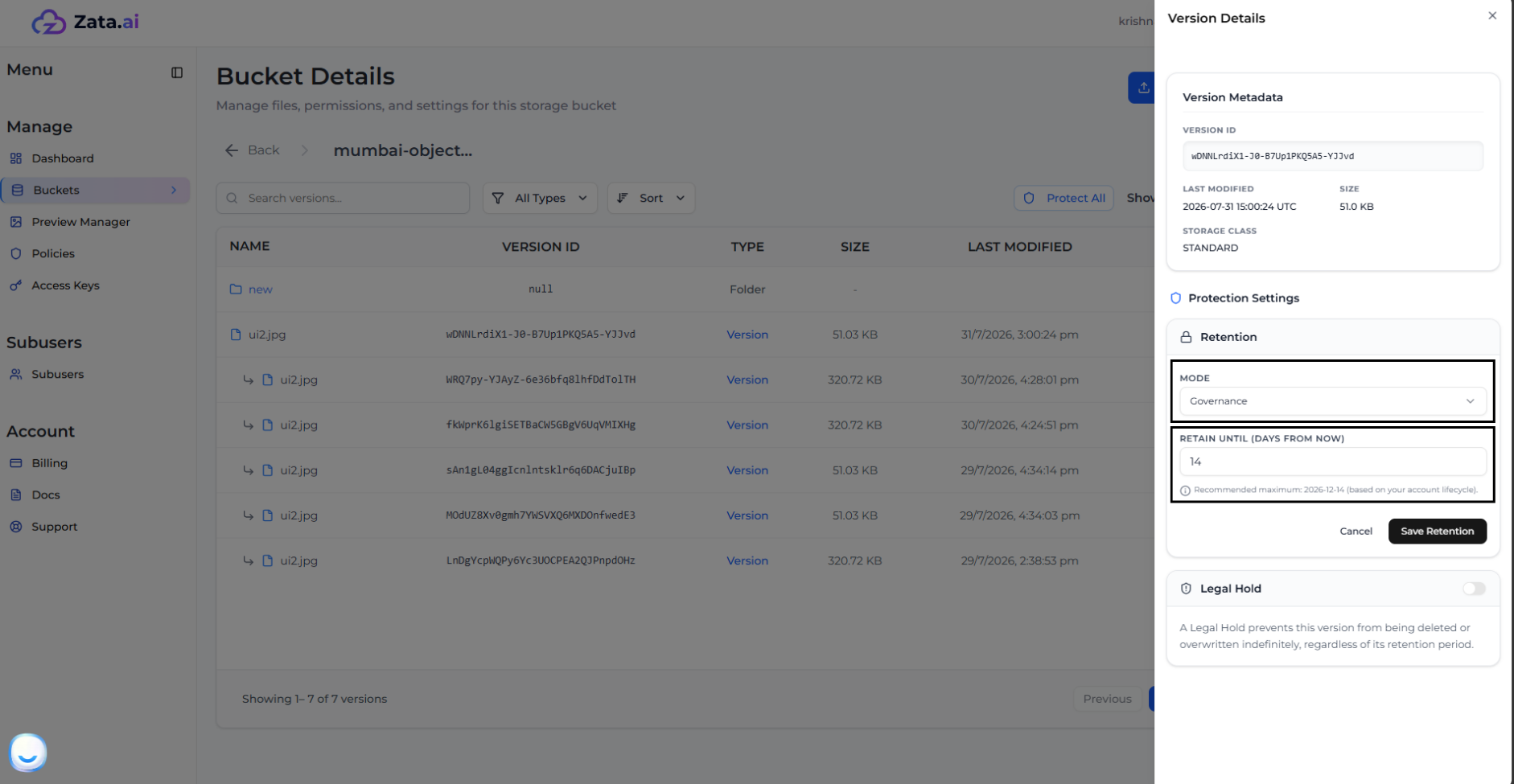
3. This opens the **Version Details** panel. To change the retention settings, click **Edit**.
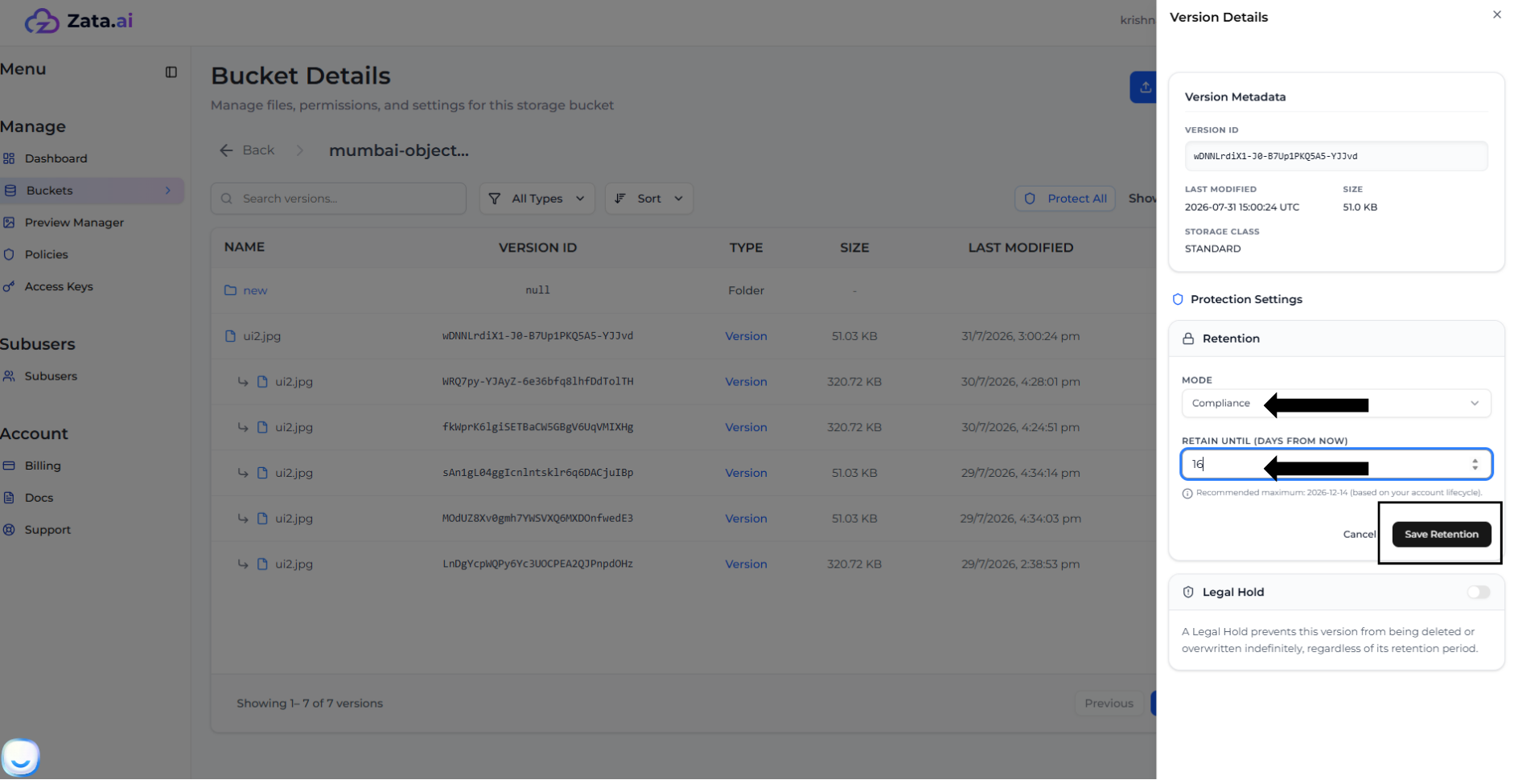
4. You can upgrade the retention mode (e.g., from Governance to Compliance) or extend the retention date.
5. After selecting the new settings, click **Save Retention**.
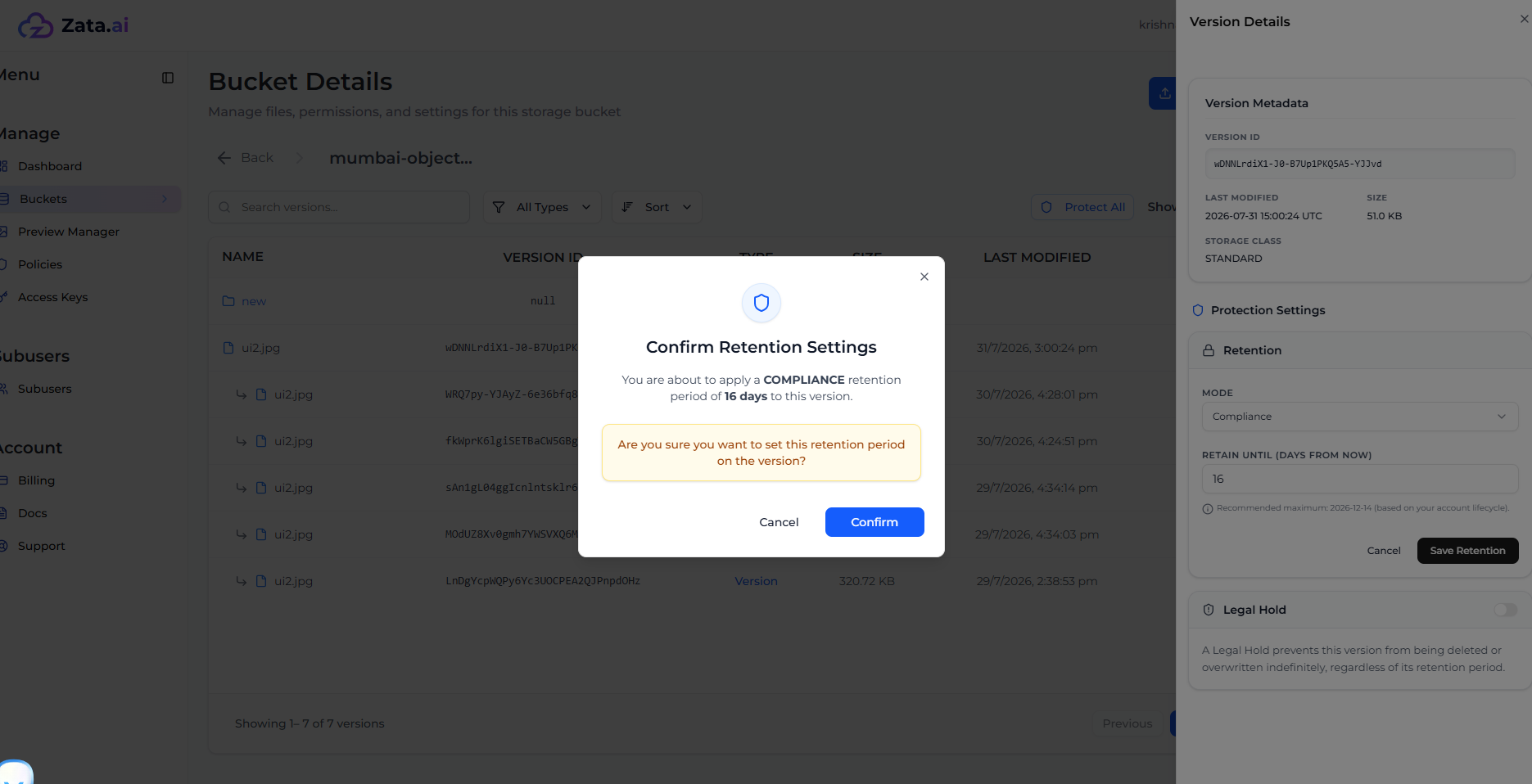
6. Confirm the new settings.
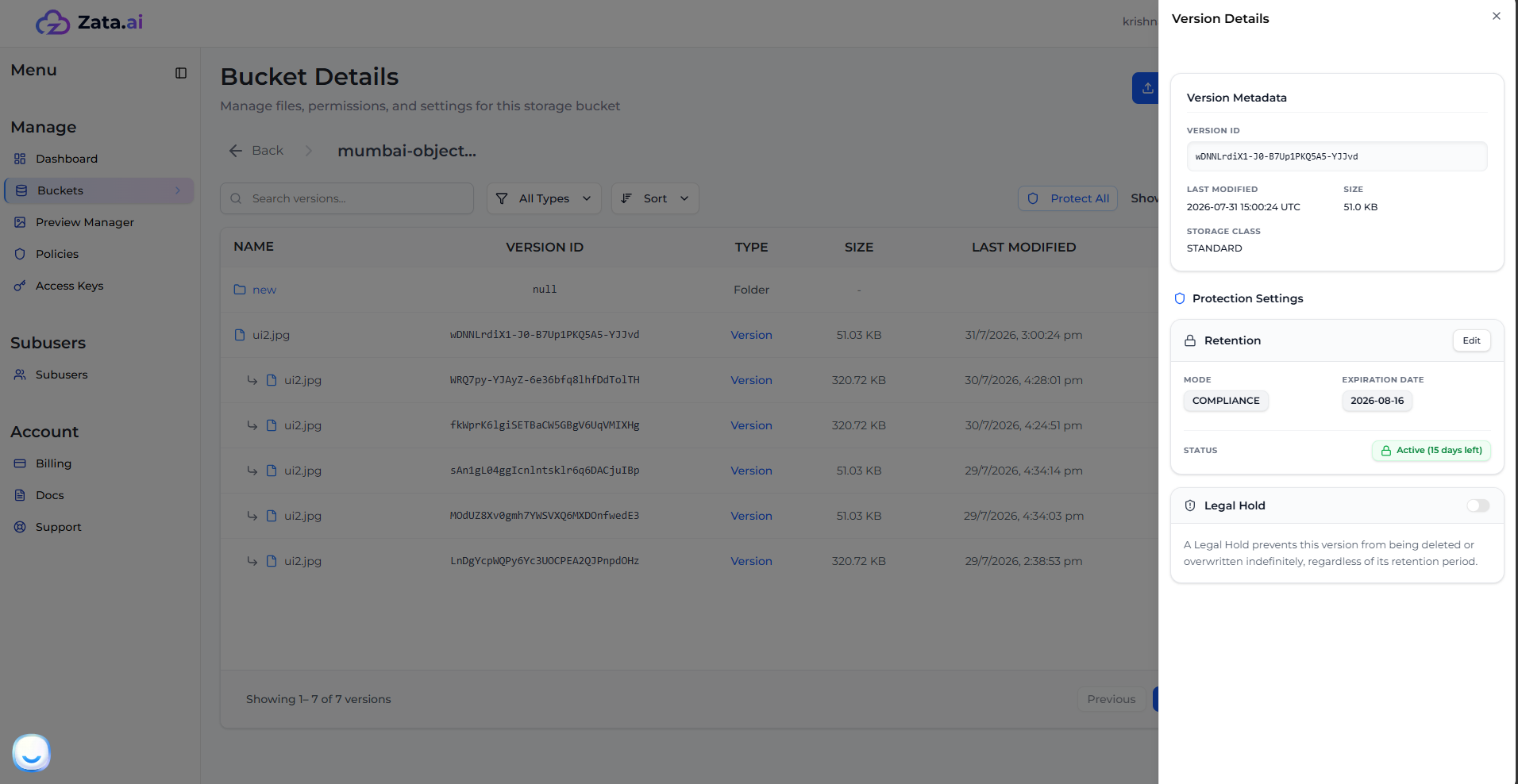
7. The version is now protected under the new settings!
## Deleting a Governance-Protected Version
> **Note:** Only the Root User (account owner) can bypass the Governance mode and delete the version. Subusers cannot perform this action.
If you are logged in as the root user and attempt to delete a version protected by Governance mode, you will be asked to explicitly type "CONFIRM" to bypass the lock and delete the version.