> For the complete documentation index, see [llms.txt](https://docs.zata.ai/llms.txt). Markdown versions of documentation pages are available by appending `.md` to page URLs; this page is available as [Markdown](https://docs.zata.ai/manage/bucket/object-lock/legal-hold.md).
# Legal Hold
**Legal Hold** provides the same protection as a retention period, but it has no expiration date. Instead, a Legal Hold remains in place indefinitely until you explicitly turn it **OFF**.
## How Legal Hold Works
* **Independent Protection:** Legal Hold operates completely independent of Retention Modes (Governance and Compliance). An object can have both a retention period and a Legal Hold active at the same time.
* **No Expiration:** If an object's retention period expires, but Legal Hold is still ON, the object still cannot be deleted.
* **Toggle Freedom:** Unlike Compliance mode which cannot be removed, Legal Hold can be toggled ON and OFF freely at any time by users with the appropriate permissions.
## Managing Legal Hold on Individual Versions
Legal Hold is applied on a per-version basis rather than as a default bucket rule. Legal Hold can apply double protection alongside both Governance and Compliance modes, and it is also applicable as a single protection on its own.
To turn Legal Hold on or off for an object version:
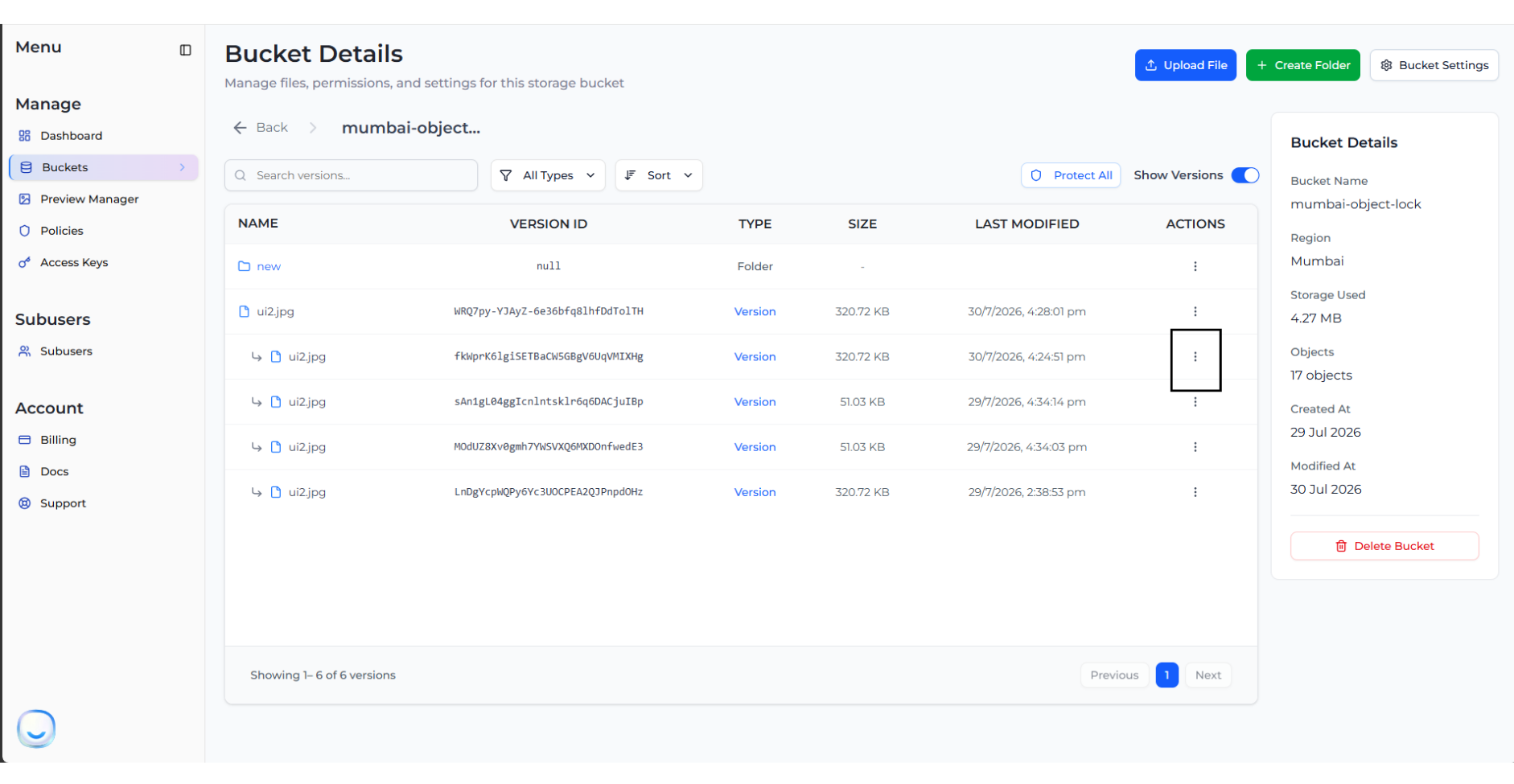
1. Navigate to your bucket and click on an object to expand its versions list.
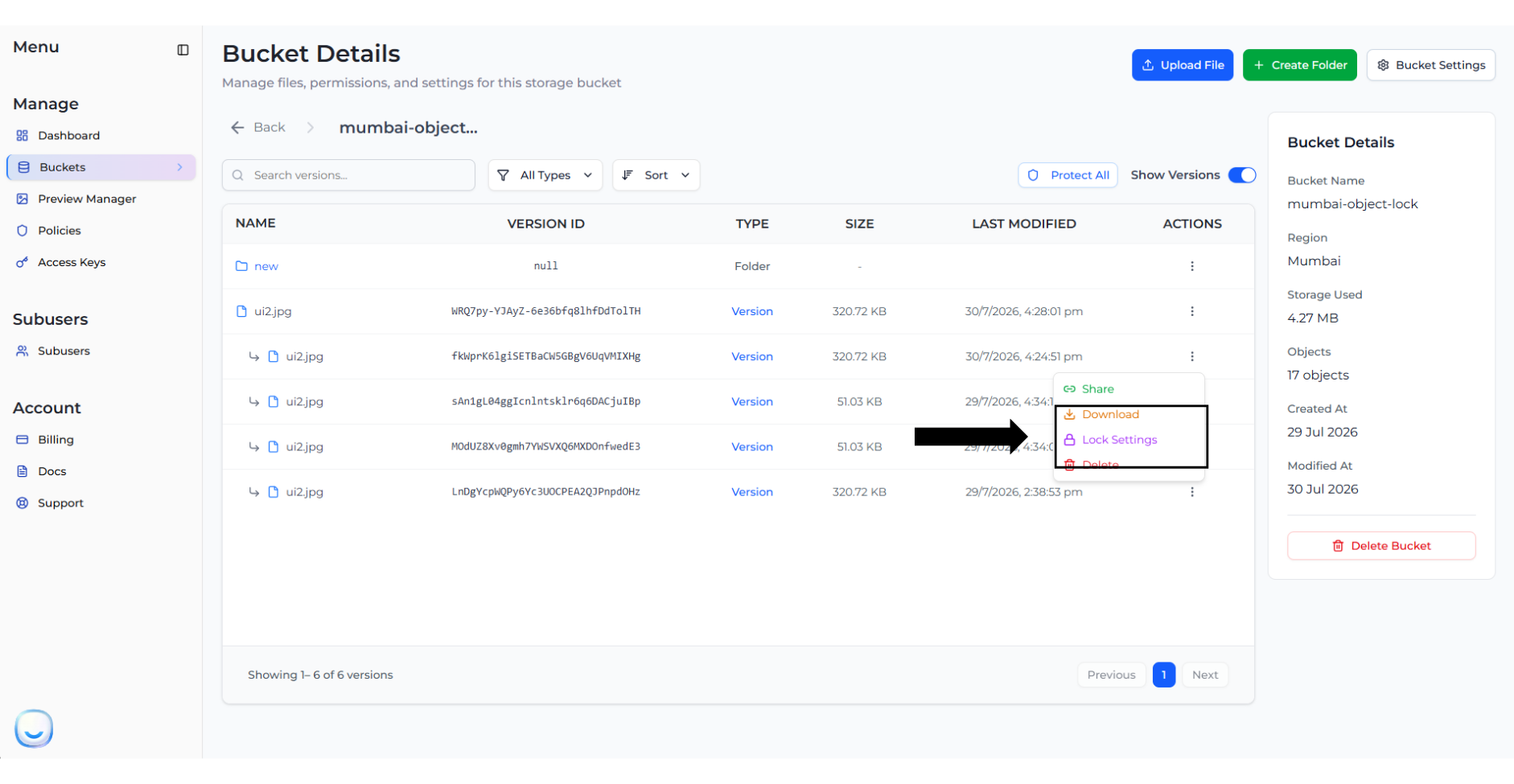
2. Click on the three dots (Actions) next to a specific version and select **Lock Settings**.
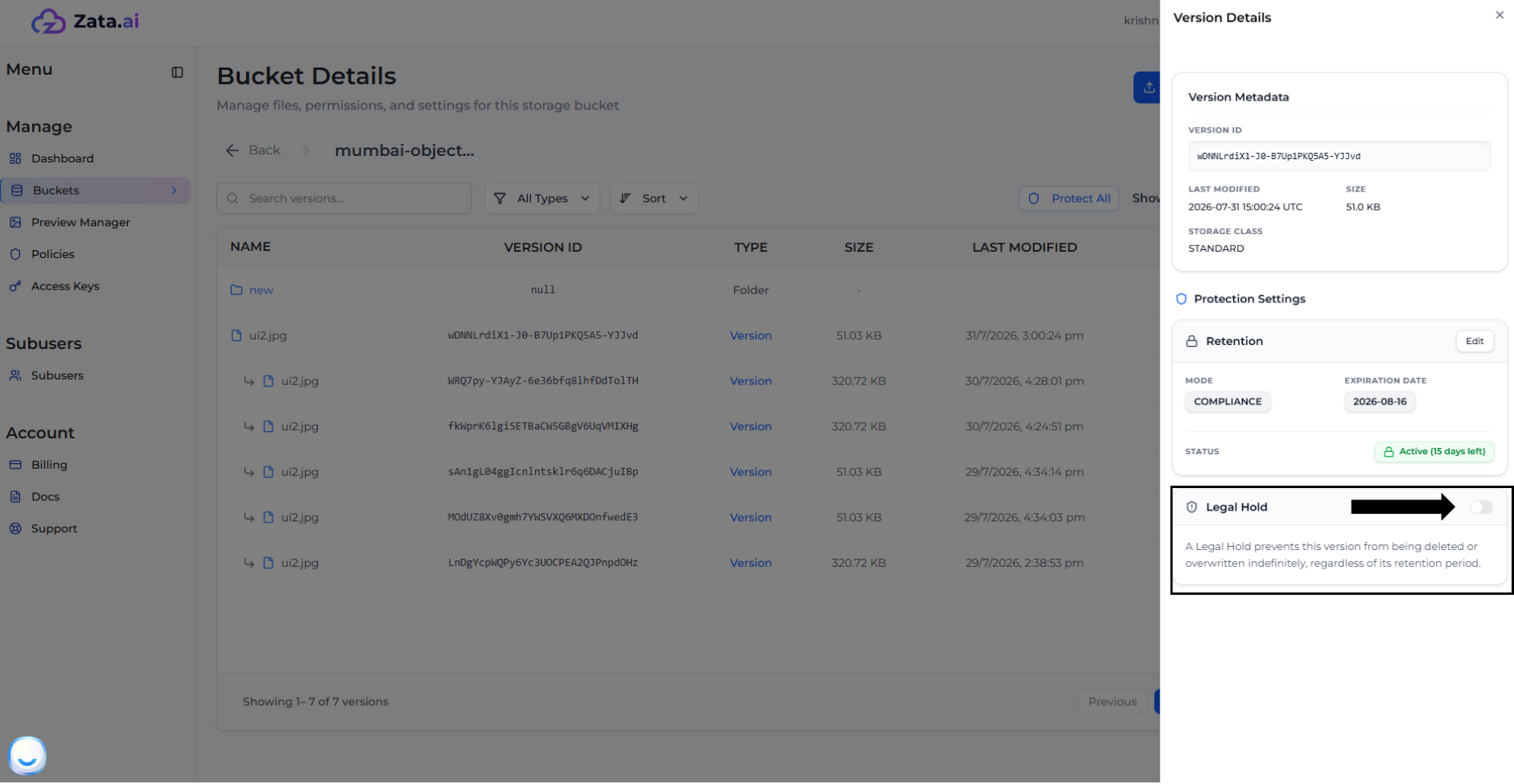
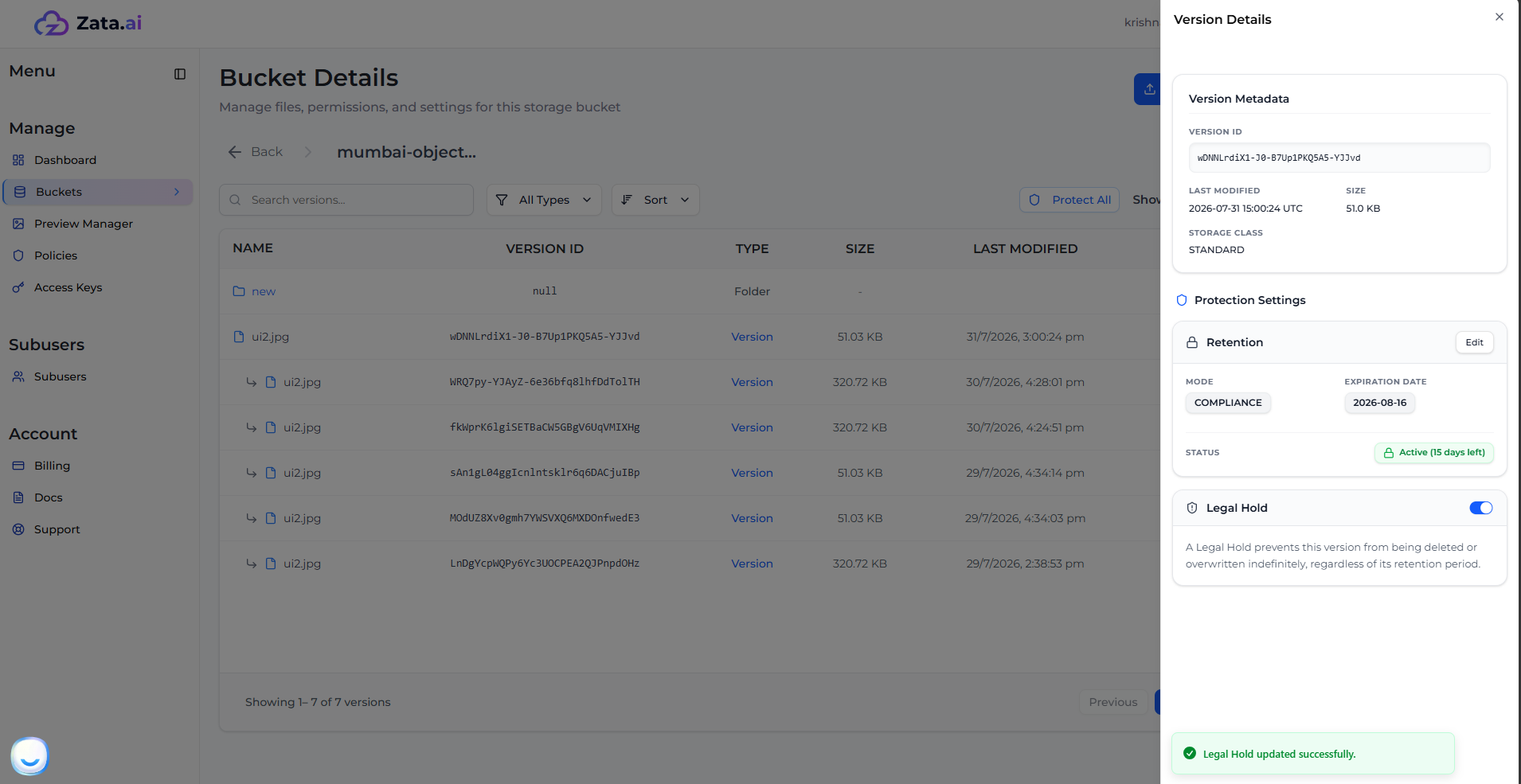
3. This opens the **Version Details** panel. Under the **Legal Hold** section, click the toggle switch to turn it **ON**.
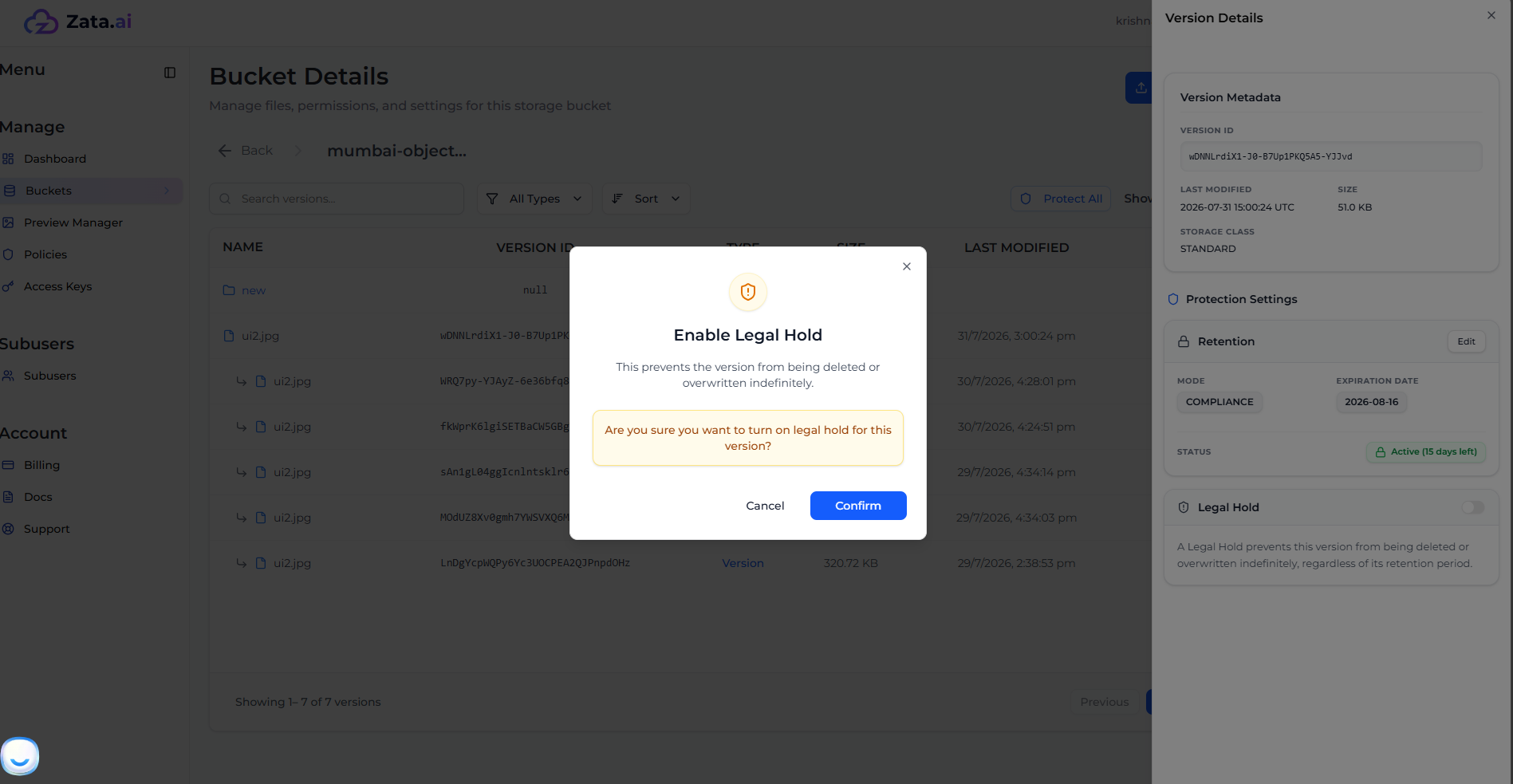
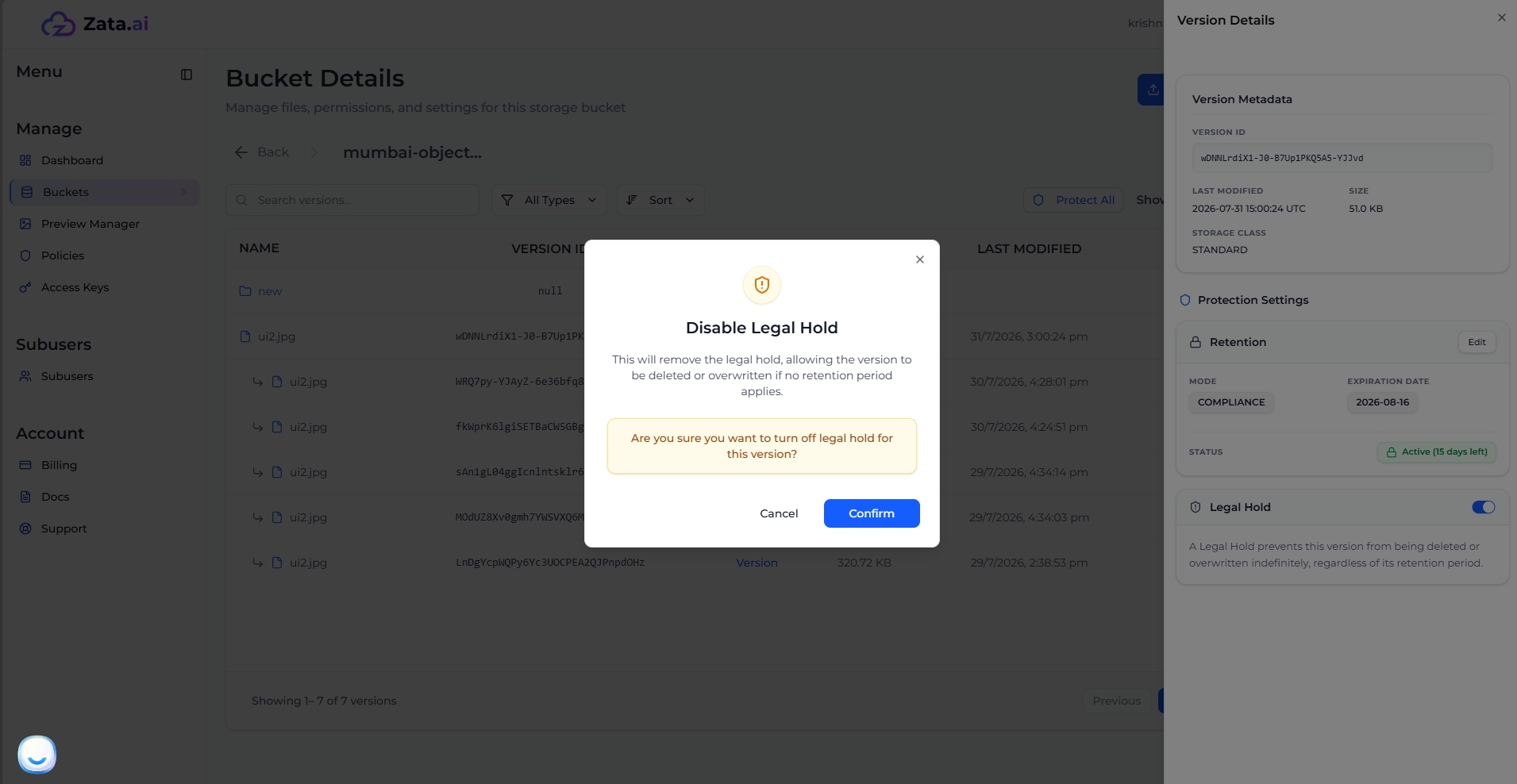
4. Confirm the Legal Hold activation.
5. The Legal Hold is now active for this version.
6. To turn it off, simply click the toggle switch again and confirm.
## Deleting a Legal Hold Protected Version
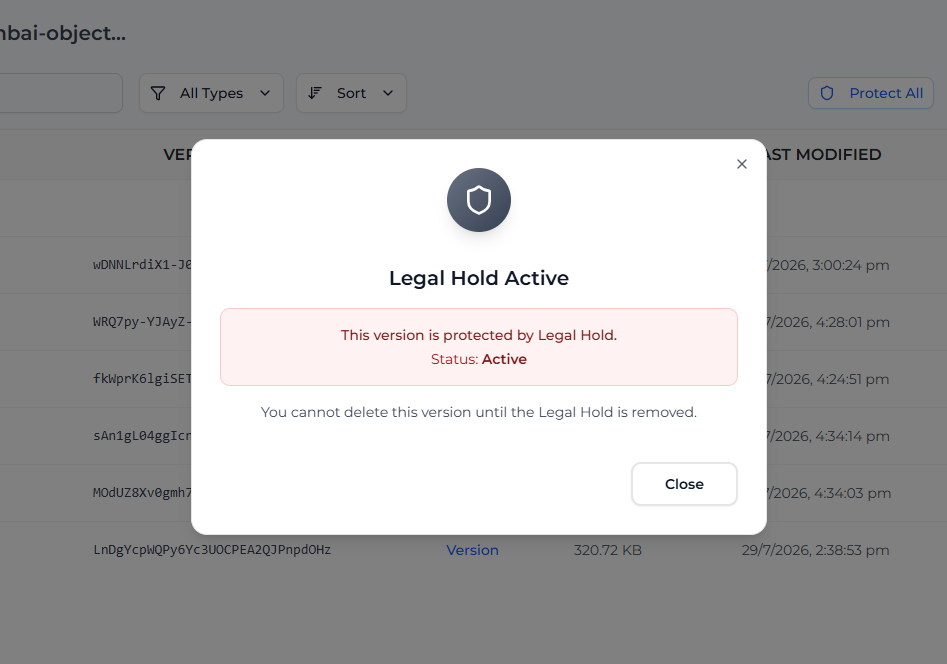
> **Note:** Nobody can delete the version whenever the toggle is not turned off.
If you attempt to delete a version that has an active Legal Hold, the system will block the action entirely until you explicitly toggle the Legal Hold off.