> For the complete documentation index, see [llms.txt](https://docs.zata.ai/llms.txt). Markdown versions of documentation pages are available by appending `.md` to page URLs; this page is available as [Markdown](https://docs.zata.ai/manage/bucket/storing-objects-in-a-bucket/delete-and-restore-object-in-zata.md).
# Delete and Restore Object in Zata
First, upload an object into the bucket.
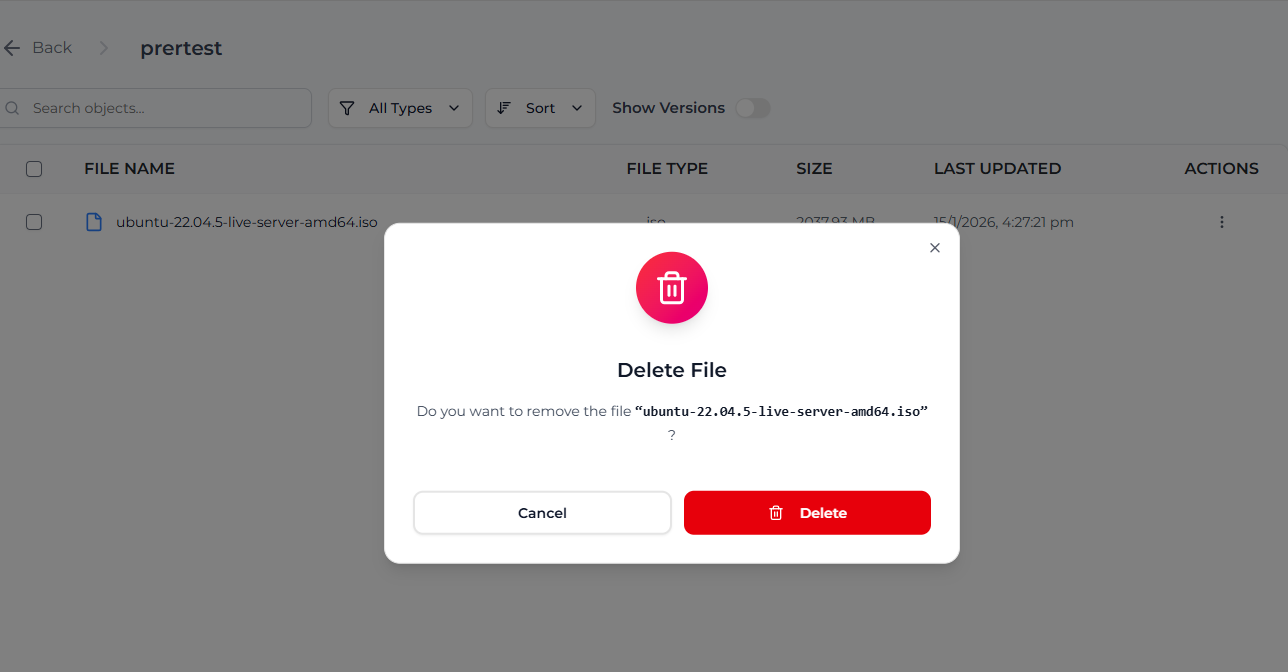
**To Delete an Object:**
* Click on the **Actions (three dots)** next to the object.
* Select **Delete**.
* The object will be removed from the main object list.
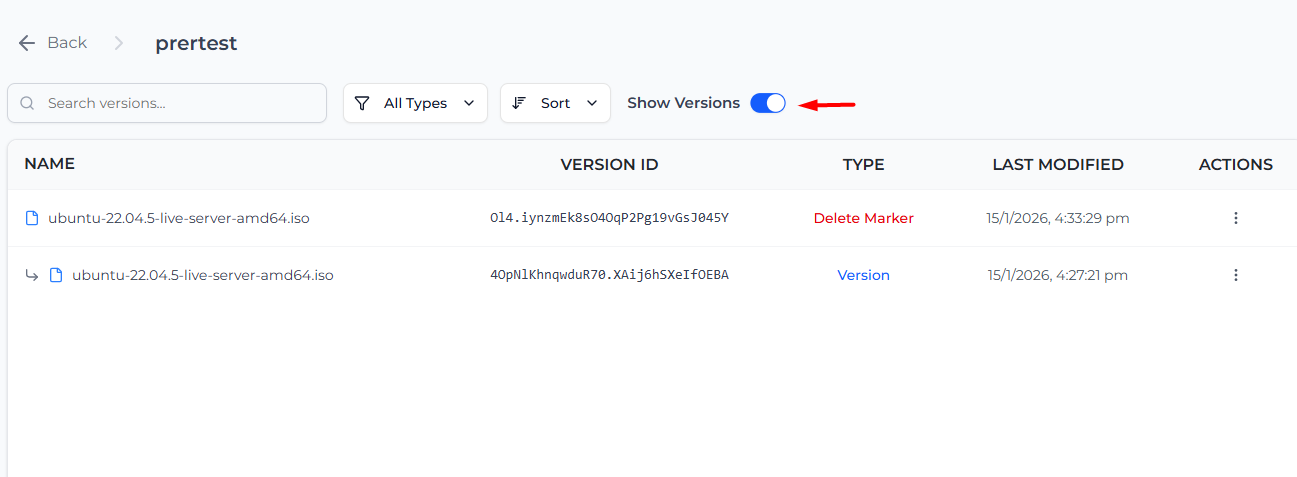
After deleting the object:
* Enable the **Show Versions** option.
* The deleted object will appear with a **Delete Marker**.The Delete Marker indicates that the object is deleted but not permanently removed.
**To Restore the Object:**
* Click on the **Actions (three dots)** of the **Delete Marker**.
* Select **Remove Marker**.
After removing the Delete Marker, the object becomes visible again in the bucket and is successfully restored.
In Zata, the restore operation is performed using the **Remove Marker** option. Removing the Delete Marker automatically restores the object.