> For the complete documentation index, see [llms.txt](https://docs.zata.ai/llms.txt). Markdown versions of documentation pages are available by appending `.md` to page URLs; this page is available as [Markdown](https://docs.zata.ai/subusers/create-a-new-access-key-and-secret-key-for-the-specific-subuser..md).
# Create a new access key and secret key for the specific subuser.
A subuser already gets one access key per region automatically — when the subuser is created, and again whenever a region is [added to it](/subusers/manage-regions.md). You only need this page if you want an **additional** key, or the subuser has no key left in a region (for example after deleting one).
Each subuser can hold at most **one active key per region** by default. Root account keys are capped at 2 per region. Keys cannot be created for a subuser that is currently suspended in that region — activate it first (see [Suspend & Reactivate a Subuser](/subusers/suspend-and-reactivate.md)).
To generate an additional key from the dashboard:
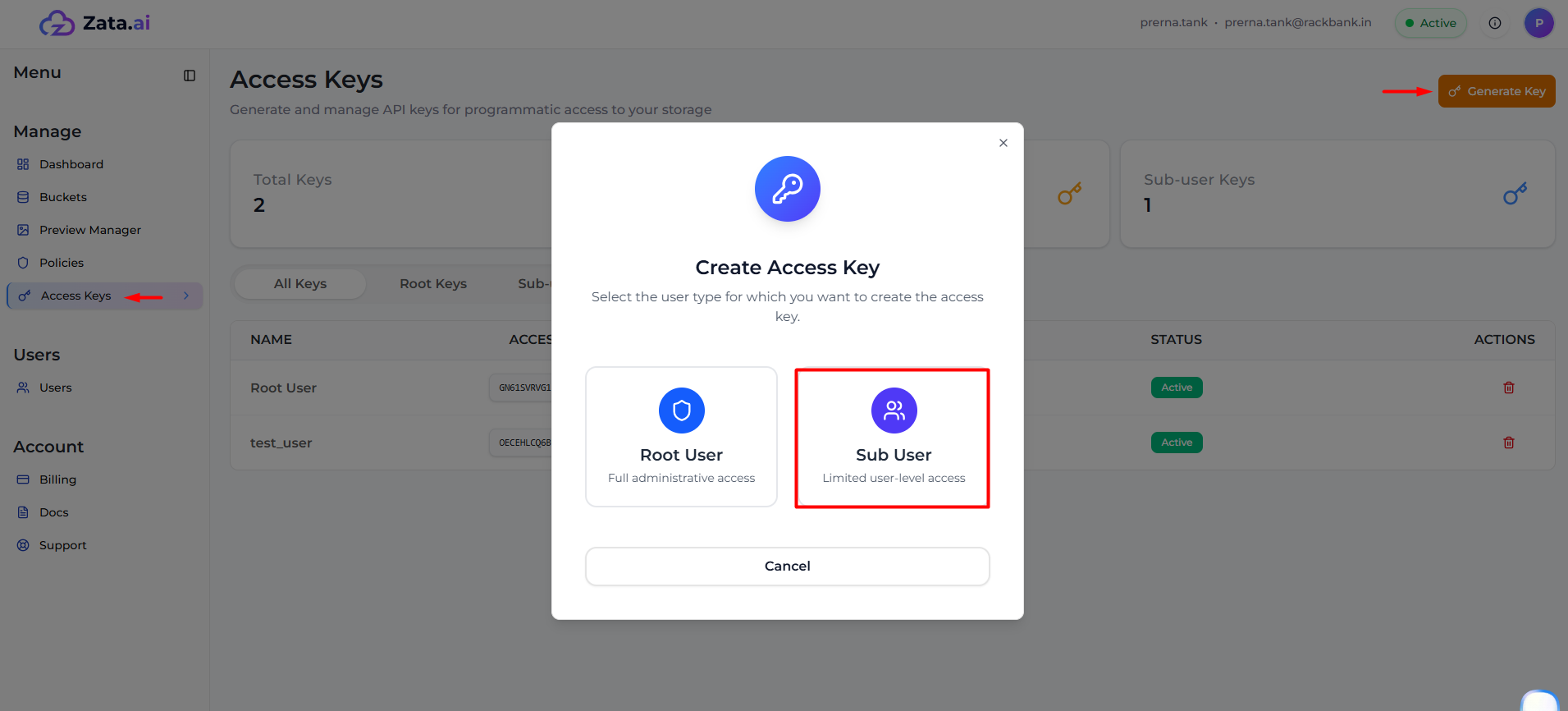
* Navigate to the **Access Keys** section from the dashboard.
* Click on **Generate Key**.
* Choose **Sub User** (rather than Root User) and select the region.
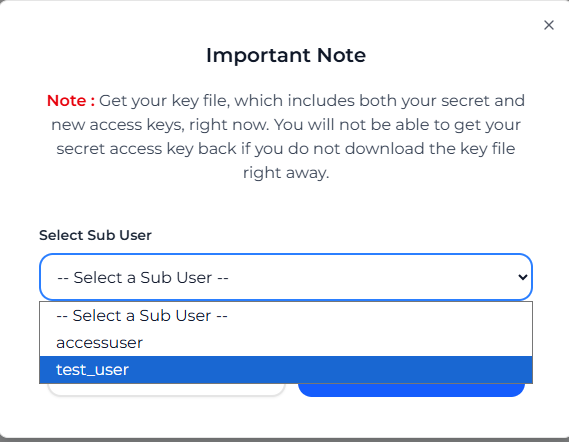
* Click **Continue**, then select the required **Subuser** from the list.
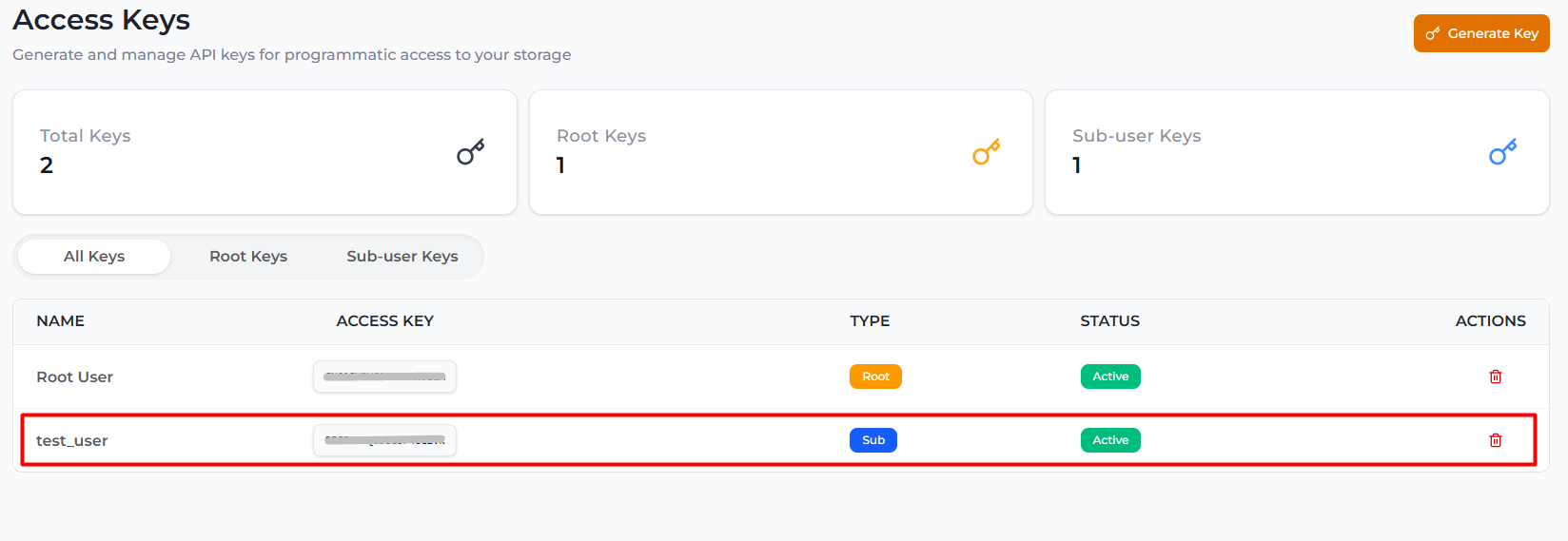
* Click **Generate Key** to create a new access key and secret key.
As soon as you generate the access key, a key file is automatically downloaded. This file contains both the **Access Key** and the **Secret Key** — the secret key is shown only at this moment and cannot be retrieved again later, so save the file right away.
Now that the subuser key has been generated, use this Access Key and Secret Key to authenticate and access the subuser's storage in that region.
### Rotating or removing a key
* An account owner can **rotate**, **deactivate/activate**, or **delete** any of a subuser's keys from this same Access Keys section.
* A dashboard subuser can **rotate their own key** from their own portal ([Subuser Portal](/subusers/subuser-portal/access-keys.md) → Access Keys), but cannot create, deactivate, or delete it themselves — those remain account-owner-only actions.
* At least one key must remain per subuser; the last key cannot be deleted (delete the subuser instead if you want to remove all of its access).