> For the complete documentation index, see [llms.txt](https://docs.zata.ai/llms.txt). Markdown versions of documentation pages are available by appending `.md` to page URLs; this page is available as [Markdown](https://docs.zata.ai/subusers/create-a-subuser.md).
# Create a Subuser
## Difference between programmatic and dashboard subusers
Every subuser has one of two access types, chosen when you create it:
* **Programmatic access only** — API/CLI access via access keys only. No dashboard login. No email required.
* **Programmatic + Dashboard access** — Access keys plus a login to the Zata subuser web dashboard. Requires an email address and an invitation the subuser must accept (see Step 3).
A programmatic subuser can be given dashboard access later without recreating it — see [Managing Invitations](/subusers/managing-invitations.md).
**Step 1: Open the Sub-user Management**
* Log in to the Zata.ai dashboard.
* From the left sidebar, go to **Subusers → Subusers**
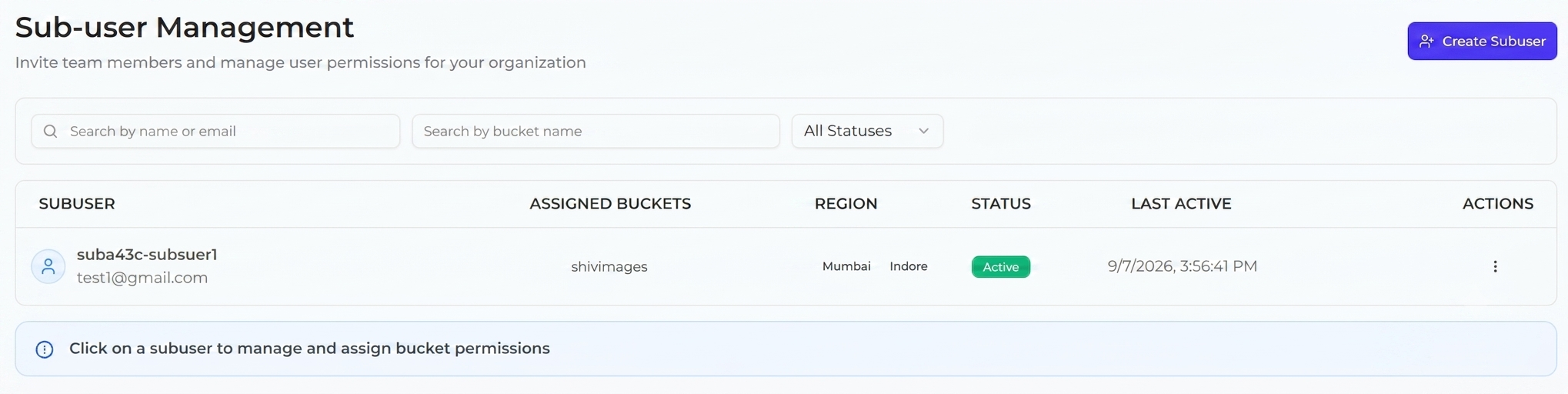
* You will see the **Sub-user Management** page
Your account has a limit on how many subusers you can create (shown as you fill in the form). If you hit the limit, delete a subuser you no longer need or [contact support](/support/raise-a-support-ticket.md) to raise it.
**Step 2: Create a New Subuser**
* Click on **Create Subuser** (top right button)
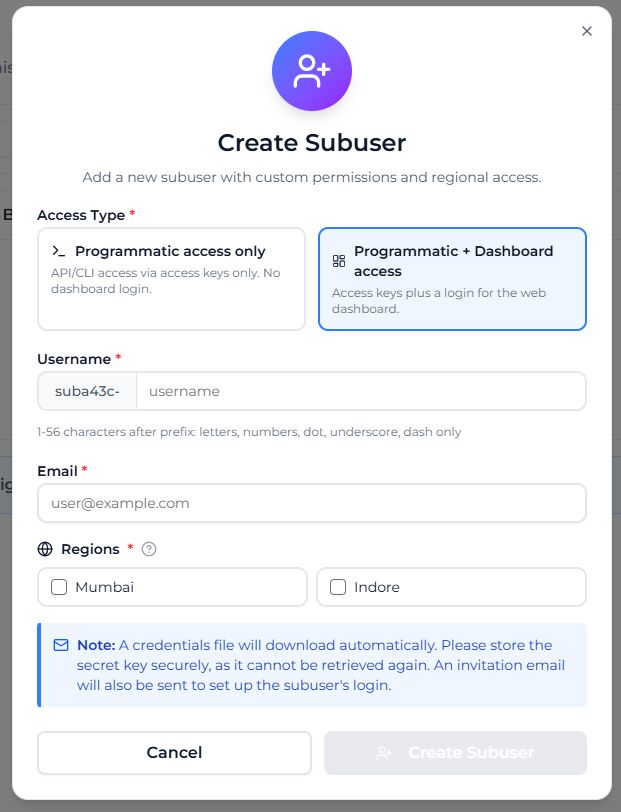
A popup will open: **Create Subuser**
**Field 1 — Access Type\***
Choose how this subuser will connect:
* **Programmatic access only** — API/CLI access via access keys only. No dashboard login. No email required.
* **Programmatic + Dashboard access** — Access keys plus a login to the Zata subuser web dashboard. Requires an email address and an invitation the subuser must accept (see Step 3).
**Field 2 — Username\***
* Shown as a fixed, non-editable prefix (derived from your account) followed by a text field you fill in, e.g. `suba617-` + `test_user`.
* Allowed characters for the part you type: letters (a–z, A–Z), numbers (0–9), dot (.), underscore (\_), dash (-).
* Length: 1–64 characters including the prefix.
* Must be unique across all of Zata.ai, not just your account.
**Field 3 — Email** (only shown for **Programmatic + Dashboard access**)
* Enter a valid email address. Must be unique across all of Zata.ai.
* Not shown/required for programmatic-only subusers.
**Field 4 — Regions\***
* Select **one or more** regions from the checkbox list (e.g. Indore, Mumbai). A subuser can be given access in multiple regions at once, and regions can be added or removed later — see [Manage Regions](/subusers/manage-regions.md).
* Each region gets its own independent access key pair.
**Step 3: Create the Sub-user**
* Click **Create Subuser**
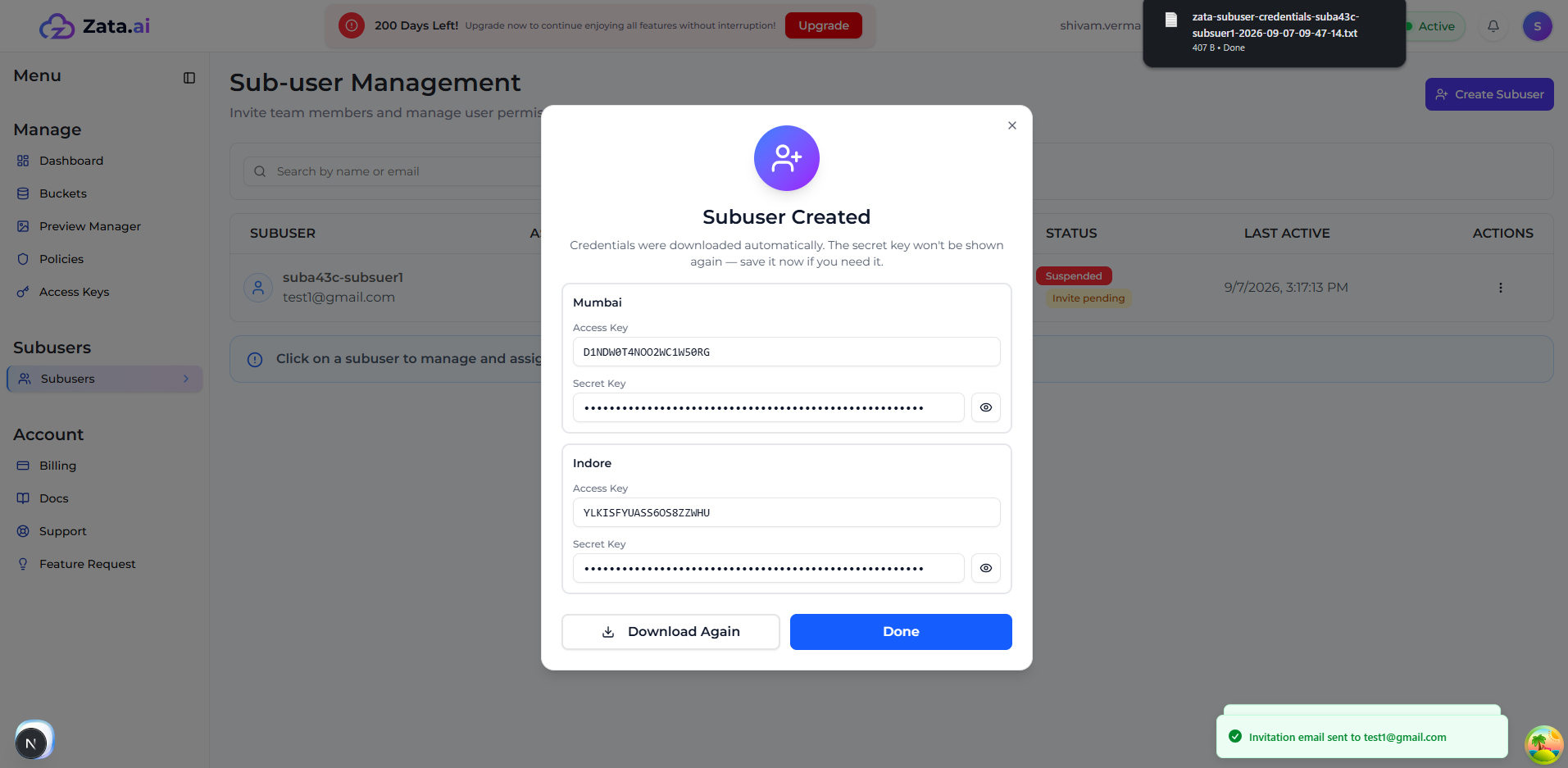
After clicking, the dialog switches to a **Subuser Created** confirmation view showing an Access Key and a masked Secret Key (with a reveal toggle) **for each region you selected**. At the same time:
* A **credentials file downloads automatically** (one Access Key/Secret Key pair per region, plus each region's service URL). You can click **Download Again** if you need a fresh copy of the same file.
* For **Programmatic + Dashboard access** subusers, an **invitation email is also sent** to the address you entered. The subuser must open that email and set their own password before their dashboard login — and their access keys — become usable. See [Managing Invitations](/subusers/managing-invitations.md) for the full flow and how to resend/revoke it.
* For **Programmatic access only** subusers, the keys are active immediately — there is no invitation step.
Important:
* The credentials file contains the Access Key **and** Secret Key for each region.
* You **cannot retrieve a Secret Key again later** — if it's lost, rotate or delete the key and issue a new one from the subuser's Access Keys.
Click **Done** to close the dialog once you've saved the credentials.
**Step 4: Save Credentials Securely**
* The downloaded file must be stored securely.
* If a secret key is lost, you (the account owner) can rotate that key from the subuser's Access Keys page to issue a new secret without losing the region assignment.
**Step 5: Verify Sub-user Creation**
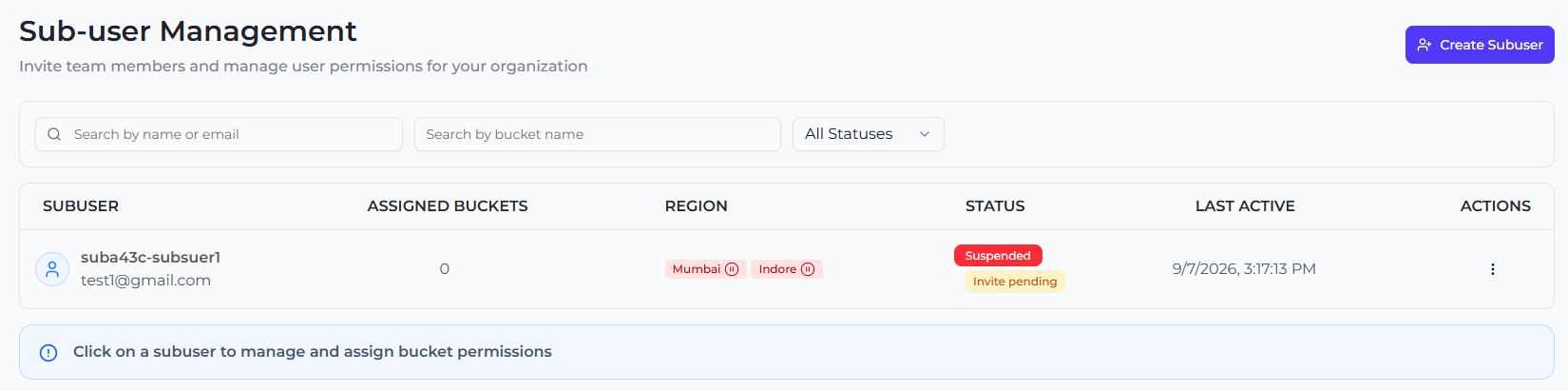
After creation, you will see the sub-user listed with:
* Username / Email
* Assigned Buckets
* Region
* Status (**Active**, **Suspended**, or **Partially Suspended** if only some regions are suspended)
* Last Active
* Actions
For dashboard access Status will be **Suspended** intially and no bucket is assigned. Row/detail page will also show the invitation status (**Invite pending**, **Invite expired**, or **Invite revoked**) until the subuser accepts it.
**Step 6: Open Sub-user Details**
* Click on the **Sub-user name**
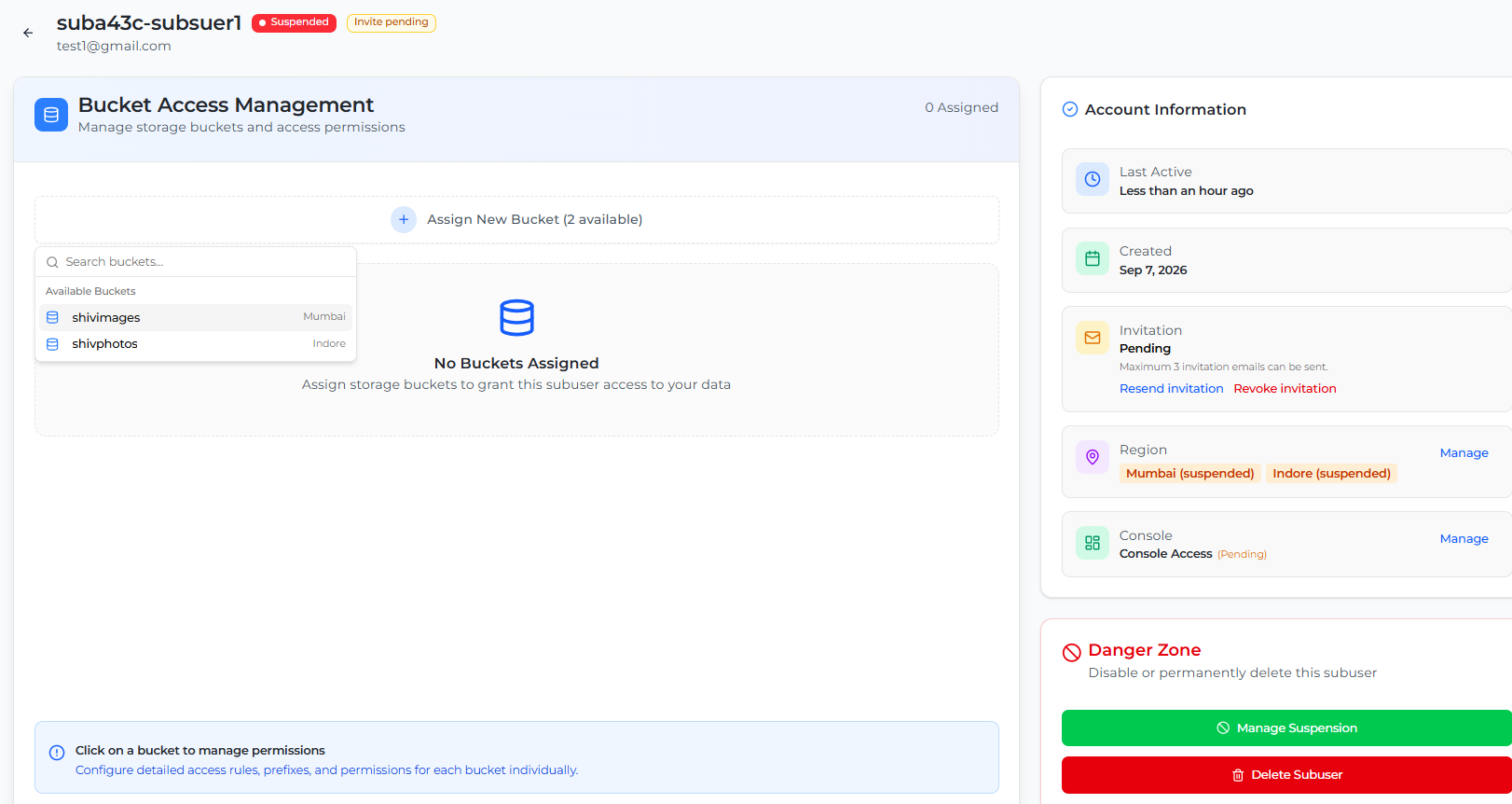
You will open the **Bucket Access Management** page, which also shows the subuser's Account Information (regions, created date, last active) and a Danger Zone with **Suspend Subuser** / **Delete Subuser** — see [Suspend & Reactivate a Subuser](/subusers/suspend-and-reactivate.md).
**Step 7: Assign Bucket**
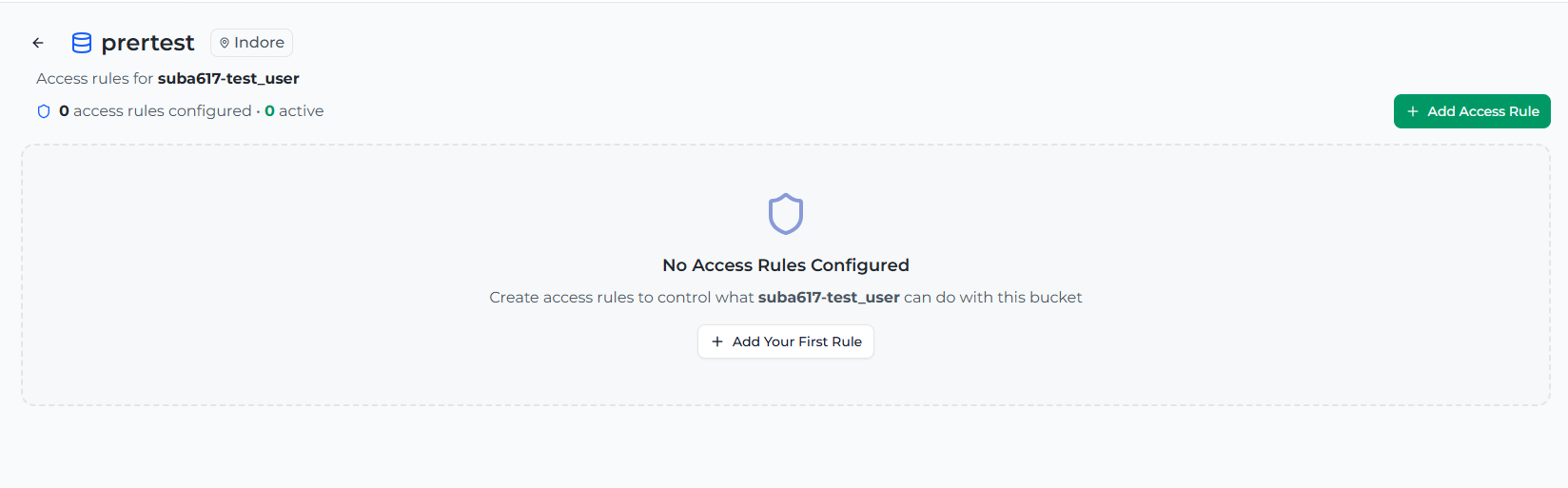
* Click on **+ Assign New Bucket**
You will proceed to assign access to a bucket.
**Step 8: Configure Access Rule**
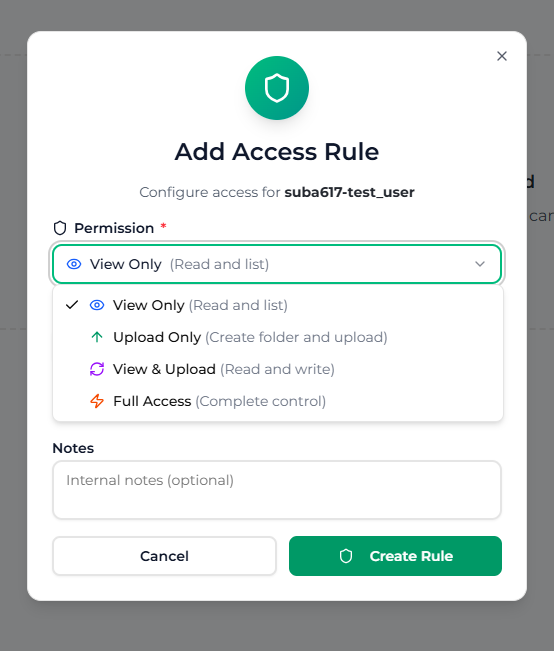
A popup will appear: **Add Access Rule**
Select a permission:
| Permission | Description |
| ------------- | ------------------------------------------- |
| View Only | Read and list (view/download objects) |
| Upload Only | Create and upload new objects |
| View & Upload | Read and write (view, download, and upload) |
| Full Access | Complete control, including delete |
Optionally set:
* **Scope** — leave empty for whole-bucket access, or enter a folder path (e.g. `photos/2026`) to restrict this rule to just that folder. If the folder doesn't exist yet, you'll be asked whether to create it first.
* **Notes** — an optional internal label for this rule.
For testing, select **Full Access**, then click **Create Rule**.
**Step 9: Verify Access Rule**
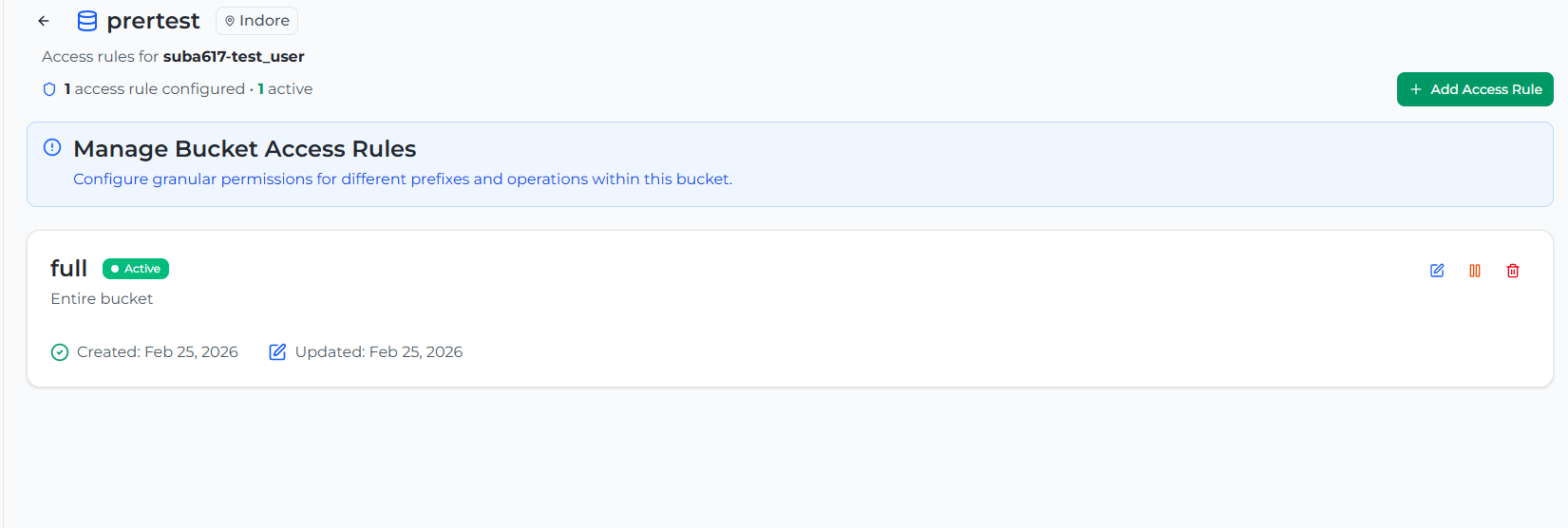
You will be redirected to the **Manage Bucket Access Rules** page.
Check:
* Permission → Full Access
* Status → Active
This confirms access is successfully configured. From here you can also **Edit**, **Suspend** (temporarily block without deleting), or **Delete** (revoke) any rule at any time.
**Step 10: Final Verification**
Go back to the **Sub-user Management** page.
Check:
* Assigned Buckets: 1
Sub-user is now ready to use.
Sub-user creation and access configuration is successfully completed. For a programmatic-only subuser (or once a dashboard subuser has accepted their invitation), the user can now access assigned buckets using S3-compatible tools or their own dashboard login — see [Subuser Portal](/subusers/subuser-portal.md).