> For the complete documentation index, see [llms.txt](https://docs.zata.ai/llms.txt). Markdown versions of documentation pages are available by appending `.md` to page URLs; this page is available as [Markdown](https://docs.zata.ai/subusers/manage-regions.md).
# Manage Regions
Add or remove regions for an existing subuser
Every region a subuser is assigned to gets its own independent storage identity and access key pair. You choose the initial region(s) when [creating the subuser](/subusers/create-a-subuser.md), and can add or remove regions afterward at any time.
### Opening Manage Regions
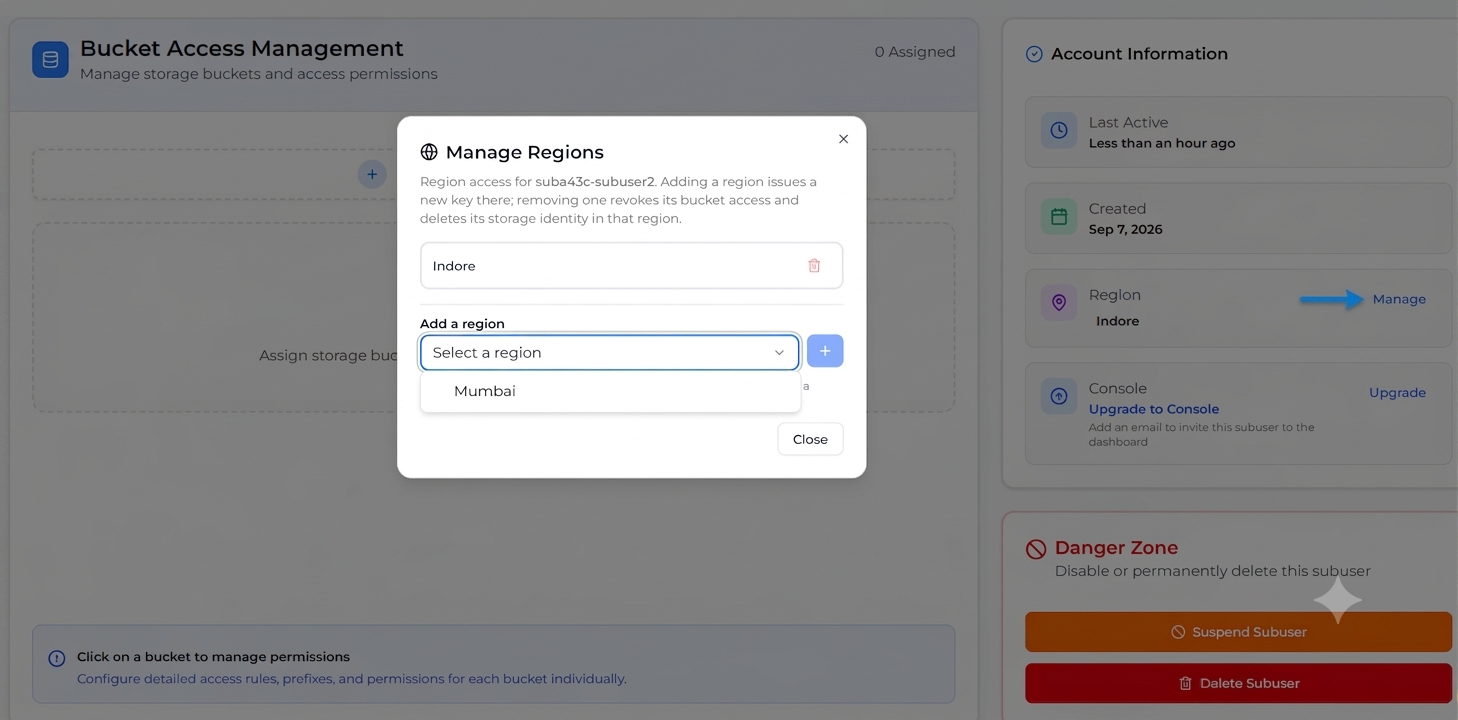
From the **Sub-user Management** list, open a subuser's row menu and choose **Manage Regions**, or use the **Manage** button next to the Region field on the subuser's detail page.
### Adding a region
1. In the **Add a region** section, choose a region from the dropdown (only regions the subuser isn't already in are listed).
2. Click **+**.
A new access key pair is issued for that region, and a credentials file downloads automatically — the same one-time-only secret key behavior as at subuser creation applies here, so save it immediately.
### Removing a region
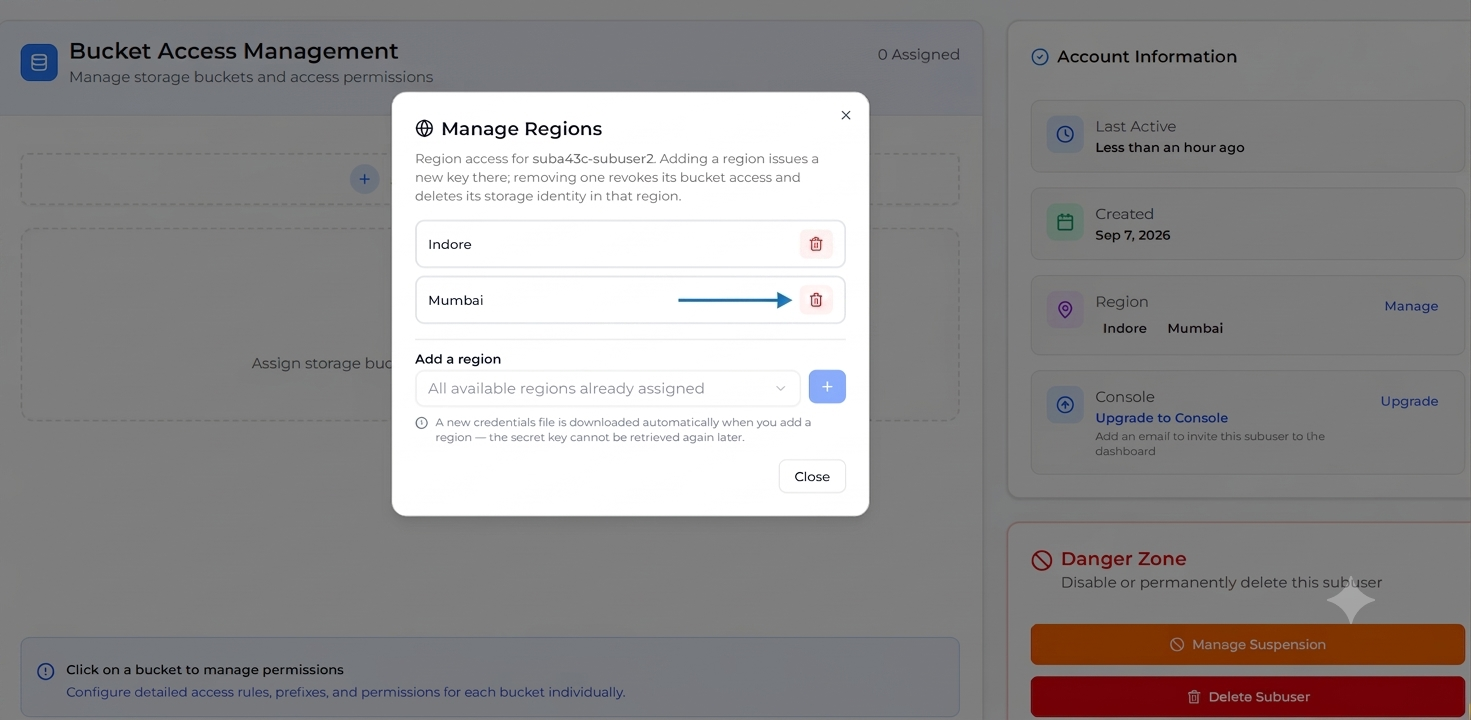
Click the trash icon next to a region to remove it. You'll be asked to confirm:
> This revokes {username}'s bucket access grants in this region and permanently deletes its storage identity and keys there. This cannot be undone.
This also removes any access rules the subuser had in that region.
The subuser's **last remaining region cannot be removed** — the button is disabled with a note to delete the subuser instead if you want to remove all of its access.