> For the complete documentation index, see [llms.txt](https://docs.zata.ai/llms.txt). Markdown versions of documentation pages are available by appending `.md` to page URLs; this page is available as [Markdown](https://docs.zata.ai/subusers/subuser-portal/access-keys.md).
# Access Keys
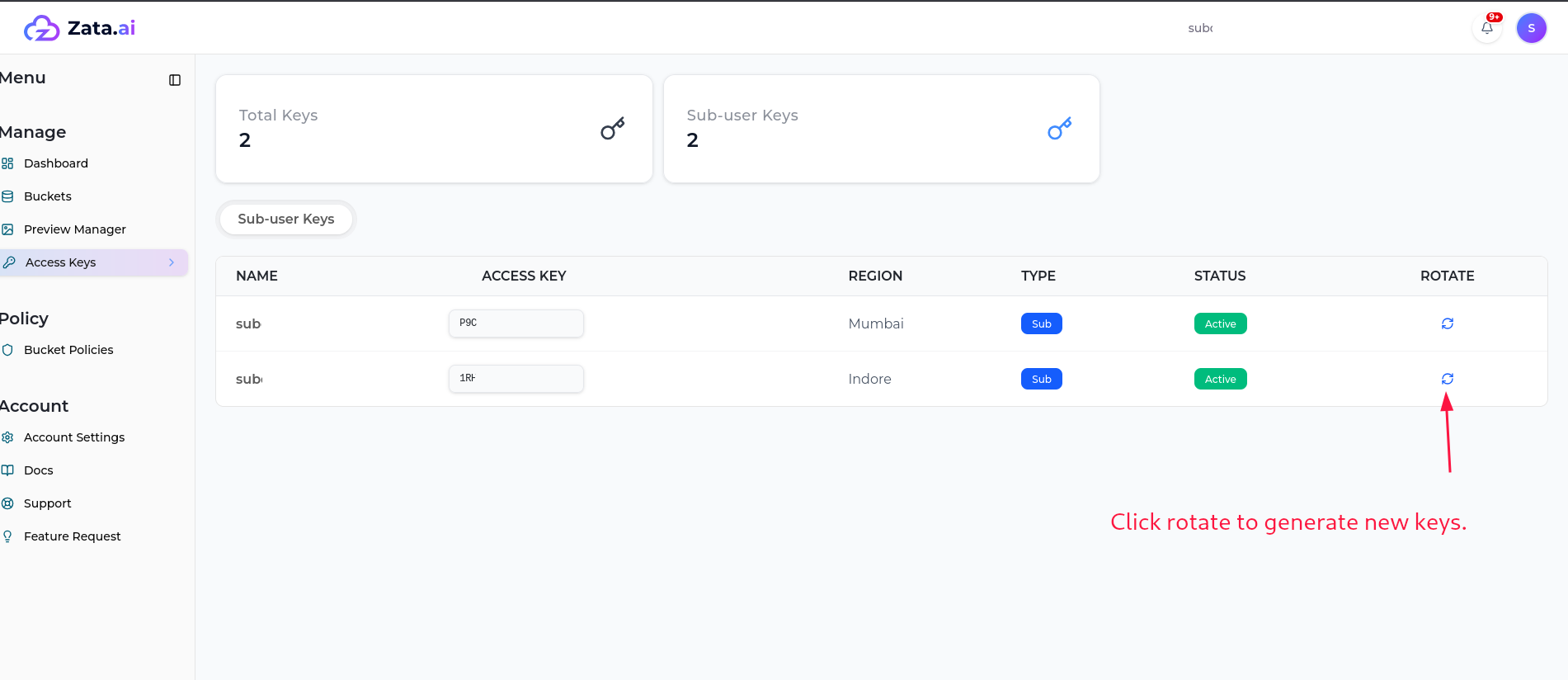
Shows the subuser's own access key(s) only (one per assigned region). A subuser can:
* View their key and copy the access key ID.
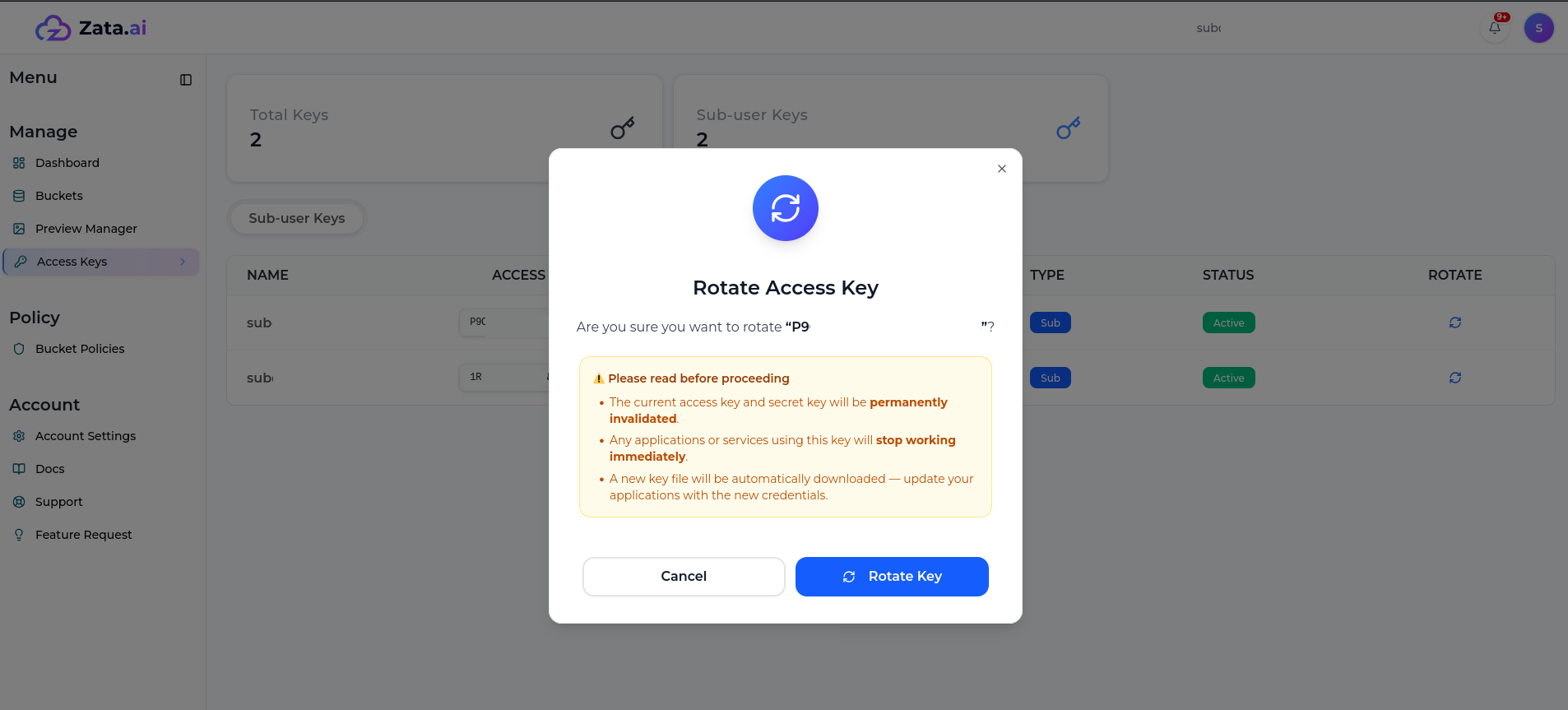
* **Rotate** their key — this immediately invalidates the old key/secret pair and downloads a new one; the account owner is notified when this happens.
A subuser **cannot** create new keys, deactivate/reactivate a key, or delete a key — those remain account-owner-only actions.