> For the complete documentation index, see [llms.txt](https://docs.zata.ai/llms.txt). Markdown versions of documentation pages are available by appending `.md` to page URLs; this page is available as [Markdown](https://docs.zata.ai/subusers/suspend-and-reactivate.md).
# Suspend & Reactivate a Subuser
Temporarily block a subuser's access without deleting it
Suspending a subuser temporarily blocks its access — its access keys stop working and, for dashboard subusers, its dashboard login is blocked — without deleting any of its buckets, access rules, or keys. Reactivating restores exactly what was there before.
### Where to find it
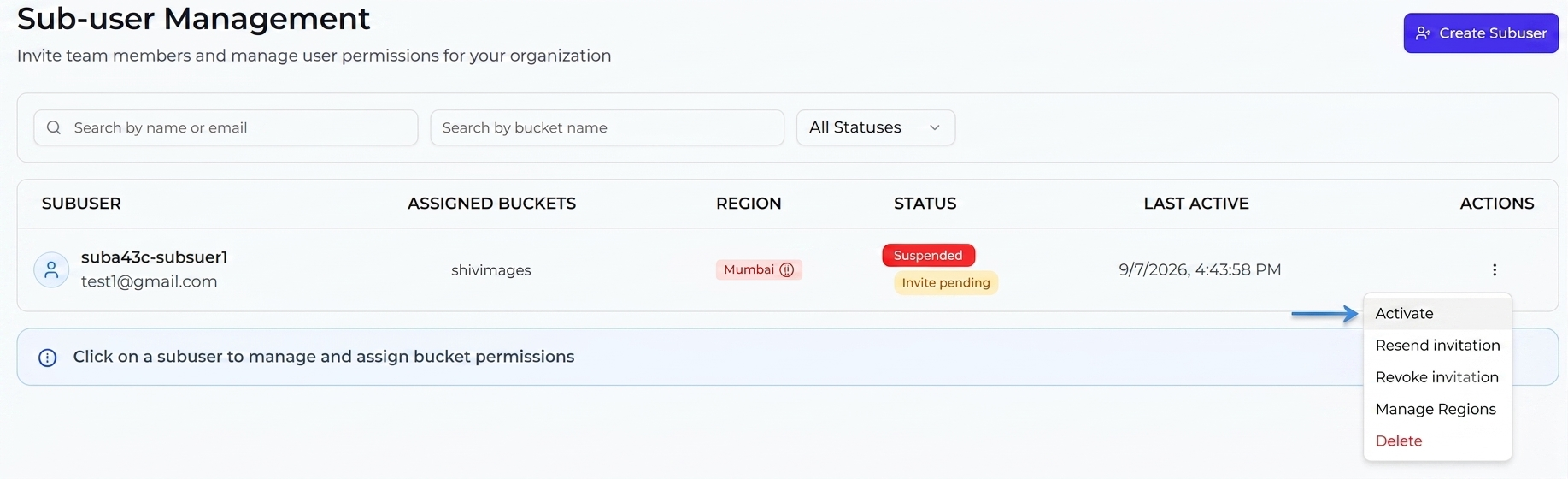
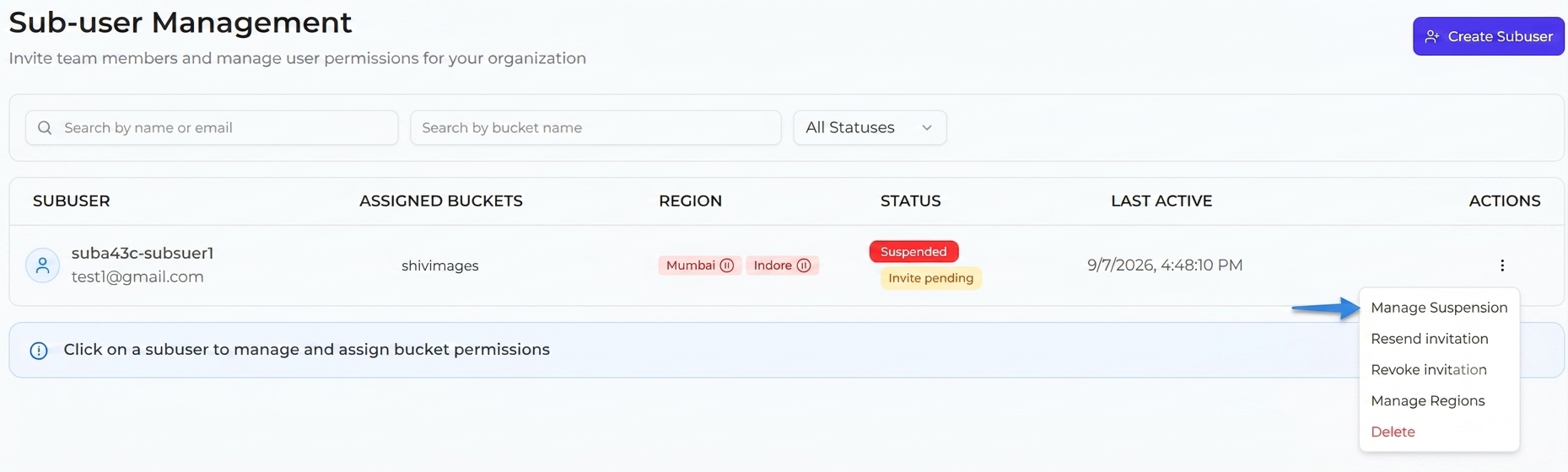
From the **Sub-user Management** list, open the row menu (or the subuser's detail page → **Danger Zone**) and choose **Suspend Subuser** (or **Activate Subuser** if it's already suspended).
### Single-region subusers
A confirmation dialog asks: "Are you sure you want to suspend '{username}'? They will temporarily lose access. You can reactivate them later." Confirm with **Suspend** (or **Activate** to reverse it).
### Multi-region subusers
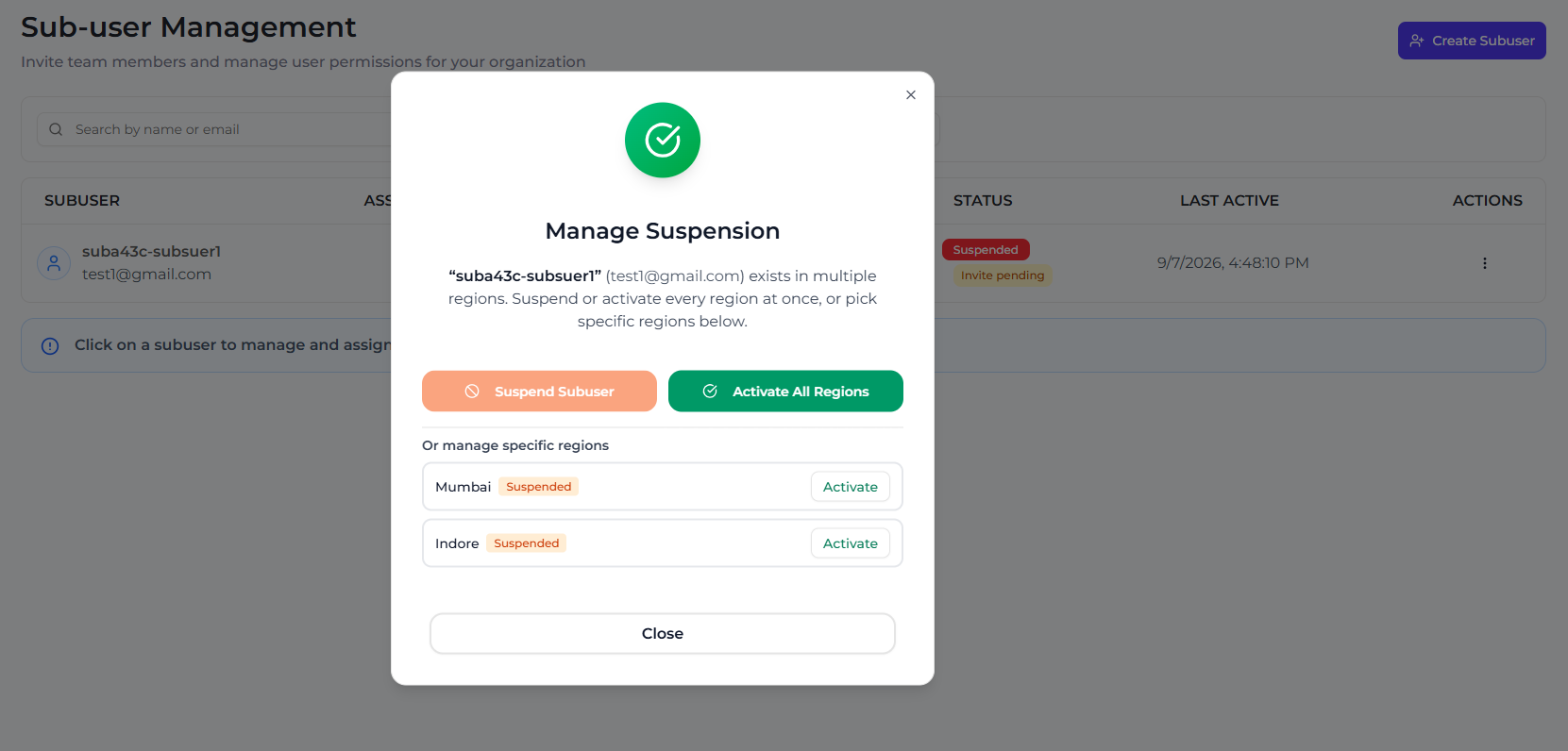
If a subuser has more than one region, the dialog becomes **Manage Suspension**, since suspension can be applied per region:
* **Suspend Subuser** / **Activate All Regions** — toggles every region at once.
* A per-region list lets you suspend or activate **individual regions** independently, leaving the others untouched.
The subuser's overall status reflects this:
* **Active** — usable everywhere.
* **Suspended** — blocked in every assigned region.
* **Partially Suspended** — active overall, but one or more specific regions are suspended. Buckets in a suspended region disappear from the subuser's own dashboard until that region is reactivated.
### What gets blocked
While suspended (fully, or in a specific region):
* The subuser's access keys for the affected region(s) stop authenticating against storage.
* If the subuser has dashboard access, signing in is blocked entirely once the account is fully suspended (a partially-suspended subuser can still sign in and use their still-active regions).
* Buckets and access rules are **not** deleted — they simply become unusable until the subuser is reactivated, at which point everything works again exactly as configured.
### After reactivating a subuser
When you reactivate a subuser (or re-activate an individual region), the subuser should **sign out and sign in again** before continuing. Their existing dashboard session was established while the account was suspended, so it can still be carrying the old, blocked permissions — regions or buckets may appear missing or actions may keep failing until a fresh session is created. Signing out and back in picks up the restored access, and everything then works exactly as it was configured before the suspension.
### Automatic suspension when your own account is affected
If your own (parent) account is suspended — for example due to a billing issue, an expired trial, or an egress cap being exceeded — all of your subusers are automatically suspended along with it, even in regions you didn't suspend yourself. This is separate from and independent of any suspension you apply manually, and it clears automatically once your account's own access is restored (it will not un-suspend a region you had suspended directly). If you see subusers showing as suspended that you didn't suspend yourself, check your account's billing/plan status first.