> For the complete documentation index, see [llms.txt](https://docs.zata.ai/llms.txt). Markdown versions of documentation pages are available by appending `.md` to page URLs; this page is available as [Markdown](https://docs.zata.ai/manage/bucket/create-bucket/bucket-settings.md).
# Bucket Settings
Click on **Settings** to open the bucket configuration page.\
The **Bucket Settings** page allows users to configure bucket properties, versioning, security access, and storage limits.
***
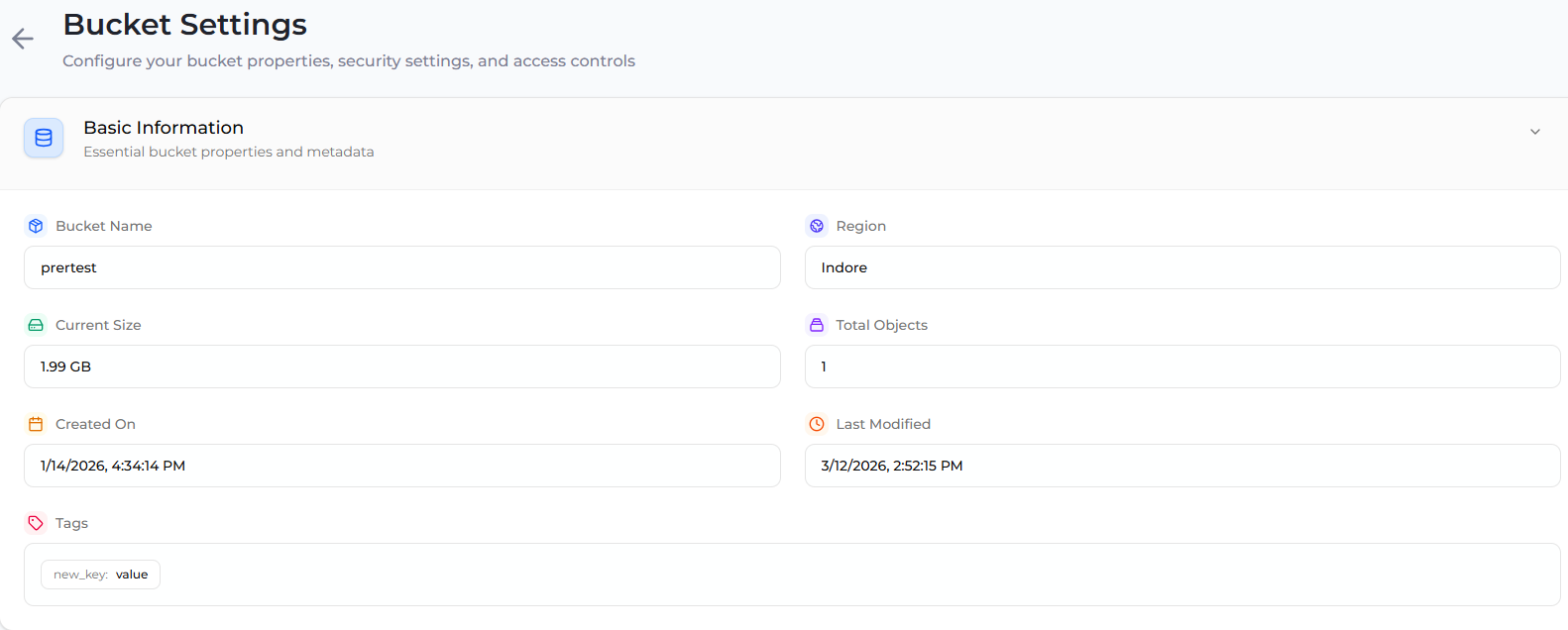
**1. Basic Information**
The **Basic Information** section displays the core metadata and properties of the bucket.
**Bucket Name**
Displays the unique name assigned to the bucket when it was created.\
This name is used to identify and access the bucket within the object storage system.
**Region**
Indicates the geographical region where the bucket is hosted.\
The selected region determines **data locality, latency, and compliance requirements**.
**Current Size**
Shows the total storage currently used by all objects inside the bucket.
**Total Objects**
Displays the total number of objects stored in the bucket.
**Created On**
Shows the exact **date and time when the bucket was created**.
**Last Modified**
Displays the most recent timestamp when any object or configuration in the bucket was updated.
**Tags**
Tags allow users to attach **key–value metadata** to the bucket for easier organization, management, and automation.
Example:
```
Environment : Production
Project : Backup
```
***
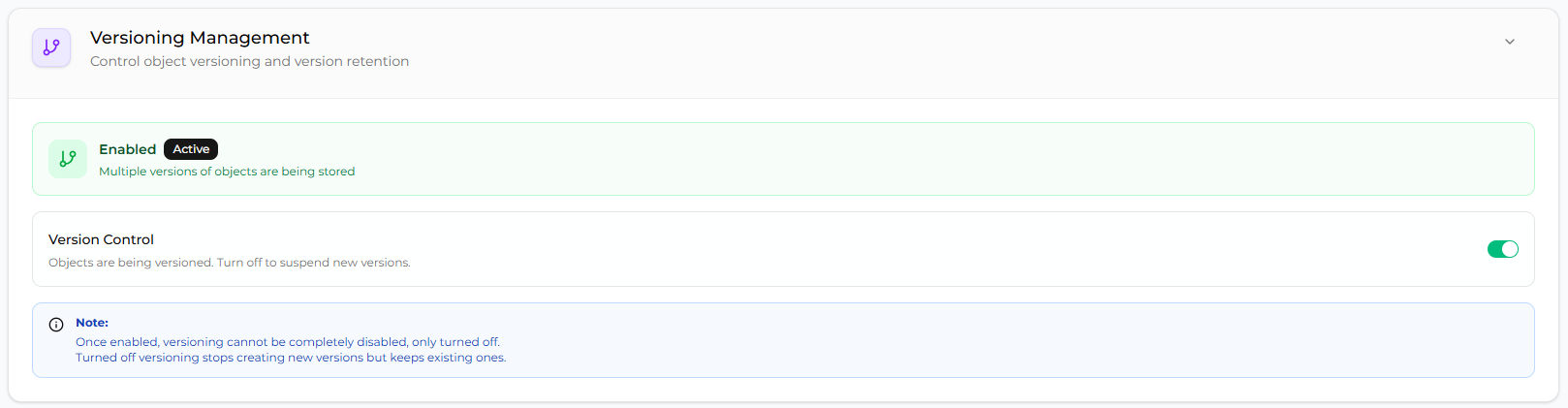
**2. Versioning Management**
The **Versioning Management** section controls the object versioning functionality for the bucket.\
\
**Version Control**
Version control enables the storage of **multiple versions of the same object**.
When **Versioning is Enabled:**
* Every update to an object creates a new version.
* Older versions are preserved.
* Deleted objects can be recovered.
This feature helps with:
* Data recovery
* Protection from accidental deletion
* Object rollback
**Note:**\
Once versioning is enabled, it **cannot be completely removed**. It can only be **turned off to stop creating new versions**, while existing versions remain stored.
***
**3. Security & Access**
The **Security & Access** section controls public accessibility of the bucket.
**Public Access**
This setting determines whether the bucket is publicly accessible.
When **Public Access is Enabled:**
* Anyone with the **object URL** can access the files.
* Files can be **viewed or downloaded without authentication**.
**Warning:**\
Public buckets may expose sensitive data if not properly controlled.
**Public URL**
Displays the base URL used to access objects in the bucket.
Example:
```
https://bucket-name.region.storage-provider.com/object-key
```
Users can access objects by appending the **object key** to the public URL.
***
**4. Storage Management**
The **Storage Management** section allows administrators to configure limits on bucket storage usage.\
These limits help control how much storage space and how many objects can be stored in a bucket.
**a. Bucket Quota**
Bucket Quota allows administrators to set limits on storage consumption for a bucket.
Administrators can configure the following limits:
**b. Storage Limit**
Defines the maximum storage capacity allowed for the bucket.
**c. Object Limit**
Defines the maximum number of objects that can be stored in the bucket.
If no limits are configured, both values remain Unlimited, allowing unrestricted usage of the bucket.
***
**Configure Bucket Quota**
To configure storage limits for a bucket, follow the steps below.**Step 1: Open Bucket Quota Configuration**
1. Navigate to the **Bucket Settings** page.
2. Scroll down to the **Storage Management** section.
3. Locate the **Bucket Quota** option.
4. Click on the **Configure** button.
This opens the **Bucket Quota configuration panel**.
**Step 2: Enable Bucket Quota**
1. Toggle **Enable Quota** to **ON**.
2. Once enabled, additional fields will appear for configuring limits.
Enabling quota allows administrators to control:
* Maximum storage usage
* Maximum number of objects stored in the bucket
**Step 3: Configure Storage Limits**
After enabling quota, the following fields become available:
**a. Storage Limit (GB)**
Defines the **maximum storage capacity allowed for the bucket**.
Example:
```
100 GB
```
If the storage usage reaches this limit, the system prevents additional uploads until storage becomes available.
**b. Object Limit**
Defines the **maximum number of objects that can be stored in the bucket**.
Example:
```
10000 objects
```
Once this limit is reached, users cannot upload additional objects until some objects are deleted.
**Unlimited Storage or Objects**
If the **Storage Limit** and **Object Limit** fields are left empty:
* Storage remains **unlimited**
* Object count remains **unlimited**
**Step 4: Save Configuration**
After entering the desired limits:
1. Click **Save Changes** to apply the quota settings.
2. Click **Cancel** to discard any unsaved changes.
Once saved, the configured quota limits will be enforced for the bucket.